Finding the best WordPress form plugins compared side-by-side is the fastest way to make the right call for your project. Whether you are collecting leads, processing payments, or running surveys, forms are a critical touchpoint with your visitors. The three most popular options – WPForms, Gravity Forms, and Formidable Forms – each take a different approach to the same problem. This guide breaks down exactly how they compare across every metric that matters, so you can pick the right one without the guesswork.
By the end of this comparison, you will know which plugin fits your budget, your technical comfort level, and the types of forms you plan to build. We cover ease of use, the form builder interface, conditional logic, payment integrations, email marketing connections, entry management, pricing, performance impact, the addon ecosystem, and when each plugin makes sense as your pick.
Quick Overview: Where Each Plugin Stands
Before diving into the details, here is the one-line positioning for each plugin:
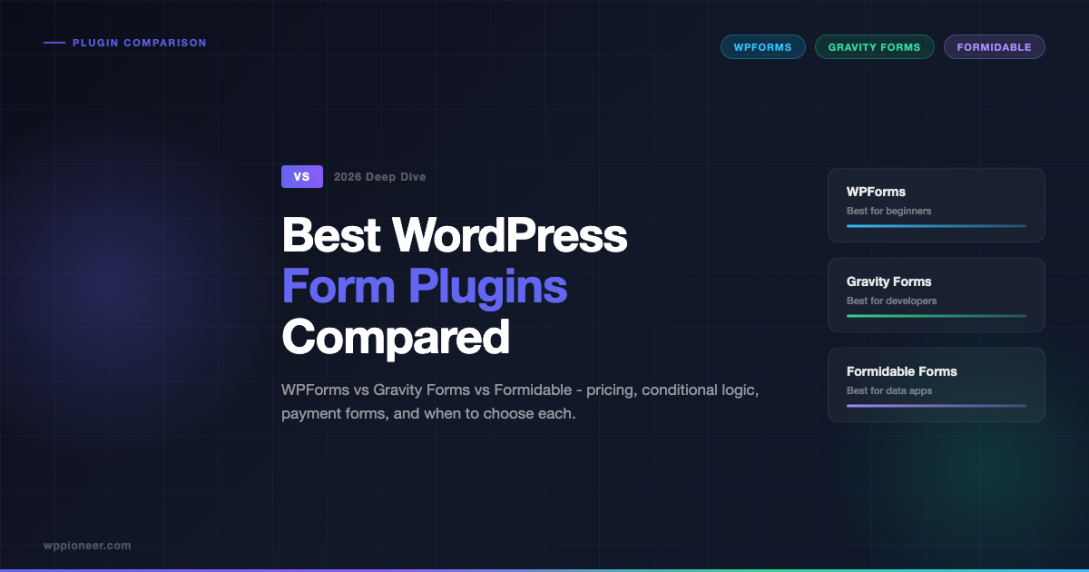
- WPForms – The friendliest option for beginners. Drag and drop, fast setup, and clean design. Best for standard contact and lead gen forms.
- Gravity Forms – Developer and agency favorite. Powerful, extensible, and flexible. Best when you need complex workflows and custom logic.
- Formidable Forms – The data-heavy option. Handles multi-step forms, calculated fields, and even builds front-end apps. Best when forms are at the core of your site functionality.
Ease of Use and Getting Started
Ease of use is where the biggest differences show up, especially for site owners who are not developers.
WPForms
WPForms is purpose-built for simplicity. The setup wizard walks you through creating your first form in under two minutes. The drag-and-drop builder is clean and visual – you see exactly how the form looks as you build it. Pre-built templates cover most common use cases: contact forms, newsletter signups, payment forms, survey forms, and job applications. There is no learning curve for basic forms.
The free version (WPForms Lite) is available on WordPress.org and handles simple contact forms without any paid plan. For most small business owners or bloggers, the Lite version is a genuine starting point, not a stripped-down teaser.
Gravity Forms
Gravity Forms does not have a free version. The first thing you notice after activating it is that the interface is denser. There is more power visible upfront, which means more to absorb. The form builder is still drag and drop, but it surfaces more options and settings from the start. For developers, this is great. For non-technical users building their first form, it can feel like too much at once.
That said, Gravity Forms has excellent documentation and an active community. Once you understand its logic, building powerful forms becomes fast. The initial ramp-up is just steeper than WPForms.
Formidable Forms
Formidable Forms sits in the middle on ease of use for basic forms, but it becomes complex fast when you use its advanced features. The form builder is visual and relatively straightforward for standard forms. But as soon as you start working with calculated fields, repeaters, or front-end data views, there is a noticeable jump in complexity. It is not the best pick for someone who just needs a contact form and nothing more.
Form Builder Interface and Field Types
The form builder interface determines how quickly you can go from idea to a working form. All three plugins use drag-and-drop editors, but the experience differs.
| Feature | WPForms | Gravity Forms | Formidable Forms |
|---|---|---|---|
| Drag and drop builder | Yes | Yes | Yes |
| Live preview | Yes | Partial | Yes |
| Pre-built templates | 300+ | 30+ | 100+ |
| Multi-page forms | Yes (Pro) | Yes | Yes |
| Repeater fields | Limited | Yes | Yes (advanced) |
| Calculated fields | Basic | Yes | Advanced |
| File uploads | Yes | Yes | Yes |
| Signature fields | Pro | Add-on | Yes |
WPForms has the cleanest visual editor and the most templates. If you need to spin up a form quickly without much customization, WPForms wins. Gravity Forms handles more complex field types out of the box, especially for multi-step workflows. Formidable Forms goes furthest with repeater fields and calculations – it can handle use cases the other two cannot, like mortgage calculators, project cost estimators, or dynamic data tables.
Conditional Logic
Conditional logic lets you show or hide fields, change form behavior, or route submissions based on user input. This is a key feature for any form beyond the basics.
WPForms Conditional Logic
WPForms has solid conditional logic available on Plus plans and above. You can show or hide fields, sections, and pages based on user responses. You can also conditionally route notifications and confirmations. The interface for setting up conditions is clean and beginner-friendly – you pick a field, a condition (is/is not/contains), and a value, then define the result. For most use cases, this is more than enough.
Gravity Forms Conditional Logic
Gravity Forms has the most flexible conditional logic of the three. You can apply conditions to fields, pages, sections, buttons, and even notifications. You can stack multiple AND/OR conditions for complex scenarios. Gravity Forms also supports conditional routing to different confirmation messages or post-submission actions. For developers building quote engines, application workflows, or multi-branch user journeys, Gravity Forms conditional logic is hard to beat.
Formidable Forms Conditional Logic
Formidable Forms has strong conditional logic too, particularly well-integrated with its calculated fields. You can use conditional logic to show/hide fields, change field values, and control what data appears in front-end views after submission. For data-driven applications where the form output changes the page dynamically, Formidable’s conditional logic is purpose-built for that pattern.
Gravity Forms conditional logic is the most powerful for multi-branch workflows. WPForms is the easiest to configure. Formidable Forms shines when conditions tie into dynamic data displays.
Payment Integrations: Stripe, PayPal, and More
If you need to collect payments through your forms – for event registrations, donations, product orders, or service deposits – payment integration quality matters a lot.
WPForms Payment Support
WPForms supports Stripe, PayPal Standard, PayPal Commerce, Square, and Authorize.net. Stripe integration is available on the Pro plan. PayPal is available from Plus upward. The payment forms are easy to set up – you connect your account, add payment fields, and optionally use conditional pricing based on selected options. The UI for building an order form with product variations and conditional totals is cleaner in WPForms than in most competitors. For simple to moderate payment scenarios, WPForms handles it well.
Gravity Forms Payment Support
Gravity Forms supports Stripe, PayPal Standard, PayPal Checkout, Authorize.net, Braintree, Square, and more through official and third-party add-ons. The Stripe add-on is particularly powerful – it supports one-time and recurring payments, Stripe checkout overlays, and 3D Secure. Gravity Forms is the top choice for complex payment scenarios: subscription services, tiered pricing, coupon codes, and multi-product order forms with complex pricing logic. If payments are central to your business model and you need flexibility, Gravity Forms is the one.
Formidable Forms Payment Support
Formidable Forms supports Stripe and PayPal. The payment integration is solid and works well for most use cases. Where Formidable stands out is in pairing payment processing with calculated pricing – if you are building a pricing calculator where the total changes based on user selections and then collects payment for that calculated amount, Formidable handles this pattern better than the other two. For standard payment forms without complex calculations, WPForms or Gravity Forms are generally cleaner options.
Email Marketing Integrations
Connecting form submissions to your email marketing platform is essential for lead generation. Here is how each plugin handles it.
| Email Platform | WPForms | Gravity Forms | Formidable Forms |
|---|---|---|---|
| Mailchimp | Yes (built-in) | Add-on | Yes (built-in) |
| ActiveCampaign | Yes (Elite) | Add-on | Add-on |
| ConvertKit | Yes | Add-on | Add-on |
| AWeber | Yes | Add-on | Yes |
| Drip | Yes | Add-on | Yes |
| GetResponse | Yes | Add-on | Add-on |
| HubSpot | Yes | Add-on | Add-on |
| Zapier | Yes | Yes | Yes |
WPForms includes the most native integrations bundled with its core plans. Gravity Forms relies more heavily on its add-on ecosystem for marketing integrations – but those add-ons are well-built and regularly maintained. Formidable Forms has solid integration coverage as well. All three support Zapier, which serves as a fallback connection to almost any platform not directly supported.
Entry Management
After forms start collecting submissions, you need somewhere to view, filter, export, and act on that data. Entry management quality varies significantly across the three plugins.
WPForms Entries
WPForms has a clean entries dashboard in the WordPress admin. You can view all submissions, filter by form, search by field value, star or trash entries, and export to CSV. Entry notes let you add comments to individual submissions. It covers standard entry management needs well. For advanced filtering, bulk operations, or building custom views, it does not go as deep as Formidable Forms.
Gravity Forms Entries
Gravity Forms has a solid entries view with filtering, search, bulk actions, and star/read/unread status. You can update entry values directly from the admin, which is useful for order management workflows. Entries can be exported to CSV or printed. The entries list view is dense with information. For teams using forms for CRM-like workflows, Gravity Forms handles it well. You can also use the Gravity Forms API to pull entries into external systems.
Formidable Forms Entries
Formidable Forms has the most powerful entry management system. Beyond standard admin views, it can display form entries on the front end of your site as tables, grids, calendars, or custom layouts – without any additional plugins. This is the core differentiator that puts Formidable in a different category. If you are building a job board, a member directory, a real estate listing page, or any feature where form submissions become visible content on your site, Formidable Forms is designed for exactly that. The other two plugins cannot replicate this without additional tools.
Pricing Comparison
Pricing is often the deciding factor. Here is an honest breakdown of what each plugin costs and what you get at each tier.
WPForms Pricing (2025)
- Lite (Free) – Basic contact forms, available at WordPress.org
- Basic ($49.50/yr) – 1 site, email marketing integrations, form templates
- Plus ($99.50/yr) – 3 sites, conditional logic, PayPal, multi-page forms
- Pro ($199.50/yr) – 5 sites, Stripe, Geolocation, user registration, file uploads
- Elite ($299.50/yr) – Unlimited sites, priority support, all features
Gravity Forms Pricing (2025)
- Basic ($59/yr) – 1 site, unlimited forms, core add-ons
- Pro ($159/yr) – 3 sites, all official add-ons including Stripe, PayPal, Mailchimp
- Elite ($259/yr) – Unlimited sites, priority support, Gravity Perks compatibility
Note: Many third-party add-ons for Gravity Forms are sold separately. Gravity Perks (a popular add-on bundle) adds another $99-$149/yr for the full set.
Formidable Forms Pricing (2025)
- Free – Basic forms available on WordPress.org
- Basic ($39.50/yr) – 1 site, more field types, basic views
- Plus ($99.50/yr) – 3 sites, advanced views, calculated fields
- Business ($199.50/yr) – 20 sites, payment integrations, all premium features
- Elite ($299.50/yr) – Unlimited sites, white labeling, priority support
| Plan Level | WPForms | Gravity Forms | Formidable Forms |
|---|---|---|---|
| Entry level (1 site) | $49.50/yr | $59/yr | $39.50/yr |
| Mid-tier (3 sites) | $99.50/yr | $159/yr | $99.50/yr |
| Unlimited sites | $299.50/yr | $259/yr | $299.50/yr |
| Free version? | Yes | No | Yes |
Gravity Forms charges more at the mid-tier but includes all official add-ons in the Pro plan, which adds real value. WPForms and Formidable are comparable on pricing at most tiers. Gravity Forms is the only one with no free version.
Performance and Page Speed Impact
Forms add JavaScript and CSS to your pages, and the performance impact differs across plugins. This matters more if you run many forms or have a performance-sensitive setup.
WPForms Performance
WPForms is one of the lightest-weight options in the category. It only loads its scripts and styles on pages that actually contain a form (not sitewide). The base JavaScript payload is small. For most shared hosting setups and performance-optimized sites, WPForms adds minimal overhead. The plugin also supports disabling the jQuery UI datepicker (a common performance culprit) when not needed.
Gravity Forms Performance
Gravity Forms can add a notable amount of script weight, particularly when using add-ons that load their own assets. By default, Gravity Forms is not as aggressive about limiting asset loading to only the pages where forms appear. However, with proper caching, a CDN, and a well-configured hosting environment, the performance difference compared to WPForms becomes less significant. For developer-led projects with performance optimization in the stack, this is manageable. For less-optimized setups, it can show up in page speed scores.
Formidable Forms Performance
Formidable Forms has the heaviest default footprint of the three, largely because of its front-end views and data display features. If you are using Formidable purely as a contact form plugin without its views features, you can disable unnecessary assets. But if you are using its full feature set for front-end data apps, the script load is proportional to that added functionality. It is worth testing your Lighthouse scores after implementation.
Addon Ecosystem
The add-on ecosystem determines how far you can extend each plugin’s capabilities.
WPForms Add-Ons
WPForms has around 40 official add-ons covering payments, marketing integrations, user registration, geolocation, custom CAPTCHA, surveys, polls, offline forms, and more. Most add-ons are bundled with Pro or Elite plans – you are not paying per add-on. The ecosystem is focused on common use cases and kept well-maintained. There are fewer third-party add-ons in the broader community, but the official set covers most needs.
Gravity Forms Add-Ons
Gravity Forms has one of the largest add-on ecosystems in the WordPress form plugin space. There are over 20 official add-ons plus a substantial library of third-party and community-built extensions. Gravity Perks alone adds about 50 extra features (Limit Submissions, Nested Forms, Populate Anything, Post Updates, etc.). The breadth means almost any functionality you can imagine for a form is available. This is a major reason developers and agencies choose Gravity Forms – it can be extended in nearly any direction.
Formidable Forms Add-Ons
Formidable Forms has a focused set of official add-ons, particularly strong on data and application features: front-end user editing of submissions, post creation from form data, calculator add-ons, quiz forms, and custom REST API endpoints. The ecosystem is smaller than Gravity Forms but more purpose-built for data application use cases. If your project requires forms that power a mini application on your site, Formidable’s add-on set is designed for that.
When to Choose Each Plugin
Choose WPForms When…
- You are new to WordPress and want the fastest, simplest form setup
- Your primary need is contact forms, lead generation, or newsletter signups
- You want a good free starting point (Lite version)
- You are building a small business site, portfolio, or blog
- Performance is a priority and you want minimal script overhead
- You need payment forms that are simple to configure (Stripe, PayPal)
- You want a clean, modern admin experience without developer complexity
Choose Gravity Forms When…
- You are a developer or agency building forms for clients
- You need complex conditional logic with multiple AND/OR branches
- Subscription billing and advanced Stripe workflows are required
- You need the widest possible add-on ecosystem for future extensibility
- You are building workflow automation where form submissions trigger CRM, email, and Slack actions
- The project involves complex multi-step application or registration flows
- You want programmatic access to entries via the Gravity Forms REST API
Choose Formidable Forms When…
- Your forms collect data that needs to be displayed back on the front end of your site
- You are building a job board, member directory, classifieds, or listing site
- You need a price or cost calculator where the form total drives a payment
- Multi-step forms with repeating field groups are required
- You want to let users edit their own submissions on the front end
- You need to build a mini application without a custom plugin
Head-to-Head Summary
| Category | WPForms | Gravity Forms | Formidable Forms |
|---|---|---|---|
| Beginner friendliness | Best | Medium | Medium |
| Developer flexibility | Medium | Best | High |
| Conditional logic | Good | Best | Good |
| Payment forms | Good | Best | Good |
| Email integrations | Best | Good | Good |
| Entry management | Good | Good | Best |
| Front-end data display | No | No | Best |
| Calculated fields | Basic | Good | Best |
| Performance | Best | Medium | Medium |
| Add-on ecosystem | Good | Best | Good |
| Pricing value | High | Medium-High | High |
| Free version | Yes | No | Yes |
Common Questions
Can I switch form plugins later?
Switching form plugins mid-project is painful. You lose existing entries, have to rebuild every form, and risk breaking shortcodes or embed codes throughout your site. Pick the right plugin at the start based on your longest-term needs, not just what you need today. The comparison tables in this guide are designed to help you think ahead.
Which is best for WooCommerce?
For WooCommerce-adjacent forms (checkout add-ons, product inquiry forms, order custom fields), Gravity Forms has the deepest WooCommerce integration ecosystem. WPForms also integrates with WooCommerce for order forms and product purchase forms. Formidable Forms can handle WooCommerce scenarios but is less commonly used in that context.
Do these plugins work with page builders?
Yes – all three have Elementor, Divi, Beaver Builder, and Gutenberg block integrations. WPForms has a dedicated Gutenberg block that makes embedding forms in the block editor particularly smooth. Gravity Forms and Formidable Forms use shortcodes primarily, though Gutenberg blocks are available for both.
Which has the best GDPR and compliance support?
All three plugins support GDPR compliance features: consent checkboxes, data export, entry deletion on request, and privacy policy field types. WPForms and Gravity Forms have more detailed documentation around GDPR setup. For regulated industries (healthcare, finance), Gravity Forms with its Stripe HIPAA features or specific add-ons may provide the closest path to compliance – but always consult a legal professional for your specific requirements.
The Bottom Line
There is no single winner in this comparison – it depends entirely on what you need forms to do. WPForms is the right call for most WordPress users who want reliable, good-looking forms without complexity. Gravity Forms is the power user’s choice when conditional logic, payment workflows, and a deep add-on ecosystem matter most. Formidable Forms earns its place when your forms are not just data collectors but the backbone of a front-end application on your site.
Start with your most important use case. If it is “I need a contact form and a newsletter signup”, WPForms wins. If it is “I need subscription billing with complex conditional pricing”, Gravity Forms wins. If it is “I need a front-end listing site powered by form submissions”, Formidable Forms wins. Match the plugin to the job, not the other way around.
The best form plugin is the one that handles your most complex use case without making your simple use cases harder.
Next Steps
If you are ready to choose a form plugin, here is a quick action plan:
- Start a free trial or free version of the plugin that best matches your use case above
- Build your most complex planned form first – not your simplest one
- Test the entry management view and export functionality before committing
- Check that your email marketing platform is supported natively (not just via Zapier)
- Run a before/after Lighthouse speed test to verify the performance impact is acceptable for your setup
If you are comparing WordPress plugins in other categories, our Yoast vs Rank Math vs AIOSEO comparison uses the same evaluation framework. For page speed, our WordPress performance optimization guide covers how to measure and reduce plugin script overhead, which applies directly to whichever form plugin you choose.
Contact Forms Formidable Forms Gravity Forms WordPress Form Plugins WPForms
Last modified: April 1, 2026