How to Recover Abandoned Carts in WooCommerce: The Automated Email Guide

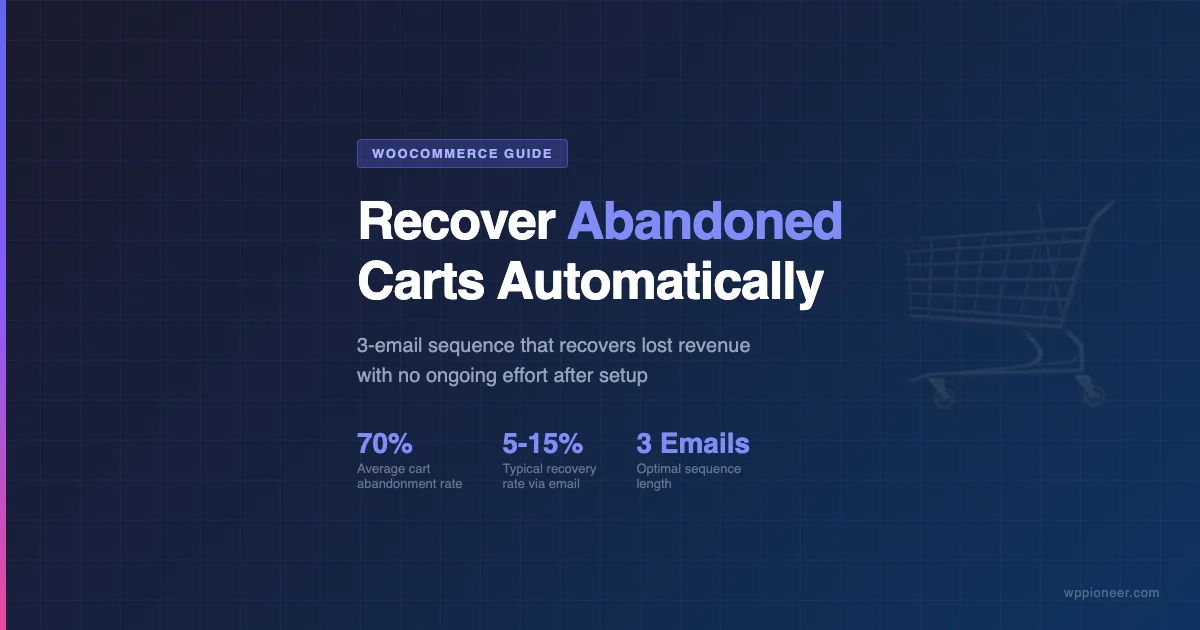
Cart abandonment is the single biggest revenue leak in most WooCommerce stores. Studies consistently show that roughly 70 percent of shoppers who add something to their cart leave without completing the purchase. The good news: a well-built automated email sequence recovers a meaningful portion of that lost revenue with almost no ongoing effort after initial setup. This guide walks through why carts get abandoned, what WooCommerce offers natively, how the leading dedicated recovery plugins compare, how to build a practical three-email sequence, and how to measure whether it’s actually working.
Why Shoppers Abandon Carts
Before trying to recover abandoned carts, it helps to understand what causes them. Cart abandonment is not a single problem – it is a cluster of different friction points, and not all of them are solvable with email.
The most commonly cited reasons fall into a few clear categories:
- Unexpected costs at checkout: Shipping fees, taxes, and handling charges that appear only at the final step are the top driver of abandonment. Shoppers who saw a $39 product are surprised by a $55 order total and leave.
- Forced account creation: Requiring shoppers to create an account before purchasing is a well-documented friction point. Many buyers are in one-time-purchase mode and do not want another login to manage.
- Checkout complexity: Too many fields, too many pages, or confusing form validation increases drop-off rate. Long checkout processes lose shoppers who were browsing on mobile. A streamlined WooCommerce checkout customization reduces this friction significantly.
- Distrust or hesitation: First-time buyers from smaller stores often pause to check reviews, look for trust badges, or compare prices elsewhere and then get distracted.
- Window shopping and price research: A significant share of cart additions are never intended purchases. Shoppers use the cart as a wishlist or to check total pricing. These contacts are the hardest to convert via recovery email.
- Technical problems: Slow page loads, payment errors, or a confusing coupon field can cause abandonment that has nothing to do with buyer intent.
Email recovery works best on the first and fourth reasons above. A well-timed reminder with a clear order summary and a reassurance about returns converts hesitant buyers who genuinely intended to purchase. It will not fix surprise shipping costs – that requires changes to your WooCommerce settings, not your email strategy.
WooCommerce Built-In Cart Recovery vs. Dedicated Plugins
WooCommerce core does not include abandoned cart recovery email functionality. Out of the box, WooCommerce stores only the cart contents for logged-in users and does not send any recovery emails. The built-in cart functionality is purely operational – it tracks what is in the cart, but it does not treat an inactive session as a recoverable event.
What WooCommerce does provide is a solid foundation for third-party solutions to build on:
- Cart and session data stored in the database, accessible to plugins
- WooCommerce email system that plugins can hook into
- REST API endpoints for cart and order data
- Coupon system that recovery plugins can use to insert dynamic discount codes
If you use an email marketing platform like Klaviyo or Drip, that platform may already include WooCommerce-specific abandoned cart tracking via its WordPress plugin. Check your existing tools before adding a dedicated recovery plugin – you may not need another one. For a broader look at how email integrates with WordPress, see this guide on adding email newsletter signups to WordPress.
For stores without an email platform that handles this natively, dedicated WooCommerce cart recovery plugins are the most direct path.
FunnelKit Automations vs. CartFlows vs. Abandoned Cart Lite: Which Plugin to Use
Three plugins come up most often when WooCommerce store owners research cart recovery. They approach the problem from different angles, which is why picking the right one depends on what else you need your store to do.
Abandoned Cart Lite for WooCommerce
This plugin by Tyche Softwares is the most focused option in this group. It does one thing: track abandoned carts and send recovery emails. The free version from the WordPress.org repository covers the core workflow – it captures cart data for both logged-in users and guest shoppers (by capturing the email from partial checkout form fills), and sends automated recovery emails based on a time delay you configure.
The paid version adds multi-email sequences, SMS notifications, coupon integration, and more detailed reporting. For a store that wants pure cart recovery without any upsell funnel complexity, this is the least expensive and easiest-to-configure option. A free tier is available with functional core features.
Best for: Stores that want focused cart recovery, minimal setup, and a free starting point.
FunnelKit Automations
FunnelKit Automations (formerly WooFunnels Autonami) is a full marketing automation platform for WooCommerce. Cart recovery is one of its automation templates, but the plugin covers a much wider scope: post-purchase follow-ups, win-back campaigns, review request emails, birthday automations, and custom triggers based on WooCommerce order events.
The visual automation builder uses a trigger-condition-action flow that experienced email marketers will find familiar. You can build multi-branch sequences where different cart values or product categories send different email paths.
FunnelKit Automations requires the separate FunnelKit plugin for checkout funnels if you want the full ecosystem. Used standalone for cart recovery, it is heavier than Abandoned Cart Lite but more extensible. Paid plans are available at varying price points.
Best for: Stores that want cart recovery as part of a broader post-purchase automation strategy, and that plan to build out multiple campaign types.
CartFlows
CartFlows is primarily a checkout funnel builder – it replaces or extends the standard WooCommerce checkout with custom funnel pages, order bumps, and upsell and downsell flows. Cart abandonment tracking is included as part of the platform, with recovery email capability through its integration with FunnelKit Automations or third-party email providers.
If you are not building funnel-style checkout pages, CartFlows is probably more than you need for cart recovery alone. Its strongest use case is high-ticket or upsell-heavy stores that want full control over the checkout experience and post-purchase flow.
Best for: Stores actively building checkout funnels with order bumps and upsells, where cart recovery is one component of a broader conversion optimization project.
| Plugin | Primary Focus | Guest Recovery | Free Version | Complexity |
|---|---|---|---|---|
| Abandoned Cart Lite | Cart recovery only | Yes | Yes (functional) | Low |
| FunnelKit Automations | Full automation platform | Yes | Limited | Medium-High |
| CartFlows | Checkout funnels and recovery | Yes (via integration) | Yes (funnel builder) | High |
Building a 3-Email Recovery Sequence
A three-email recovery sequence is the most commonly recommended approach and performs well across product categories. The logic is simple: you want to send a gentle reminder, followed by a helpful message, followed by a final prompt with a reason to act. Spreading these over 24-48 hours gives shoppers enough space to reconsider without feeling pressured.
Email 1: The Friendly Reminder (1-2 Hours After Abandonment)
The first email should send within one to two hours of the cart being abandoned. At this point, the buyer’s intent is still relatively fresh. Keep this email short and direct: remind the shopper what is in their cart, include a single clear call to action to return and complete the order, and avoid discount offers.
Including the specific product name and a product image dramatically improves click-through rate compared to generic “you left something behind” copy. Most recovery plugins pull cart line items and can render them directly in the email template.
Subject line approach: Keep it conversational. Something like “Your [Product Name] is still waiting” or “Did you mean to leave this behind?” typically outperforms subject lines that mention discounts at this stage.
Email 2: The Value Reminder (24 Hours After Abandonment)
If the shopper did not respond to Email 1, send a second message roughly 24 hours after abandonment. At this point, shift the focus from urgency to value. Remind them why the product is worth buying – highlight a key benefit, include a customer review or rating if you have one, and address a common objection such as your returns policy, shipping time, or quality guarantee.
This is also a good place to surface your trust signals: secure checkout badges, money-back guarantee language, and clear return policy details. Buyers who are still hesitating at this stage are often uncertain about whether the purchase is a safe bet.
Subject line approach: Lean into the product benefit or a question that surfaces the buyer’s underlying need. “Still thinking about [Product]? Here is what customers say” works better than a second generic reminder.
Email 3: The Final Push (48-72 Hours After Abandonment)
The third email is your last attempt, and it is the appropriate time to introduce an incentive if you are going to use one. A time-limited discount code – something like 10 percent off, valid for 48 hours – gives fence-sitters a concrete reason to act now. Use a dynamic coupon generated by your plugin to prevent code sharing.
Keep this email concise. State what is in the cart, offer the discount, make the expiry clear, and include a single button that returns them to the cart with the code pre-applied where possible.
Subject line approach: Lead with the offer. “Here is 10% off – but only for the next 48 hours” is clear and actionable. Avoid subject lines that feel manipulative or create false scarcity.
After three emails with no response, stop. Continuing to email non-responsive contacts damages your sender reputation and irritates shoppers who have clearly moved on.
Measuring Recovery Rate and Subject Line Tips
Setting up the sequence is the easy part. Knowing whether it is working and improving it over time requires tracking the right numbers.
Key Metrics to Track
- Recovery rate: The percentage of abandoned carts that result in a completed order after receiving at least one recovery email. Most stores see rates between 5 and 15 percent depending on product category and email quality.
- Open rate per email: Track each email in the sequence separately. Email 1 typically has the highest open rate. A sharp drop between Email 1 and Email 2 suggests your first email is doing its job but the second needs work.
- Click-through rate: What percentage of openers click back to the cart? Low click-through rate with decent open rates usually points to weak subject-to-body alignment or a confusing call to action.
- Revenue recovered: The total order value completed via recovery links. This is the headline number for calculating return on investment of your recovery setup.
- Unsubscribe rate: A high unsubscribe rate on abandonment emails suggests you are sending too many emails, sending them too soon, or the list composition includes people who never had real purchase intent.
Subject Line Best Practices
- Use the product name or category: Specific subject lines outperform generic ones. “Your hiking boots are still in your cart” beats “You forgot something.”
- Keep it under 50 characters: Mobile preview panes cut off longer subject lines. Test how your subject renders on iOS Mail and Gmail app.
- Avoid spam triggers: Words like FREE (in all caps), “guaranteed,” “act now,” and excessive punctuation reduce deliverability.
- Test one variable at a time: If your plugin supports A/B testing on subject lines, run split tests over a statistically meaningful sample before drawing conclusions. Change one element per test – tone, specificity, question vs. statement.
- Match tone to your brand: A formal tone for a B2B software store; a more casual, friendly tone for a consumer goods store. Mismatched tone reads as a templated email, which reduces trust.
Setting Up Guest Cart Recovery
Recovering carts from logged-in users is straightforward – you already have their email address. Guest recovery requires capturing the email before the shopper abandons. Most cart recovery plugins do this by monitoring the email field in the checkout form: as soon as a visitor types their email address and moves to the next field, the plugin stores that contact record and begins the abandonment timer.
This is sometimes called partial form capture or exit intent capture. It works for most standard WooCommerce checkouts, but if you have built a heavily customized checkout flow or are using a headless frontend, you will need to verify that your chosen plugin can hook into the form correctly.
Note on consent: In jurisdictions covered by GDPR or similar regulations, you need a legal basis for sending marketing emails to contacts who did not complete a purchase. Many stores include a pre-ticked consent checkbox at checkout for marketing emails, or treat the partial checkout submission as a legitimate interest for transactional-style abandonment recovery. Review this with your legal or compliance team before enabling guest recovery at scale.
Common Configuration Mistakes
A few configuration errors consistently reduce the effectiveness of cart recovery setups on WooCommerce stores:
- Sending Email 1 too late: Waiting 6 or 24 hours for the first email misses the window when purchase intent is highest. One to two hours after abandonment is the most effective window for the initial reminder.
- Offering discounts too early: Including a discount in Email 1 trains buyers to abandon carts on purpose to receive offers. Reserve discounts for Email 3.
- Generic email templates: The default templates in most plugins are functional but bland. Customize them to match your store branding – logo, colors, and product-specific imagery make a measurable difference in click rates.
- Not excluding completed orders: Ensure your plugin correctly marks carts as recovered when an order is placed, so buyers who completed their purchase do not receive recovery emails after checking out.
- Sending to unresponsive contacts repeatedly: Continuing to email shoppers who have ignored three messages hurts deliverability. Most plugins let you set a maximum send count – use it.
Frequently Asked Questions
Does WooCommerce have built-in abandoned cart recovery?
No. WooCommerce core does not include abandoned cart recovery emails. You need a dedicated plugin like Abandoned Cart Lite, FunnelKit Automations, or an email marketing platform with WooCommerce integration such as Klaviyo or Drip to implement this functionality.
How do I recover carts from guest shoppers who did not provide an email?
If a guest shopper leaves without entering their email address at any point during checkout, you cannot recover that cart via email. Recovery plugins capture the email from partial checkout form fills – if no email was entered, there is no contact record. For these cases, retargeting ads based on checkout page visits are the alternative recovery channel.
How many emails should be in a cart recovery sequence?
Three emails is the most commonly recommended sequence length, and most evidence shows diminishing returns beyond three. Some stores run two-email sequences effectively. Running more than three emails increases unsubscribe rates without proportional recovery improvement for most product categories.
When should I offer a discount in recovery emails?
Offer discounts only in the final email of your sequence – typically the third email sent 48 to 72 hours after abandonment. Offering discounts earlier trains buyers to abandon carts deliberately to receive a coupon. Using dynamic, single-use coupon codes also prevents the code from being shared publicly.
What is a realistic cart recovery rate?
Most stores recover between 5 and 15 percent of abandoned carts through email sequences. The range is wide because it depends heavily on product category, average order value, email quality, and the audience’s purchase intent. Higher-ticket items and B2B-oriented stores sometimes see higher recovery rates because buyers are more deliberate. Lower-cost impulse-purchase stores tend toward the lower end.
Do I need separate cart recovery software if I already use Klaviyo or Drip?
Probably not. Both Klaviyo and Drip include WooCommerce-specific abandoned cart automation built into their WordPress plugins. If you are already paying for one of these platforms, check whether cart recovery is already available in your plan before adding a dedicated WordPress plugin. You will get better unified reporting by keeping all email automation in one platform.
Summary
Cart abandonment is a permanent feature of e-commerce, not a problem to be completely solved. The goal of a recovery email sequence is to recapture the fraction of abandoners who had genuine purchase intent but got interrupted or hesitated at the last step.
For most WooCommerce stores, the right approach is: install a focused recovery plugin (Abandoned Cart Lite is a solid free starting point), build a three-email sequence with 1-2 hour, 24-hour, and 48-72 hour delays, hold discounts until the third email, track open rates and recovery rate per campaign, and iterate on subject lines based on what your own data shows.
If your email platform already includes WooCommerce cart tracking, use that instead of adding another plugin. Keep the sequence simple, measure what matters, and treat cart recovery as one component of a healthy conversion optimization strategy – not a standalone fix for broader checkout friction issues. For a broader view of how WooCommerce works from the ground up, the WooCommerce setup guide covers the foundation every store needs before adding recovery automation.