Tag: First steps after WordPress install

Beginner’s GuideSite Maintenance Basics

Views: 4

How to Keep Your WordPress Site Safe (2026 Beginner Guide)

Learn how to secure your WordPress site in 2026. This beginner guide covers updates, strong passwords, 2FA, security plugins, automated backups, and login protection — no technical skills required.

Read More

Getting Started with WordPressMarketing & SEO

Views: 1

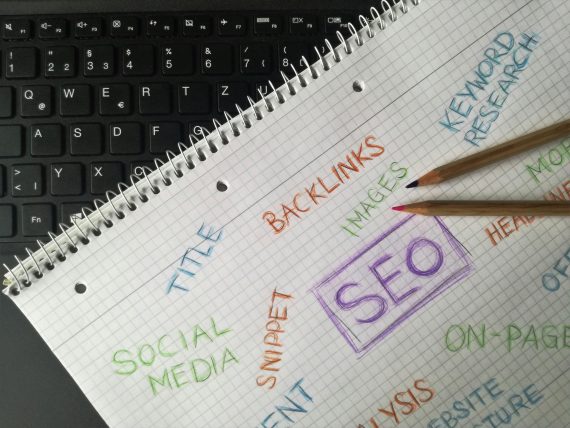
WordPress SEO Basics for Beginners: A 2026 Setup Guide

Learn how to set up WordPress SEO the right way in 2026. This beginner guide covers permalinks, Rank Math, Google Search Console, sitemaps, and writing content that ranks on Google.

Read More

Uncategorized

Views: 2

Your First WordPress Site: The Complete Beginner’s Roadmap

Everything you need to launch your first WordPress site — from choosing hosting to publishing your first post. A complete step-by-step roadmap for absolute beginners.

Read More

Uncategorized

Views: 2

How to Create Beautiful Pages Using Block Patterns in WordPress

Learn how to use WordPress block patterns to create beautiful pages in minutes. Browse, insert, customize, and create your own reusable patterns.

Read More

Uncategorized

Views: 2

How to Edit Headers, Footers and Templates with the WordPress Site Editor

Learn how to customize your WordPress header, footer, and page templates using the Site Editor. Complete beginner walkthrough with step-by-step instructions.

Read More

Beginner’s GuideGetting Started with WordPress

Views: 6

How to Create Beautiful Pages Using Block Patterns in WordPress

Block patterns let you build professional WordPress pages in minutes. Learn how to find, insert, customize, and create your own patterns — no code or page builder needed.

Read More

Beginner’s GuideGetting Started with WordPress

Views: 5

10 Most Common WordPress Errors and How to Fix Them (With Screenshots)

Every common WordPress error has a simple fix. This guide covers the 10 most frequent errors with step-by-step solutions, from the White Screen of Death to syntax errors.

Read More

Beginner’s GuideChoosing Plugins & ThemesPlugin Roundups

Views: 4

10 Best Must-Have WordPress Plugins for New Sites in 2026

Starting a new WordPress site? These 10 essential plugins cover security, SEO, caching, backups, contact forms, image optimization, anti-spam, analytics, SSL, and performance monitoring. Install them on day one to launch protected and ready.

Read More

Beginner’s GuideSecurity & Best Practices

Views: 11

How to Check If Your WordPress Site Is Secure (Beginner Guide)

Learn how to check if your WordPress site is secure with this beginner-friendly guide. Understand common risks, use the free WP Vanguard scanner to get your security grade, and follow simple steps to fix issues.

Read More

Beginner’s GuideGetting Started with WordPress

Views: 2

The Ultimate Guide to Essential WordPress Pages Every Website Needs

Learn which essential WordPress pages every website needs — Home, About, Contact, Privacy Policy, Terms, and a custom 404 — and get step-by-step instructions to create each one correctly.

Read More
Close