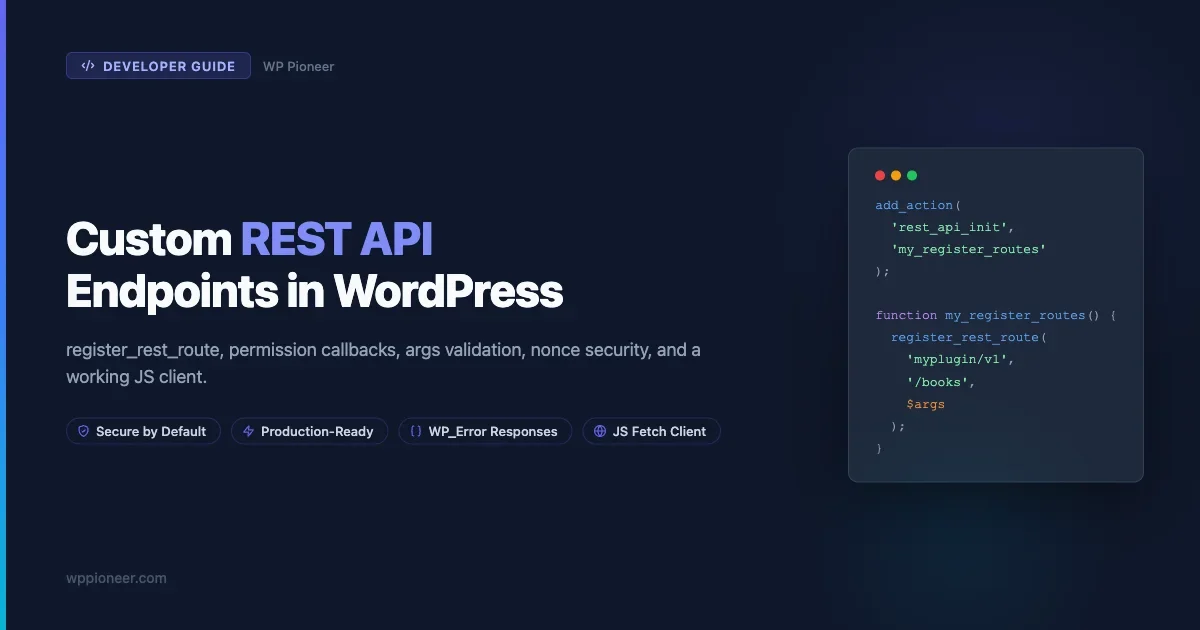
The WordPress REST API ships with endpoints for posts, users, taxonomies, and more. But sooner or later, you need your own. Maybe you are building a React front-end that talks to WordPress, a mobile app that reads custom data, or a webhook handler that processes orders. When the built-in routes do not fit, you register your own with register_rest_route. This guide shows you the full pattern: namespace, versioning, argument validation, sanitization, capability-based permission checks, nonce verification, schema, WP_Error responses, and a JavaScript client that puts it all together. Every example is production-ready (meaning it handles errors, rejects bad input, and stays secure without extra plugins).
What the WordPress REST API Actually Does
The REST API is a layer that sits on top of WordPress and responds to HTTP requests. When a request hits /wp-json/wp/v2/posts, WordPress routes it to the handler registered for that path, runs permission checks, validates arguments, and returns JSON. The same mechanism is available to you. You register a route, define which HTTP methods it accepts, describe what arguments it expects, and tell WordPress who is allowed to call it.
Under the hood, WordPress uses WP_REST_Server, WP_REST_Request, and WP_REST_Response. You rarely instantiate these directly. Instead, you use the registration functions and return plain arrays or WP_Error objects from your callback. WordPress handles serialization.
Before writing a line of PHP, it helps to understand the anatomy of a REST route:
- Namespace: a vendor prefix that groups your routes, for example
myplugin/v1. - Route: the path relative to the namespace, for example
/booksor/books/(?P<id>\d+). - Method: GET, POST, PUT, PATCH, or DELETE.
- Callback: the PHP function that handles the request and returns data.
- Permission callback: the PHP function that decides whether the current user can call this route at all.
- Args: the parameter definitions, including type, required flag, sanitize_callback, and validate_callback.
Setting Up Your Namespace and Version
Pick a namespace that starts with your plugin or company slug and ends with a version number. Use lowercase letters, hyphens, and a version like v1 or v2. Never use the wp prefix, which is reserved for core endpoints.
// In your main plugin file or a dedicated class
define( 'MYPLUGIN_REST_NAMESPACE', 'myplugin/v1' );
Versioning in the namespace is not just convention. It lets you ship breaking changes later without breaking existing clients: you register a myplugin/v2 namespace alongside myplugin/v1 and deprecate the old one gradually. Clients that pin to /wp-json/myplugin/v1/ keep working until you retire that version.
Registering Your First Route with register_rest_route
All route registrations belong inside a callback hooked to rest_api_init. This hook fires during the REST API bootstrap, which is separate from normal WordPress requests. Hooking too early or too late means your routes never appear.
add_action( 'rest_api_init', 'myplugin_register_routes' );

function myplugin_register_routes() {
    register_rest_route(
        MYPLUGIN_REST_NAMESPACE,
        '/books',
        array(
            array(
                'methods'             => WP_REST_Server::READABLE, // GET
                'callback'            => 'myplugin_get_books',
                'permission_callback' => 'myplugin_books_permissions_check',
                'args'                => myplugin_get_books_args(),
            ),
            array(
                'methods'             => WP_REST_Server::CREATABLE, // POST
                'callback'            => 'myplugin_create_book',
                'permission_callback' => 'myplugin_books_write_permissions_check',
                'args'                => myplugin_create_book_args(),
            ),
        )
    );

    register_rest_route(
        MYPLUGIN_REST_NAMESPACE,
        '/books/(?P<id>\d+)',
        array(
            'methods'             => WP_REST_Server::READABLE,
            'callback'            => 'myplugin_get_book',
            'permission_callback' => 'myplugin_books_permissions_check',
            'args'                => array(
                'id' => array(
                    'required'          => true,
                    'validate_callback' => function( $param ) {
                        return is_numeric( $param );
                    },
                    'sanitize_callback' => 'absint',
                ),
            ),
        )
    );
}
A few things to notice. The methods key uses the WP_REST_Server constants (READABLE, CREATABLE, EDITABLE, DELETABLE, ALLMETHODS) rather than raw strings. This is cleaner and avoids typos. You can also pass a comma-separated string like 'GET, POST' if you prefer. The route path uses a named capture group (?P<id>\d+) so that the id parameter becomes available in $request['id'] inside your callback.
Writing the Permission Callback the Right Way
The permission callback is not optional. If you omit it, WordPress 5.5 and later will log a notice and treat the endpoint as publicly accessible, which is almost never what you want. If you genuinely need a public endpoint, pass '__return_true' explicitly so it is clear that was your intention.
For most endpoints, you check capabilities. Understanding WordPress user roles and capabilities is important here because the capability you check should match the minimum privilege the operation requires.
// Read-only: any logged-in subscriber can call this
function myplugin_books_permissions_check( WP_REST_Request $request ) {
    if ( ! is_user_logged_in() ) {
        return new WP_Error(
            'rest_forbidden',
            __( 'You must be logged in to view books.', 'myplugin' ),
            array( 'status' => 401 )
        );
    }
    return true;
}

// Write: only editors and above
function myplugin_books_write_permissions_check( WP_REST_Request $request ) {
    if ( ! current_user_can( 'edit_posts' ) ) {
        return new WP_Error(
            'rest_forbidden',
            __( 'You do not have permission to create books.', 'myplugin' ),
            array( 'status' => 403 )
        );
    }
    return true;
}
Return true if the request is allowed. Return a WP_Error (or just false) to deny it. When you return a WP_Error, WordPress extracts the status code from the error data and sends it back to the client, so your 401 vs 403 distinction reaches the consumer correctly.
Nonce Verification for Authenticated Browser Requests
Capability checks tell you who the user is. Nonces protect against cross-site request forgery. For requests initiated from the browser by your own JavaScript (not a third-party API consumer), you should verify both.
WordPress automatically handles REST API nonces when you use wp_create_nonce( 'wp_rest' ) and pass the token in the X-WP-Nonce header. The REST server validates this header before running your permission callback, so you do not need to call wp_verify_nonce yourself. What you do need is to enqueue your script properly so it has access to the nonce:
add_action( 'wp_enqueue_scripts', 'myplugin_enqueue_scripts' );

function myplugin_enqueue_scripts() {
    wp_enqueue_script(
        'myplugin-app',
        plugin_dir_url( __FILE__ ) . 'js/app.js',
        array( 'wp-api' ),
        '1.0.0',
        true
    );

    wp_localize_script(
        'myplugin-app',
        'myPluginData',
        array(
            'apiUrl'   => rest_url( MYPLUGIN_REST_NAMESPACE . '/books' ),
            'nonce'    => wp_create_nonce( 'wp_rest' ),
            'siteUrl'  => get_site_url(),
        )
    );
}
Including wp-api as a dependency gives your script access to wpApiSettings, which WordPress also populates with a nonce. Both methods work. wp_localize_script gives you more control over the variable name and extra data.
Defining Args: Validation and Sanitization
The args array is where you document and enforce the shape of incoming data. Each key is a parameter name. The value is an array of options that includes type, description, required, default, validate_callback, and sanitize_callback.
The difference between validate and sanitize matters:
- validate_callback runs first. Return
trueif the value is acceptable,falseor aWP_Errorif not. Use this to reject values that do not fit your rules. - sanitize_callback runs after validation. It transforms the value into a safe form before your callback receives it. Use WordPress’s built-in functions like
sanitize_text_field,absint,sanitize_email,wp_kses_post.
function myplugin_get_books_args() {
    return array(
        'search' => array(
            'description'       => __( 'Limit results to those matching a keyword.', 'myplugin' ),
            'type'              => 'string',
            'required'          => false,
            'default'           => '',
            'sanitize_callback' => 'sanitize_text_field',
            'validate_callback' => function( $param ) {
                return strlen( $param ) <= 100;
            },
        ),
        'per_page' => array(
            'description'       => __( 'Maximum number of items to return.', 'myplugin' ),
            'type'              => 'integer',
            'required'          => false,
            'default'           => 10,
            'minimum'           => 1,
            'maximum'           => 100,
            'sanitize_callback' => 'absint',
            'validate_callback' => function( $param ) {
                return is_numeric( $param );
            },
        ),
        'status' => array(
            'description'       => __( 'Filter by book status.', 'myplugin' ),
            'type'              => 'string',
            'required'          => false,
            'enum'              => array( 'available', 'checked-out', 'reserved' ),
            'sanitize_callback' => 'sanitize_text_field',
        ),
    );
}

function myplugin_create_book_args() {
    return array(
        'title' => array(
            'description'       => __( 'Book title.', 'myplugin' ),
            'type'              => 'string',
            'required'          => true,
            'sanitize_callback' => 'sanitize_text_field',
            'validate_callback' => function( $param ) {
                return ! empty( trim( $param ) ) && strlen( $param ) <= 200;
            },
        ),
        'author' => array(
            'description'       => __( 'Author name.', 'myplugin' ),
            'type'              => 'string',
            'required'          => true,
            'sanitize_callback' => 'sanitize_text_field',
        ),
        'isbn' => array(
            'description'       => __( 'ISBN-13, digits only.', 'myplugin' ),
            'type'              => 'string',
            'required'          => false,
            'sanitize_callback' => 'sanitize_text_field',
            'validate_callback' => function( $param ) {
                return preg_match( '/^\d{13}$/', $param );
            },
        ),
    );
}
When you declare types and use enum, WordPress performs basic coercion and will return a 400 error automatically if the client passes a string for an integer field or a value not in the enum list. Your custom validate_callback adds business-logic rules on top.
Writing the Route Callback
The callback receives a WP_REST_Request object. You access validated, sanitized parameters with $request['param_name'] or $request->get_param( 'param_name' ). Return a plain array for a 200 response, or return a WP_REST_Response object to control headers and status codes explicitly.
function myplugin_get_books( WP_REST_Request $request ) {
    $search   = $request['search'];
    $per_page = $request['per_page'];
    $status   = $request['status'];

    global $wpdb;
    $table = $wpdb->prefix . 'myplugin_books';

    $where  = array( '1=1' );
    $values = array();

    if ( ! empty( $search ) ) {
        $where[]  = '(title LIKE %s OR author LIKE %s)';
        $values[] = '%' . $wpdb->esc_like( $search ) . '%';
        $values[] = '%' . $wpdb->esc_like( $search ) . '%';
    }

    if ( ! empty( $status ) ) {
        $where[]  = 'status = %s';
        $values[] = $status;
    }

    $where_sql = implode( ' AND ', $where );

    if ( ! empty( $values ) ) {
        $query = $wpdb->prepare(
            "SELECT id, title, author, isbn, status FROM {$table} WHERE {$where_sql} LIMIT %d",
            array_merge( $values, array( $per_page ) )
        );
    } else {
        $query = $wpdb->prepare(
            "SELECT id, title, author, isbn, status FROM {$table} LIMIT %d",
            $per_page
        );
    }

    $books = $wpdb->get_results( $query, ARRAY_A );

    if ( $wpdb->last_error ) {
        return new WP_Error(
            'db_error',
            __( 'Database query failed.', 'myplugin' ),
            array( 'status' => 500 )
        );
    }

    return rest_ensure_response( $books );
}

function myplugin_get_book( WP_REST_Request $request ) {
    $id = $request['id'];

    global $wpdb;
    $table = $wpdb->prefix . 'myplugin_books';
    $book  = $wpdb->get_row(
        $wpdb->prepare( "SELECT * FROM {$table} WHERE id = %d", $id ),
        ARRAY_A
    );

    if ( ! $book ) {
        return new WP_Error(
            'rest_book_not_found',
            __( 'Book not found.', 'myplugin' ),
            array( 'status' => 404 )
        );
    }

    return rest_ensure_response( $book );
}

function myplugin_create_book( WP_REST_Request $request ) {
    global $wpdb;
    $table = $wpdb->prefix . 'myplugin_books';

    $data = array(
        'title'      => $request['title'],
        'author'     => $request['author'],
        'isbn'       => $request['isbn'] ?? '',
        'status'     => 'available',
        'created_at' => current_time( 'mysql' ),
    );

    $inserted = $wpdb->insert( $table, $data, array( '%s', '%s', '%s', '%s', '%s' ) );

    if ( false === $inserted ) {
        return new WP_Error(
            'rest_book_create_failed',
            __( 'Could not create the book.', 'myplugin' ),
            array( 'status' => 500 )
        );
    }

    $book = $wpdb->get_row(
        $wpdb->prepare( "SELECT * FROM {$table} WHERE id = %d", $wpdb->insert_id ),
        ARRAY_A
    );

    $response = rest_ensure_response( $book );
    $response->set_status( 201 );

    return $response;
}
Notice the use of rest_ensure_response() instead of returning a raw array. This function wraps arrays in a WP_REST_Response object while passing through objects that are already WP_REST_Response or WP_Error instances. It is a safe habit to use it consistently.
Returning Errors with WP_Error
Every error your endpoint returns should be a WP_Error with three arguments: a machine-readable code, a human-readable message, and an array with a status key that maps to the appropriate HTTP status code.
Situation | HTTP Status | Suggested error code |
|---|---|---|
Not logged in | 401 | rest_not_logged_in |
Logged in, wrong capability | 403 | rest_forbidden |
Resource does not exist | 404 | rest_{resource}_not_found |
Invalid input | 400 | rest_invalid_param |
Database failure | 500 | rest_server_error |
Created successfully | 201 | (no error) |
Using consistent, namespaced error codes like myplugin_book_not_found rather than generic codes makes your API easier to debug and helps API consumers write targeted error-handling logic on their side.
Adding a Schema for Your Endpoint
WordPress supports a schema key in the route registration array. This is a JSON Schema definition that documents your endpoint’s response shape. It feeds the /wp-json/myplugin/v1 discovery endpoint and tools like Postman can consume it for auto-generated documentation.
register_rest_route(
    MYPLUGIN_REST_NAMESPACE,
    '/books',
    array(
        array(
            'methods'             => WP_REST_Server::READABLE,
            'callback'            => 'myplugin_get_books',
            'permission_callback' => 'myplugin_books_permissions_check',
            'args'                => myplugin_get_books_args(),
            'schema'              => 'myplugin_get_book_schema',
        ),
        // ...
    )
);

function myplugin_get_book_schema() {
    return array(
        '$schema'    => 'http://json-schema.org/draft-04/schema#',
        'title'      => 'book',
        'type'       => 'object',
        'properties' => array(
            'id' => array(
                'description' => __( 'Unique identifier for the book.', 'myplugin' ),
                'type'        => 'integer',
                'context'     => array( 'view', 'edit' ),
                'readonly'    => true,
            ),
            'title' => array(
                'description' => __( 'The book title.', 'myplugin' ),
                'type'        => 'string',
                'context'     => array( 'view', 'edit' ),
            ),
            'author' => array(
                'description' => __( 'The author name.', 'myplugin' ),
                'type'        => 'string',
                'context'     => array( 'view', 'edit' ),
            ),
            'isbn' => array(
                'description' => __( 'ISBN-13 number.', 'myplugin' ),
                'type'        => 'string',
                'context'     => array( 'view', 'edit' ),
            ),
            'status' => array(
                'description' => __( 'Book availability status.', 'myplugin' ),
                'type'        => 'string',
                'enum'        => array( 'available', 'checked-out', 'reserved' ),
                'context'     => array( 'view', 'edit' ),
            ),
        ),
    );
}
The JavaScript Client: Using wpApiSettings and the Fetch API
Once your PHP side is in place, you need to call the endpoint from JavaScript. The wpApiSettings object is always available when you depend on the wp-api-request script. It exposes wpApiSettings.root (the JSON root URL) and wpApiSettings.nonce. You can also use the localized data you passed with wp_localize_script earlier.
// app.js: enqueued with wp_enqueue_script + wp_localize_script

const { apiUrl, nonce } = myPluginData;

// GET all books
async function fetchBooks( search = '' ) {
    const url = new URL( apiUrl );
    if ( search ) {
        url.searchParams.set( 'search', search );
    }

    const response = await fetch( url.toString(), {
        method: 'GET',
        headers: {
            'X-WP-Nonce': nonce,
            'Content-Type': 'application/json',
        },
    } );

    if ( ! response.ok ) {
        const error = await response.json();
        throw new Error( error.message || 'Request failed' );
    }

    return response.json();
}

// POST a new book
async function createBook( title, author, isbn = '' ) {
    const response = await fetch( apiUrl, {
        method: 'POST',
        headers: {
            'X-WP-Nonce': nonce,
            'Content-Type': 'application/json',
        },
        body: JSON.stringify( { title, author, isbn } ),
    } );

    if ( ! response.ok ) {
        const error = await response.json();
        throw new Error( error.message || 'Could not create book' );
    }

    return response.json(); // Returns the new book with id and status 201
}

// Usage
document.querySelector( '#book-form' ).addEventListener( 'submit', async ( e ) => {
    e.preventDefault();
    const title  = document.querySelector( '#book-title' ).value;
    const author = document.querySelector( '#book-author' ).value;

    try {
        const newBook = await createBook( title, author );
        console.log( 'Created:', newBook );
        renderBook( newBook );
    } catch ( err ) {
        showErrorNotice( err.message );
    }
} );
The X-WP-Nonce header is what triggers WordPress’s nonce verification. Without it, logged-in requests still work for GET endpoints that allow public access, but POST/PUT/DELETE endpoints that check current_user_can will fail because WordPress only elevates the REST request’s user context when the nonce is valid.
Headless WordPress and REST API Consumers
Custom REST endpoints become especially useful in headless setups where your front-end is a separate application. If you are building a headless WordPress site with Next.js, your custom endpoints let you expose exactly the data your front-end needs without exposing unrelated WordPress internals. You can also add response caching at the endpoint level to reduce database load when your front-end makes frequent reads. For caching strategies at the database layer, see the guide on the WordPress Transients API for caching database queries.
Security Hardening for Production Endpoints
Once your endpoint is working, run through this security checklist before shipping:
1. Never trust client input
Even after sanitization and validation, treat all values that come from the request as potentially hostile. Do not use them directly in file paths, shell commands, or SQL queries without additional escaping. Use $wpdb->prepare() for every database query that includes user input, even if the argument has already passed through absint() or sanitize_text_field().
2. Apply the principle of least privilege
Match the required capability to the actual operation. If your endpoint reads public data, '__return_true' is fine. If it reads private data, check is_user_logged_in() and optionally a custom capability. If it writes or deletes, check a write capability like edit_posts or a custom role capability you registered with add_cap.
3. Rate-limit sensitive endpoints
WordPress has no built-in rate-limiting for REST endpoints. For endpoints that create records, send emails, or call external services, implement a simple transient-based throttle:
function myplugin_check_rate_limit( int $user_id, string $action, int $limit = 10, int $window = 60 ): bool {
    $key   = 'rl_' . $action . '_' . $user_id;
    $count = (int) get_transient( $key );

    if ( $count >= $limit ) {
        return false; // Rate limit exceeded
    }

    if ( 0 === $count ) {
        set_transient( $key, 1, $window );
    } else {
        set_transient( $key, $count + 1, $window );
    }

    return true;
}

// In your permission callback:
function myplugin_books_write_permissions_check( WP_REST_Request $request ) {
    if ( ! current_user_can( 'edit_posts' ) ) {
        return new WP_Error( 'rest_forbidden', __( 'Permission denied.', 'myplugin' ), array( 'status' => 403 ) );
    }

    if ( ! myplugin_check_rate_limit( get_current_user_id(), 'create_book' ) ) {
        return new WP_Error( 'rest_rate_limited', __( 'Too many requests. Please wait.', 'myplugin' ), array( 'status' => 429 ) );
    }

    return true;
}
4. Set CORS headers if needed
If your JavaScript client runs on a different domain, you need to add CORS headers. Use the rest_pre_serve_request filter to add them only to your namespace:
add_filter( 'rest_pre_serve_request', function( $served, $result, $request ) {
    $route = $request->get_route();

    if ( str_starts_with( $route, '/' . MYPLUGIN_REST_NAMESPACE ) ) {
        header( 'Access-Control-Allow-Origin: https://yourapp.com' );
        header( 'Access-Control-Allow-Methods: GET, POST, OPTIONS' );
        header( 'Access-Control-Allow-Headers: X-WP-Nonce, Content-Type' );
    }

    return $served;
}, 10, 3 );
Avoid Access-Control-Allow-Origin: * on endpoints that require authentication. A wildcard origin combined with a nonce header does not actually protect anything because the browser still sends credentialed requests from any origin.
5. Hide sensitive fields from unauthorized contexts
If your response includes different data depending on who is asking, use the context parameter. Register a get_item_schema method on your controller class and mark private fields with 'context' => array( 'edit' ). WordPress will strip those fields from view-context responses automatically.
Testing Your Endpoints
Test your endpoints locally before deploying. Three approaches that work well together:
WP-CLI:
wp rest GET myplugin/v1/books --user=1 --debug
wp rest POST myplugin/v1/books --body='{"title":"Clean Code","author":"Robert Martin"}' --user=1
curl:
# Get a nonce first (from WP admin, or generate via WP-CLI)
# Then test:
curl -X GET "https://yoursite.local/wp-json/myplugin/v1/books?search=clean" \
  -H "X-WP-Nonce: YOUR_NONCE_HERE" \
  -H "Content-Type: application/json"

curl -X POST "https://yoursite.local/wp-json/myplugin/v1/books" \
  -H "X-WP-Nonce: YOUR_NONCE_HERE" \
  -H "Content-Type: application/json" \
  -d '{"title":"Clean Code","author":"Robert Martin","isbn":"9780132350884"}'
PHPUnit with the WordPress test suite:
class Test_Myplugin_Books_Endpoint extends WP_REST_TestCase {
    protected WP_REST_Server $server;

    public function set_up(): void {
        parent::set_up();
        global $wp_rest_server;
        $wp_rest_server = new WP_REST_Server();
        $this->server   = $wp_rest_server;
        do_action( 'rest_api_init' );
    }

    public function test_get_books_requires_authentication(): void {
        $request  = new WP_REST_Request( 'GET', '/myplugin/v1/books' );
        $response = $this->server->dispatch( $request );
        $this->assertSame( 401, $response->get_status() );
    }

    public function test_get_books_returns_200_when_logged_in(): void {
        $user_id = $this->factory->user->create( array( 'role' => 'subscriber' ) );
        wp_set_current_user( $user_id );

        $request  = new WP_REST_Request( 'GET', '/myplugin/v1/books' );
        $response = $this->server->dispatch( $request );
        $this->assertSame( 200, $response->get_status() );
    }
}
Common Mistakes to Avoid
A few patterns that cause problems in production REST endpoints:
Skipping permission_callback entirely. If you omit the key, WordPress logs a deprecation notice and falls back to open access. Always declare it explicitly.
Doing all validation in the callback. Put validation logic in the args array, not in your callback function. This keeps callbacks focused on business logic and lets WordPress return proper 400 responses before your code runs.
Using $_POST and $_GET directly. Always use $request['param'] or $request->get_json_params(). The request object applies the sanitize_callback you defined; reading superglobals bypasses it.
Ignoring $wpdb->last_error. A failed $wpdb->insert() returns false but does not throw an exception. Always check the return value and return a 500 WP_Error if it fails.
Returning a 200 for resource creation. When you create something new, return a 201 status with the created resource in the response body. This is standard HTTP semantics and clients expect it.
Quick Reference
Here is a summary of the key functions and constants you will use when building REST endpoints:
Function / Constant | Purpose |
|---|---|
| Register a route inside a rest_api_init callback |
| Shorthand for ‘GET’ |
| Shorthand for ‘POST’ |
| Shorthand for ‘POST, PUT, PATCH’ |
| Shorthand for ‘DELETE’ |
| Wrap return values safely into WP_REST_Response |
| Generate the full URL for a REST route |
| Create a nonce for REST requests |
| Strip HTML, extra whitespace from strings |
| Cast to positive integer |
| Parameterize SQL queries safely |
| Check a capability for the current request’s user |
Custom REST API endpoints follow a predictable pattern once you get the first one working. Start with the namespace and route registration, wire up permission callbacks with proper capability checks, define your args with sanitize and validate callbacks, and return WP_Error for anything that goes wrong. The JavaScript client needs only the nonce in the X-WP-Nonce header and the correct endpoint URL. Everything else is regular fetch or XMLHttpRequest. Once you have this foundation in place, you can extend it with caching, pagination headers, filtering, and custom authentication schemes as your use case demands.
No comments yet