
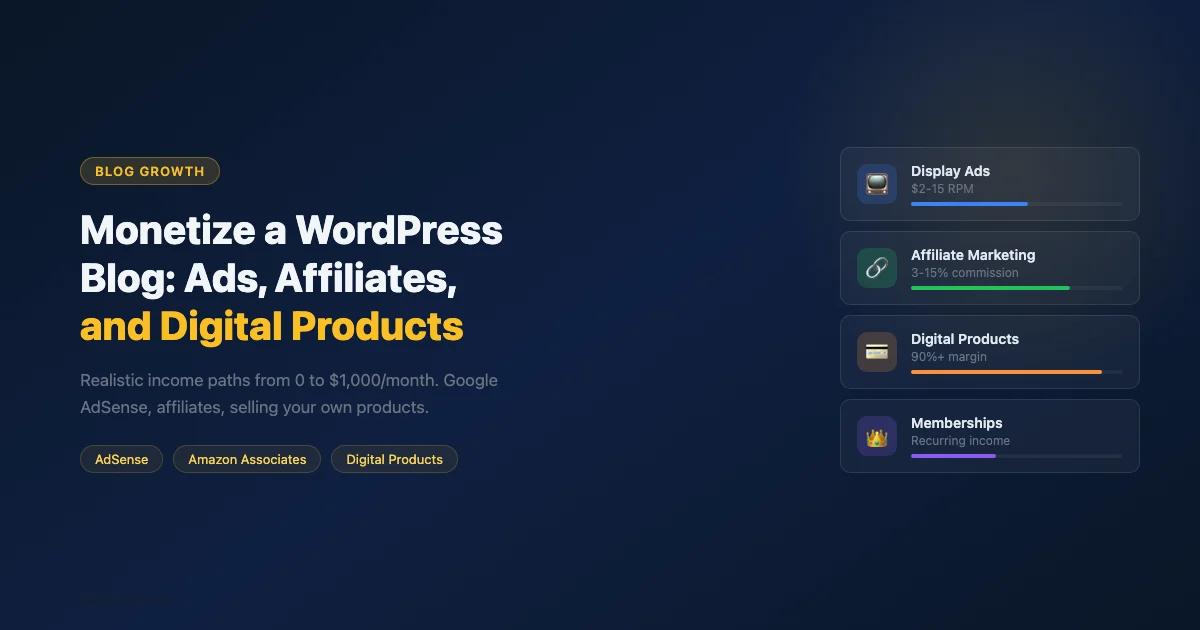
Most “how to make money blogging” articles skip the math. They tell you to “add Google AdSense” without mentioning that AdSense pays $2-10 per thousand page views, which means you need 50,000 monthly visitors to earn $500. That’s not discouraging - it’s useful, because it changes how you prioritize your monetization efforts based on where your traffic actually is today.
This guide is organized by realistic traffic tier, so you can pick the right strategy for where your blog is now, not where you hope it’ll be in three years.
Traffic Tiers and What Works at Each Level
Monthly visitors | Best monetization approach | Realistic monthly range |
|---|---|---|
0-5,000 | Services, consulting, affiliate marketing | $0-500 (unpredictable) |
5,000-20,000 | Affiliate marketing, digital products, ads (Mediavine alt) | $100-1,500 |
20,000-100,000 | Premium affiliate, Mediavine/Raptive ads, digital products | $500-8,000 |
100,000+ | All of the above + sponsorships, memberships | $3,000-50,000+ |
The pattern is clear: at low traffic, ads pay almost nothing. Affiliate marketing and digital products pay proportionally much better at small scale because they don’t require volume to generate a meaningful income.
Method 1: Display Advertising
Google AdSense
AdSense is the easiest ad network to join because there’s no traffic minimum (technically). The tradeoff: its RPM (revenue per thousand impressions) is the lowest of any major network, typically $2-8 for general content, $5-15 for finance or tech topics.
To add AdSense to WordPress:
- Apply at adsense.google.com. Your site needs content (at least 10-20 posts), a privacy policy, and a contact page.
- Once approved, install the official Site Kit by Google plugin. It connects your AdSense account and lets you place ads from the WordPress dashboard.
- Enable Auto Ads in AdSense, which lets Google decide ad placement automatically. Manual unit placement requires adding code to your theme.
Premium Ad Networks (Requires Traffic Minimums)
- Mediavine: Requires 50,000 monthly sessions. RPM: $15-40. Significantly better than AdSense. Popular with food, lifestyle, and travel blogs.
- Raptive (formerly AdThrive): Requires 100,000 monthly pageviews. RPM: $20-50. Best for high-traffic content sites.
- Ezoic: No minimum traffic requirement. RPM: $10-25. A bridge option between AdSense and Mediavine.
Ad Placement That Doesn’t Kill User Experience
The most common mistake is placing too many ads above the fold. Google’s Page Layout Algorithm penalizes sites where ads push content below the fold. Use the Ad Experience Report in Search Console to check if your ad layout is flagged.
Best performing ad placements that maintain readability: in-content after the second paragraph, and a sticky footer bar (on mobile). Sidebar ads perform worst on mobile (sidebars stack below content on small screens, where readers rarely scroll).
Method 2: Affiliate Marketing
Affiliate marketing pays you a commission when someone buys a product you recommend through your link. It’s the best monetization strategy for blogs under 20,000 monthly visitors because the commission per conversion is high relative to the traffic required.
Amazon Associates
Amazon’s affiliate program is the entry point because it covers nearly any product category. Commission rates vary: books pay 4.5%, electronics pay 3%, luxury items pay 10%. The cookie window is short (24 hours), which limits earnings from content about researching purchases over days or weeks.
To add Amazon affiliate links to WordPress:
- Apply at affiliate-program.amazon.com and get approved.
- Install AAWP (Amazon Affiliate WordPress Plugin) or Amazon Auto Links to create product boxes and comparison tables that pull real-time Amazon pricing. Raw affiliate links in post text still work but product boxes convert significantly better.
- Disclose your affiliate relationship on every page with affiliate links. This is legally required in most countries and required by Amazon’s TOS.
ShareASale, CJ Affiliate, and Impact
These affiliate networks host thousands of programs, many with higher commission rates and longer cookie windows than Amazon. For WordPress-specific topics, relevant programs include hosting providers (Bluehost, SiteGround, WP Engine all pay $50-200 per referral), themes, and plugins.
Direct Affiliate Partnerships
The highest-commission affiliate arrangements are direct partnerships. Email companies whose products you genuinely use and ask about their affiliate program. Many SaaS products pay 20-40% recurring commissions on monthly subscriptions - significantly better than any network arrangement.
The “Genuinely Recommend” Rule
Affiliate income is directly proportional to trust. Recommending products you haven’t used because they pay high commissions is detectable and destroys your audience over time. The blogs with the highest affiliate revenue consistently use only products they’d recommend without a commission.
The right affiliate relationship is one where the commission is a bonus, not the reason for the recommendation. Your readers can tell the difference, and so can Google.
Method 3: Digital Products
Digital products are the highest-margin monetization approach because there’s no inventory, no shipping, and no cost of goods sold. Sell once, deliver infinitely.
What to Sell
- Ebooks and PDF guides: The “ultimate guide” you already wrote could be expanded into a paid ebook. Readers who buy it have higher engagement than readers who only read free content.
- Templates and starter packs: For WordPress blogs, starter theme templates, block patterns, Notion dashboards, Google Sheets templates, or social media post templates sell well because they save the buyer tangible time.
- Video courses: If you write “how-to” tutorials, a video version with more detail and hands-on demonstrations is a natural paid product. Platforms: Teachable, Podia, Gumroad, or a self-hosted solution with LearnDash.
- Checklists and SOPs: A “WordPress site launch checklist” that took you 10 hours to build is worth $9-19 to someone who needs it.
- Premium content archives: Access to all your past premium posts or video walkthroughs as a subscription.
Selling Digital Products on WordPress
The two main approaches for WordPress:
- Easy Digital Downloads (EDD): A purpose-built WordPress plugin for selling digital files. Free version handles basic file delivery and orders. Paid extensions add subscriptions, software licensing, and PDF invoices. Best for PDFs, templates, and standalone files.
- WooCommerce with the Downloadable product type: If you already run WooCommerce, set any product to “Virtual” + “Downloadable” and upload the file. WooCommerce handles delivery automatically after payment. Best if you’re selling digital and physical products together.
For starting out, Gumroad (no WordPress plugin needed) is the zero-setup option: create a product at gumroad.com and link to it from your posts. Move to a self-hosted solution once you’re generating enough volume to justify the setup time.
Pricing Your First Digital Product
New bloggers tend to underprice. If your ebook saves someone 3 hours of research, it’s worth $20-40, not $5. A useful heuristic: price it at the hourly rate you’d charge for a consultation with the same expertise you’re selling in the product. For a specialized guide that took you 40 hours to write, $49 is not too high for the right buyer.
Test price points by launching at a discount. Offer the product at 50% off for the first 48 hours. This creates urgency and gets initial sales data. After that window, return to full price and measure conversion rate at both.
Method 4: Memberships and Subscriptions
A membership model creates recurring revenue: subscribers pay monthly or annually for access to premium content, a community, or both. The math is compelling: 100 subscribers at $10/month is $1,000 in monthly recurring revenue, regardless of traffic.
WordPress Membership Plugins
- MemberPress: The most fully-featured option. Handles content rules, subscriptions, groups, and coupons. Best for complex membership structures.
- Paid Memberships Pro: Free core plugin with paid add-ons. Good for simpler structures where the free version’s features suffice.
- Restrict Content Pro: Clean, well-maintained, easier to configure than MemberPress for straightforward use cases.
What to Put Behind a Paywall
Don’t gate your best content if it drives SEO traffic. Instead, gate:
- Advanced tutorials that extend the free version of a topic
- Templates, downloads, and tools
- A private community forum or Discord
- Weekly Q&A sessions or office hours
- A monthly deep-dive newsletter or video that doesn’t exist publicly
The Freemium Content Ladder
The most effective membership model pairs free high-ranking content with paid depth. A free post titled “How to speed up your WordPress site” ranks in Google and brings organic traffic. The paid version goes deeper: specific configuration settings for each plugin, a video walkthrough, and a downloadable checklist with 50 items vs. the free post’s 15. The free reader who finds value in the free post is your warmest potential member.
Method 5: Sponsored Posts and Brand Deals
Sponsored content pays a flat fee for a post or mention. It requires an established audience and niche authority, and becomes viable at around 10,000-20,000 monthly visitors in most niches.
To attract sponsors without an outbound pitch process: add a “Work with me” or “Advertise” page to your site that states your monthly traffic, audience demographics, available formats (sponsored post, newsletter mention, social mention), and pricing.
Disclose every sponsored post clearly (required by FTC guidelines in the US and similar rules in most countries). Use “Sponsored” or “This post is sponsored by...” at the start of the post. Not at the bottom, not in the footnotes.
Setting Sponsorship Rates
A rough formula used by many bloggers: $50 per 1,000 monthly pageviews for a sponsored blog post. At 20,000 monthly visitors, that’s $1,000 per sponsored post. Rates vary significantly by niche: finance, software, and B2B content commands 3-5x the rate of general lifestyle content because the advertiser’s customer lifetime value is much higher.
The Realistic Income Timeline
- Month 1-3: Join one affiliate program relevant to your niche. Add affiliate links to your most-visited posts. Expect $0-50/month.
- Month 3-6: Apply for AdSense (or Ezoic once you have 2,000+ monthly visitors). Create one small digital product. Expect $20-200/month combined.
- Month 6-12: Grow affiliate income by writing “best of” and review posts specifically targeting buying-intent searches. Expand the digital product line. Expect $100-1,000/month depending on niche and traffic.
- Year 2+: Traffic compounds if you publish consistently. With 15,000+ monthly visitors and a mix of affiliate, ads, and digital products, $1,000-3,000/month is achievable in most niches.
The variable that matters most isn’t the monetization strategy - it’s consistent content publishing. Every post that ranks in Google drives passive income from affiliate links and ads forever. The blogs that reach $5,000-10,000/month are almost always the ones with 200+ posts built up over 2-4 years of consistent publishing.
Tax and Legal Basics
Once you’re earning money from your blog, you’re operating a business. A few practical notes:
- Track all income from affiliate programs, digital product sales, and ad networks. Keep records of your platform fees and hosting costs as business expenses.
- Most affiliate programs issue a 1099 (US) or equivalent when you earn over $600/year. Amazon Associates will send one automatically.
- If you sell digital products internationally, you may have VAT/GST collection obligations in some countries. Platforms like Gumroad handle this automatically. Self-hosted EDD or WooCommerce require a plugin like TaxJar or Avalara.
Disclosures and FTC Compliance
US bloggers are required by FTC guidelines to clearly disclose affiliate relationships, sponsored content, and any material connection to products they review. “Material connection” includes receiving free products, having a business relationship with the company, or having a financial stake in the product’s success.
The disclosure must be clear and conspicuous: placed before the link or mention it relates to, in plain language (not buried in a footer or an unlinked disclaimer page). Many bloggers use a short paragraph at the top of posts with affiliate links: “This post contains affiliate links. If you buy through my links, I earn a commission at no extra cost to you.”
Building Multiple Revenue Streams
The most financially stable blogs combine multiple monetization methods. Ads provide baseline passive income. Affiliates provide higher-converting income tied to content. Digital products provide one-time bumps. Memberships provide predictable recurring revenue. No single stream dominates; each stabilizes the others.
Start with one method that matches your current traffic level. Add a second once the first is producing consistent income. Trying to run all five methods from month one is a fast path to spreading effort thin and succeeding at none of them.
Tracking Revenue Per Post
Not all posts earn equally. Once you have affiliate links across multiple posts, track which posts generate the most affiliate clicks and commissions. Most affiliate dashboards show clicks by link, which you can map back to specific posts. Double down on content similar to your top earners and update high-traffic posts that have low click-through rates on affiliate links.
Before you launch any monetization strategy, make sure your site is technically ready. Use our complete your WordPress launch checklist to verify your permalink structure, SSL, speed benchmarks, and legal pages are all in place.

No comments yet