
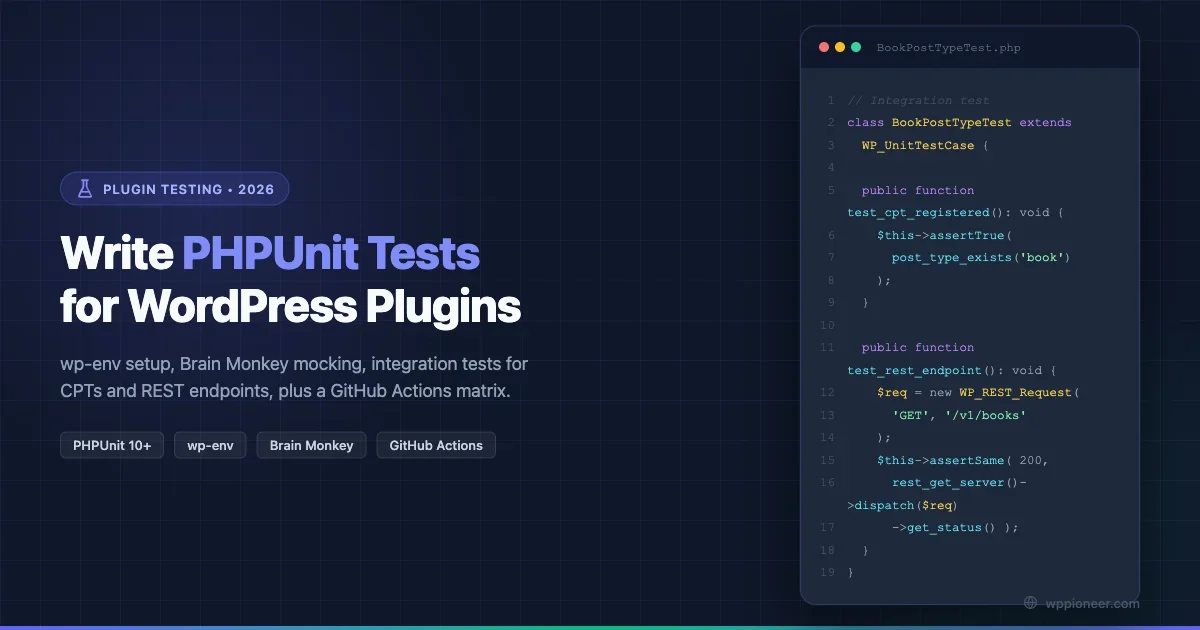
Every WordPress plugin ships with a README and maybe a changelog. Very few ship with tests. That gap matters: without a test suite, every refactor is a gamble, every WordPress core update is a surprise, and every bug report takes twice as long to reproduce. This tutorial walks you through building a real PHPUnit test suite for a WordPress plugin in 2026, from bootstrapping the environment to running a matrix of PHP and WordPress versions in GitHub Actions. No hand-waving, just working code.
Why Testing Your Plugin Matters More Now
WordPress 6.x introduced changes to block editor APIs, REST authentication, and a batch of deprecated functions. Plugins that had test suites caught those breaks in CI before any user saw them. Plugins without tests sent support tickets flooding in the week of the update.
PHPUnit is the standard tool for PHP unit and integration testing. It has been the backbone of WordPress’s own test suite since 2009 and is still the right tool in 2026, paired with modern polyfills and a local environment that mirrors production closely enough to matter.
Before you write a single test, decide what you are actually testing:
- Unit tests: pure PHP functions, class methods, utility logic. No database, no HTTP, no WordPress functions called.
- Integration tests: code that talks to the WordPress database, fires hooks, registers CPTs, or touches the REST API. These need a real WordPress install to run against.
Both live in the same PHPUnit suite. The difference is in your bootstrap file and how you mock dependencies.
Setting Up Your Local Environment with wp-env
The cleanest way to get a test-ready WordPress instance is @wordpress/env, the official Docker-based environment tool. It spins up a WordPress instance, installs your plugin, and gives you a self-contained database without touching your local PHP installation.
Prerequisites
- Docker Desktop running
- Node.js 18+ and npm
- Composer installed globally
Install and Configure wp-env
From the root of your plugin directory:
npm install --save-dev @wordpress/envCreate a .wp-env.json at your plugin root:
{
  "core": "WordPress/WordPress#6.7",
  "plugins": ["."],
  "phpVersion": "8.2",
  "config": {
    "WP_DEBUG": true,
    "WP_DEBUG_LOG": true,
    "WP_TESTS_DOMAIN": "example.org"
  },
  "env": {
    "tests": {
      "config": {
        "WP_TESTS_DOMAIN": "example.org",
        "WP_DEBUG": true
      }
    }
  }
}
Start the environment:
npx wp-env startThis pulls the specified WordPress version and a MariaDB instance, sets up wp-config.php, and runs the install. The environment persists between restarts unless you run npx wp-env destroy.
Alternative: Using wp-phpunit Directly
If you already have a local WordPress install and want to skip Docker, the wp-phpunit package provides pre-built WordPress test library files via Composer:
composer require --dev wp-phpunit/wp-phpunitThis saves you from cloning wordpress-develop manually. Set the path in your bootstrap file and point PHPUnit at it. The wp-phpunit approach is lighter but requires you to manage your own database and WordPress configuration.
Installing PHPUnit and the Essential Test Libraries
The phpunit-polyfills Problem (and Fix)
PHPUnit 9, 10, and 11 changed how assertions and hooks work between major versions. WordPress’s own test suite still ships assertions that were renamed in PHPUnit 10. The Yoast PHPUnit Polyfills package bridges that gap, letting you write tests once and run them against PHPUnit 9, 10, or 11 without editing assertions.
Your composer.json dev dependencies should look like this:
{
  "require-dev": {
    "phpunit/phpunit": "^10.5",
    "yoast/phpunit-polyfills": "^2.0",
    "brain/monkey": "^2.6"
  }
}
Install with:
composer installBrain Monkey for Unit Tests
Brain Monkey is a mocking utility specifically built for WordPress. It lets you mock add_action, add_filter, apply_filters, do_action, and any WordPress function without loading WordPress at all. This is what makes true unit testing possible for plugin code: your functions are tested in complete isolation.
Brain Monkey depends on Mockery internally, which Composer pulls in automatically.
Writing Your phpunit.xml Configuration
PHPUnit reads its configuration from phpunit.xml (or phpunit.xml.dist for version-controlled defaults) at your project root. Here is a practical starting configuration:
<?xml version="1.0"?>
<phpunit
  xmlns:xsi="http://www.w3.org/2001/XMLSchema-instance"
  xsi:noNamespaceSchemaLocation="vendor/phpunit/phpunit/phpunit.xsd"
  bootstrap="tests/bootstrap.php"
  colors="true"
  testdox="false"
  displayDetailsOnTestsThatTriggerWarnings="true"
  displayDetailsOnTestsThatTriggerDeprecations="true"
>
  <testsuites>
    <testsuite name="unit">
      <directory>tests/unit</directory>
    </testsuite>
    <testsuite name="integration">
      <directory>tests/integration</directory>
    </testsuite>
  </testsuites>
  <coverage>
    <include>
      <directory suffix=".php">src</directory>
    </include>
  </coverage>
</phpunit>
The two test suites (unit and integration) use different bootstrap logic. You can run them separately with --testsuite unit or together. Coverage is scoped to your src/ directory (adjust to your structure).
Creating the Bootstrap Files
The bootstrap file is loaded once before any tests run. It sets up autoloading, initialises WordPress (for integration tests), and configures mocking libraries (for unit tests).
Unit Test Bootstrap
Create tests/bootstrap.php with a check for which suite is running:
<?php
// Composer autoloader
require_once dirname( __DIR__ ) . '/vendor/autoload.php';

// Brain Monkey needs setUp/tearDown wiring (done per-test-class).
// Nothing else needed for pure unit tests.
Integration Test Bootstrap
For integration tests you need to point at the WordPress test library. When using wp-env, the path is inside the Docker container. For local setups, point at the downloaded WordPress source or wp-phpunit:
<?php
// Composer autoloader
require_once dirname( __DIR__ ) . '/vendor/autoload.php';

// Load WordPress test functions
$_tests_dir = getenv( 'WP_TESTS_DIR' ) ?: '/tmp/wordpress-tests-lib';

if ( ! file_exists( $_tests_dir . '/includes/functions.php' ) ) {
    // Fall back to wp-phpunit Composer package
    $_tests_dir = dirname( __DIR__ ) . '/vendor/wp-phpunit/wp-phpunit';
}

require_once $_tests_dir . '/includes/functions.php';

// Manually load the plugin before WordPress is fully set up
tests_add_filter( 'muplugins_loaded', function() {
    require_once dirname( __DIR__ ) . '/your-plugin.php';
} );

// Bootstrap WordPress
require_once $_tests_dir . '/includes/bootstrap.php';
Set the WP_TESTS_DIR environment variable in your CI or .env file. When using wp-phpunit via Composer, the vendor/wp-phpunit/wp-phpunit path handles it automatically.
Writing Your First Unit Tests
Unit tests cover logic that does not need WordPress. Utility functions, data transformations, class methods that operate on plain data: all of these are unit test candidates.
A Simple Function Test
Suppose your plugin has a function that sanitizes and formats a phone number:
<?php
// src/Helpers/PhoneFormatter.php
namespace MyPlugin\Helpers;

class PhoneFormatter {
    public static function format( string $raw ): string {
        $digits = preg_replace( '/\D/', '', $raw );
        if ( strlen( $digits ) !== 10 ) {
            return '';
        }
        return sprintf( '(%s) %s-%s',
            substr( $digits, 0, 3 ),
            substr( $digits, 3, 3 ),
            substr( $digits, 6, 4 )
        );
    }
}
The test:
<?php
// tests/unit/Helpers/PhoneFormatterTest.php
namespace MyPlugin\Tests\Unit\Helpers;

use MyPlugin\Helpers\PhoneFormatter;
use PHPUnit\Framework\TestCase;

class PhoneFormatterTest extends TestCase {

    public function test_formats_valid_ten_digit_number(): void {
        $this->assertSame( '(415) 555-1234', PhoneFormatter::format( '4155551234' ) );
    }

    public function test_strips_non_digits_before_formatting(): void {
        $this->assertSame( '(415) 555-1234', PhoneFormatter::format( '+1 (415) 555-1234' ) );
    }

    public function test_returns_empty_for_invalid_length(): void {
        $this->assertSame( '', PhoneFormatter::format( '12345' ) );
    }

    /** @dataProvider invalid_inputs */
    public function test_handles_edge_cases( string $input, string $expected ): void {
        $this->assertSame( $expected, PhoneFormatter::format( $input ) );
    }

    public static function invalid_inputs(): array {
        return [
            'empty string'   => [ '', '' ],
            'letters only'   => [ 'abcdefghij', '' ],
            'eleven digits'  => [ '14155551234', '' ],
        ];
    }
}
Run with: ./vendor/bin/phpunit --testsuite unit
Testing Hooks with Brain Monkey
Now test a class that registers WordPress actions. Your plugin’s bootstrap class calls add_action, and you want to verify that happens without loading WordPress:
<?php
// tests/unit/PluginBootstrapTest.php
namespace MyPlugin\Tests\Unit;

use Brain\Monkey;
use Brain\Monkey\Functions;
use Brain\Monkey\Actions;
use MyPlugin\Plugin;
use PHPUnit\Framework\TestCase;

class PluginBootstrapTest extends TestCase {

    protected function setUp(): void {
        parent::setUp();
        Monkey\setUp();
    }

    protected function tearDown(): void {
        Monkey\tearDown();
        parent::tearDown();
    }

    public function test_registers_init_hook(): void {
        // Assert that add_action is called with these arguments
        Actions\expectAdded( 'init' )
            ->once()
            ->with( [ \Mockery::type( Plugin::class ), 'register_post_types' ] );

        $plugin = new Plugin();
        $plugin->boot();
    }

    public function test_applies_plugin_title_filter(): void {
        // Mock apply_filters to return controlled output
        Functions\expect( 'apply_filters' )
            ->once()
            ->with( 'myplugin_title', 'Default Title' )
            ->andReturn( 'Filtered Title' );

        $plugin = new Plugin();
        $title = $plugin->get_title( 'Default Title' );
        $this->assertSame( 'Filtered Title', $title );
    }
}
Brain Monkey intercepts the add_action and apply_filters calls, so your tests run fast and do not require WordPress to be loaded at all.
Writing Integration Tests
Integration tests run against a real WordPress install. They test things that only work when WordPress is fully loaded: CPT registration, database reads and writes, REST API responses, taxonomy queries.
Test a Custom Post Type Registration
<?php
// tests/integration/PostTypes/BookPostTypeTest.php
namespace MyPlugin\Tests\Integration\PostTypes;

use WP_UnitTestCase;

class BookPostTypeTest extends WP_UnitTestCase {

    public function test_book_post_type_is_registered(): void {
        $this->assertTrue( post_type_exists( 'book' ) );
    }

    public function test_book_post_type_supports_title_and_editor(): void {
        $post_type = get_post_type_object( 'book' );
        $this->assertTrue( post_type_supports( 'book', 'title' ) );
        $this->assertTrue( post_type_supports( 'book', 'editor' ) );
    }

    public function test_book_post_type_is_publicly_queryable(): void {
        $post_type = get_post_type_object( 'book' );
        $this->assertTrue( $post_type->publicly_queryable );
    }
}
Using WordPress Test Factories
The WordPress test suite ships with a factory that creates posts, users, terms, and other objects without manual SQL. This is the fastest way to set up test data:
<?php
// tests/integration/Queries/BookQueryTest.php
namespace MyPlugin\Tests\Integration\Queries;

use WP_UnitTestCase;

class BookQueryTest extends WP_UnitTestCase {

    private array $book_ids = [];

    public function setUp(): void {
        parent::setUp();
        // Create 5 books with different authors
        for ( $i = 0; $i < 5; $i++ ) {
            $this->book_ids[] = $this->factory->post->create( [
                'post_type'   => 'book',
                'post_status' => 'publish',
                'post_title'  => "Test Book {$i}",
                'meta_input'  => [
                    '_book_author' => "Author {$i}",
                    '_book_year'   => 2020 + $i,
                ],
            ] );
        }
    }

    public function tearDown(): void {
        foreach ( $this->book_ids as $id ) {
            wp_delete_post( $id, true );
        }
        parent::tearDown();
    }

    public function test_get_books_returns_correct_count(): void {
        $books = get_posts( [
            'post_type'   => 'book',
            'numberposts' => -1,
            'post_status' => 'publish',
        ] );
        $this->assertCount( 5, $books );
    }

    public function test_books_have_author_meta(): void {
        $books = get_posts( [
            'post_type'      => 'book',
            'posts_per_page' => 1,
            'post_status'    => 'publish',
            'meta_key'       => '_book_author',
        ] );
        $this->assertNotEmpty( $books );
        $this->assertSame( 'Author 0', get_post_meta( $books[0]->ID, '_book_author', true ) );
    }
}
The factory handles cleanup automatically when you call parent::tearDown(), since WP_UnitTestCase wraps each test in a database transaction and rolls it back.
Testing REST API Endpoints
WordPress REST endpoints are testable without an HTTP client. The WP_REST_Request and WP_REST_Server classes let you dispatch requests internally:
<?php
// tests/integration/Rest/BooksEndpointTest.php
namespace MyPlugin\Tests\Integration\Rest;

use WP_REST_Request;
use WP_UnitTestCase;

class BooksEndpointTest extends WP_UnitTestCase {

    public function setUp(): void {
        parent::setUp();
        // Register routes (normally your plugin does this on rest_api_init)
        do_action( 'rest_api_init' );
    }

    public function test_books_endpoint_returns_200(): void {
        $request  = new WP_REST_Request( 'GET', '/myplugin/v1/books' );
        $response = rest_get_server()->dispatch( $request );
        $this->assertSame( 200, $response->get_status() );
    }

    public function test_books_endpoint_requires_authentication_for_post(): void {
        // Ensure no user is logged in
        wp_set_current_user( 0 );

        $request = new WP_REST_Request( 'POST', '/myplugin/v1/books' );
        $request->set_param( 'title', 'Unauthorized Book' );
        $response = rest_get_server()->dispatch( $request );

        $this->assertSame( 401, $response->get_status() );
    }

    public function test_admin_can_create_book(): void {
        // Log in as admin
        $admin = $this->factory->user->create( [ 'role' => 'administrator' ] );
        wp_set_current_user( $admin );

        $request = new WP_REST_Request( 'POST', '/myplugin/v1/books' );
        $request->set_param( 'title', 'New Book' );
        $response = rest_get_server()->dispatch( $request );

        $this->assertSame( 201, $response->get_status() );
    }
}
This approach tests your endpoint logic, permissions, and response shape without spinning up a real HTTP server. If you are building REST-heavy plugins, this suite becomes your safety net against WordPress REST API changes across versions.
Organizing Your Test Directory Structure
A clean layout makes it easy for contributors to find and add tests. The convention used by WordPress core and most well-maintained plugins looks like this:
your-plugin/
├── src/
│   ├── Helpers/
│   └── PostTypes/
├── tests/
│   ├── bootstrap.php          # Shared bootstrap entry point
│   ├── unit/
│   │   ├── Helpers/
│   │   │   └── PhoneFormatterTest.php
│   │   └── PluginBootstrapTest.php
│   └── integration/
│       ├── PostTypes/
│       │   └── BookPostTypeTest.php
│       └── Rest/
│           └── BooksEndpointTest.php
├── phpunit.xml
├── composer.json
└── .wp-env.json
Mirror your src/ namespace structure inside tests/unit/ and tests/integration/. This 1:1 mapping means any developer can find the test for a given source file immediately.
Running Tests Inside wp-env
When using wp-env, you run PHPUnit inside the Docker container via:
# Run the full suite
npx wp-env run tests phpunit

# Run only unit tests
npx wp-env run tests phpunit --testsuite unit

# Run a specific file
npx wp-env run tests phpunit tests/unit/PluginBootstrapTest.php

# Generate code coverage (requires Xdebug or PCOV in the container)
npx wp-env run tests phpunit --coverage-text
The tests argument tells wp-env to use the test environment container (the one with the test database configured). wp-env maps your local plugin directory into the container, so edits you make locally are reflected immediately without restarting.
Automating with GitHub Actions: The PHP and WP Version Matrix
Locally passing tests are useful. A CI matrix that runs against multiple PHP and WordPress version combinations is what actually prevents regressions from shipping. Here is a production-ready GitHub Actions workflow:
# .github/workflows/phpunit.yml
name: PHPUnit Tests

on:
  push:
    branches: [ main, develop ]
  pull_request:
    branches: [ main ]

jobs:
  phpunit:
    name: "PHP ${{ matrix.php }} / WP ${{ matrix.wp }}"
    runs-on: ubuntu-latest

    strategy:
      fail-fast: false
      matrix:
        php: [ "8.1", "8.2", "8.3" ]
        wp:  [ "6.4", "6.5", "6.6", "6.7" ]
        exclude:
          # WP 6.4 dropped support for PHP 8.0, nothing below 8.1 needed
          - php: "8.1"
            wp: "6.4"

    services:
      mysql:
        image: mysql:8.0
        env:
          MYSQL_ROOT_PASSWORD: root
          MYSQL_DATABASE: wordpress_test
        ports:
          - 3306:3306
        options: --health-cmd="mysqladmin ping" --health-interval=10s --health-timeout=5s --health-retries=3

    steps:
      - name: Checkout
        uses: actions/checkout@v4

      - name: Setup PHP
        uses: shivammathur/setup-php@v2
        with:
          php-version: ${{ matrix.php }}
          extensions: mysqli, mbstring
          coverage: xdebug

      - name: Install Composer dependencies
        run: composer install --no-progress --prefer-dist --optimize-autoloader

      - name: Install WordPress test suite
        run: |
          bash bin/install-wp-tests.sh wordpress_test root root 127.0.0.1 ${{ matrix.wp }}
        env:
          WP_VERSION: ${{ matrix.wp }}

      - name: Run unit tests
        run: ./vendor/bin/phpunit --testsuite unit --no-coverage

      - name: Run integration tests
        run: ./vendor/bin/phpunit --testsuite integration
        env:
          WP_TESTS_DIR: /tmp/wordpress-tests-lib
          WP_CORE_DIR: /tmp/wordpress/

      - name: Upload coverage report
        if: matrix.php == '8.2' && matrix.wp == '6.7'
        uses: codecov/codecov-action@v4
        with:
          token: ${{ secrets.CODECOV_TOKEN }}
The install-wp-tests.sh script is the standard WordPress test suite installer. Grab it from wordpress-develop or scaffold it with WP-CLI:
wp scaffold plugin-tests your-pluginThe matrix produces 12 test combinations (3 PHP versions × 4 WP versions). The fail-fast: false setting lets all matrix jobs run even if one fails, giving you a full picture of compatibility rather than stopping at the first broken combination. Coverage is only uploaded once (on PHP 8.2 + WP 6.7) to avoid duplicate reports on Codecov.
Practical Testing Patterns Worth Knowing
Data Providers for Boundary Testing
PHPUnit’s data providers let you run the same test logic against many input/output pairs without repeating test methods. Use them for sanitization, validation, and any function with defined edge cases. The test_handles_edge_cases example in the PhoneFormatter test above shows the pattern.
Testing wp_mail Without Sending Real Emails
Use the phpmailer_init filter or Brain Monkey’s function mocking to intercept wp_mail calls in unit tests. For integration tests, WordPress’s test bootstrap configures a mock mailer automatically via $GLOBALS['phpmailer'].
Testing Shortcodes and Template Output
For integration tests that check HTML output, use do_shortcode and assert against the string:
public function test_book_shortcode_renders_title(): void {
    $book_id = $this->factory->post->create( [
        'post_type'  => 'book',
        'post_title' => 'My Test Book',
        'post_status'=> 'publish',
    ] );
    $output = do_shortcode( "[book_card id='{$book_id}']" );
    $this->assertStringContainsString( 'My Test Book', $output );
}
Keeping Tests Fast
Integration tests that hit the database are inherently slower than unit tests. Keep your integration tests focused: one behavior per test, minimal fixture data, and tearDown cleanup. Use @group slow annotation on expensive tests so developers can skip them locally with --exclude-group slow while CI still runs everything.
Debugging Failing Tests Without Losing Your Mind
Tests fail for a few common reasons, and knowing how to triage them quickly saves a lot of time.
The “Class Not Found” Error in Integration Tests
If PHPUnit throws a fatal error about a class not found during integration tests, check the load order in your bootstrap file. Your plugin’s require or autoloader registration must happen inside the tests_add_filter( 'muplugins_loaded'... ) callback, not before bootstrap.php is loaded. WordPress defines many classes only after its bootstrap runs, and if your plugin tries to extend WP_Widget or implement WP_CLI_Command at load time, the class will not exist yet.
Database Rollback Is Not Happening
Integration tests that leave data behind between runs cause flaky test suites. WP_UnitTestCase wraps each test in a transaction and rolls back by default. If you see data persisting, check whether your code runs queries via $wpdb->query() with START TRANSACTION or uses external connections, because nested transactions are not rolled back automatically. For those cases, use setUp and tearDown to explicitly create and delete fixtures.
Brain Monkey Assertions Not Triggering
Brain Monkey requires you to call Monkey\setUp() in every setUp method and Monkey\tearDown() in every tearDown method. If you forget tearDown, Mockery expectations bleed into the next test and cause confusing failures. The simplest fix is to create a base test class that handles the Brain Monkey lifecycle, and have all your unit test classes extend it instead of PHPUnit\Framework\TestCase directly.
Slow Integration Tests Timing Out in CI
GitHub Actions free runners give you 2 CPU cores and about 7 GB of RAM. Integration test suites with hundreds of factory-created posts can time out. Set a conservative PHPUnit timeout in phpunit.xml with defaultTimeLimit="30" and add the --stop-on-failure flag in CI so the run exits fast on the first problem rather than waiting for the full suite. Also consider caching Composer dependencies in your GitHub Actions workflow to cut setup time:
- name: Cache Composer dependencies
  uses: actions/cache@v4
  with:
    path: vendor
    key: ${{ runner.os }}-composer-${{ hashFiles('composer.lock') }}
    restore-keys: ${{ runner.os }}-composer-
With a warm cache, the Composer install step drops from 30-40 seconds to under 5 seconds across all matrix jobs.
Building a Plugin with Confidence
A PHPUnit suite does not write itself overnight. Start with the functions you change most often, the REST endpoints your users depend on, and the hooks other plugins override. That core set of tests pays back in hours saved on every release.
If you are building your plugin from scratch, look at how custom Gutenberg blocks are structured with React and how they connect to PHP-side functionality. Those PHP handler functions are exactly the kind of code that benefits from integration tests. Similarly, if your plugin uses scheduled tasks, see how WordPress Cron Jobs work under the hood before writing cron-related test assertions, since WP-Cron behavior in test environments differs from production in ways that trip up new testers.
The goal is not 100% coverage on day one. It is a suite that catches the bugs that hurt users, runs in CI on every pull request, and gives you confidence to refactor without fear. Start small, ship consistently, and add tests whenever a bug is reported. Within a few release cycles, you will have a test suite that actually reflects how your plugin is used. If you need a team to build the plugin with this kind of quality infrastructure already in place, Wbcom Designs offers professional WordPress plugin development with CI and testing baked in from day one.

No comments yet