
When Popups Help vs When They Hurt
Popups have a reputation problem. Used badly, they are the most frustrating element on any webpage - interrupting visitors before they have read anything, obscuring content on mobile, and appearing repeatedly even after being dismissed. Used well, they are among the highest-converting tools available for email capture, lead generation, and promotional announcements.
The difference between a popup that converts and one that drives people away comes down to targeting and timing. Here is when popups genuinely help:
- Exit-intent popups: Showing an offer as the visitor moves to leave the tab. There is nothing to lose - the visitor is leaving anyway. Well-designed exit-intent popups regularly convert a meaningful percentage of otherwise-lost visitors into subscribers.
- Time-delayed popups: Waiting 30-60 seconds before showing a popup gives visitors time to engage with your content first. Triggering on page load is almost always a mistake.
- Scroll-triggered popups: Appearing after a visitor has scrolled 50-70% down a post indicates genuine interest. These convert better than time-based popups because the trigger correlates with engagement.
- Post-conversion prompts: Showing a newsletter signup after someone completes a purchase or downloads a resource, when they are already in an agreeable state of mind.
Popups hurt when they trigger immediately on load, when they appear on every page regardless of content relevance, when they are impossible to close on mobile, or when they reappear every session despite being dismissed. All three plugins covered here give you the tools to avoid those patterns - but only if you configure them correctly.
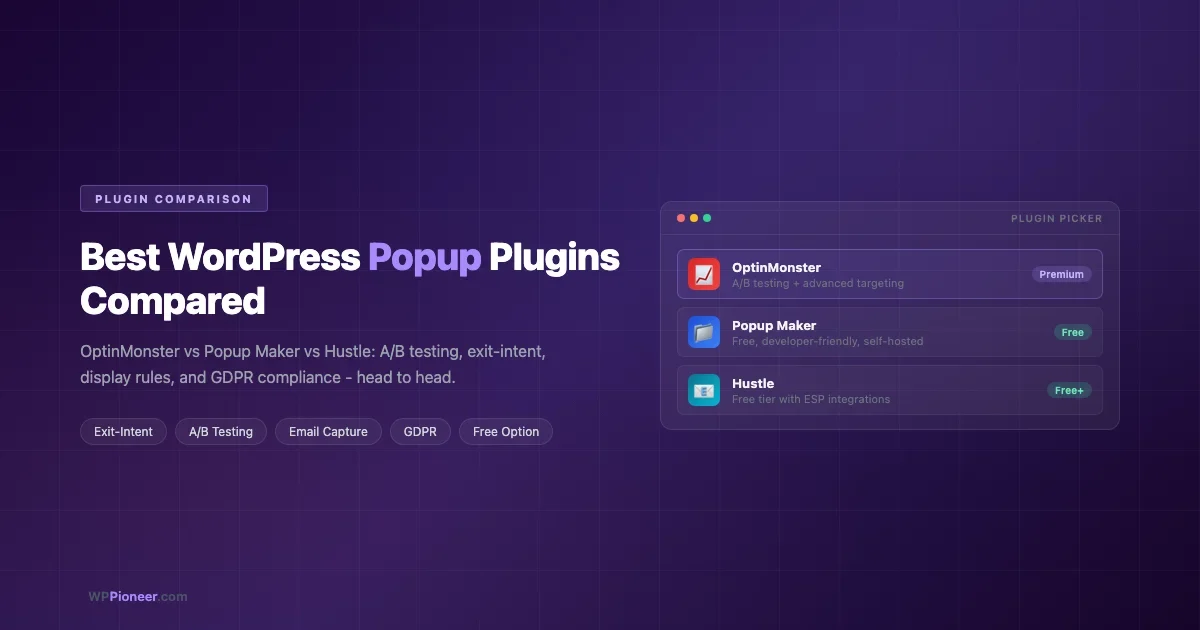
OptinMonster: Best A/B Testing and Exit-Intent Technology
OptinMonster is the market leader in WordPress opt-in and popup tools. It is a SaaS product - the campaigns are hosted and served from OptinMonster’s infrastructure, not your WordPress server - which has both advantages (performance, uptime) and disadvantages (ongoing subscription cost, data leaving your server).
A/B Testing
OptinMonster’s A/B testing is one of its strongest differentiators. You can split-test headline copy, button text, offer type (discount vs free resource), popup design, and trigger timing against each other with real traffic, and OptinMonster tracks conversion rates per variant. This is genuine multivariate testing with statistical data - not just “duplicate the popup and guess.”
For businesses that run significant traffic, the ability to iteratively improve conversion rates through tested changes compounds quickly. A 0.5% improvement in popup conversion rate on a site with 50,000 monthly visitors means hundreds of additional email subscribers per month.
Exit-Intent Technology
OptinMonster’s exit-intent detection is widely considered the most reliable in this category. It tracks mouse velocity and cursor position to predict when a user is about to leave the tab, triggering the popup at the exact right moment. Mobile exit-intent (triggering on back-button navigation behaviour) is available on higher plan tiers.
Campaign Types
OptinMonster supports multiple popup formats beyond the standard lightbox: slide-in scroll boxes, floating bars (persistent banners at the top or bottom of the screen), fullscreen welcome mats, inline opt-in forms, and content lockers (requiring sign-up to reveal content). This variety lets you match the popup format to the context - a floating bar for site-wide announcements, a scroll-triggered slide-in for blog posts, a lightbox for landing pages.
Display Rules and Targeting
OptinMonster’s display rule engine is the most sophisticated of the three. You can combine multiple conditions: show on specific pages, specific referrer URLs, to visitors in specific geographic regions, to returning vs first-time visitors, to visitors who have or have not already converted. The MonsterLink feature lets you trigger a popup from a hyperlink or button click - useful for “download the free guide” CTAs that open a lightbox rather than navigating away.
Integrations
OptinMonster integrates with virtually every major email service provider: Mailchimp, ConvertKit, ActiveCampaign, HubSpot, Drip, AWeber, Klaviyo, and many more. Form submissions pass directly to your email list without a Zapier or webhook bridge. WooCommerce integration includes cart abandonment detection. For guidance on growing your email list beyond popups, see our complete guide on adding email newsletter signups to WordPress.
Pricing
OptinMonster is a subscription product with plans starting in the low tens of dollars per month (billed annually). Higher tiers unlock A/B testing, exit-intent, advanced targeting rules, and more domains. There is no free tier - a paid plan is required to use the product.
Best For
OptinMonster fits best for: businesses that run enough traffic to meaningfully benefit from A/B testing, stores using exit-intent as a cart recovery strategy, and marketers who want the most sophisticated display rules available.
Popup Maker: Best Free, Developer-Friendly Option
Popup Maker is the most widely installed popup plugin on WordPress.org. It takes a fundamentally different approach from OptinMonster: it is a free, self-hosted, developer-friendly tool that gives you granular control over popup behaviour through a relatively technical interface.
Free and Self-Hosted
Popup Maker’s core plugin is free and handles the full basic popup workflow: create a popup, set a trigger (click, time delay, scroll depth, or form submit), add targeting rules (specific pages, categories, or custom conditions), and embed a shortcode or use the block. All data stays on your server.
This self-hosted model is the key reason Popup Maker is so widely used. For developers and agencies who want to deploy popups for clients without adding recurring subscription costs, Popup Maker is the default starting point.
Developer Flexibility
Popup Maker exposes hooks, filters, and JavaScript events that let developers integrate deeply with custom themes and plugins. You can trigger a popup programmatically via JavaScript, pass data into a popup from page context, and build entirely custom popup templates using standard WordPress template hierarchy. This level of control is not available in OptinMonster or Hustle.
Popup Types and Triggers
The free version supports: lightbox popups, slide-in notifications, and sticky bars. Triggers include: click (element or shortcode), time delay, scroll depth (available via an extension), and form submission. The trigger system is flexible - a popup can have multiple triggers, so the same popup can appear on time delay OR when a specific button is clicked.
Conditional Display Rules
Popup Maker’s targeting rules are solid for a free plugin. You can target by page, post, post type, category, tag, and login status. Advanced conditions (geographic targeting, device type, referrer URL) require extensions - either from the official Popup Maker store or from community plugins.
GDPR Considerations
Popup Maker does not track visitor behaviour by default (no analytics, no conversion tracking built in). This is actually a GDPR advantage - there is no third-party script serving consent-required data to external servers. If you need conversion analytics, you add them explicitly via your own tools.
Paid Extensions
The Popup Maker extension store offers: scroll triggers, advanced targeting, analytics, WooCommerce integration, and more. Extensions are sold individually or in bundles. A fully-featured Popup Maker setup with several extensions is priced in the low-to-mid tens of dollars range annually - roughly comparable to an entry OptinMonster plan.
Best For
Popup Maker fits best for: developers and agencies deploying popups for clients, self-hosted setups where data sovereignty matters, WordPress sites where integration with custom code is required, and anyone who wants a fully functional popup tool at no cost.
Hustle: Best Free Plan With ESP Integrations
Hustle is a popup and opt-in plugin developed by WPMU DEV. It is available free on WordPress.org with a generous free tier, and a paid upgrade adds more advanced features. Hustle sits between Popup Maker (highly flexible, minimal out-of-box features) and OptinMonster (SaaS, fully featured) - it offers a polished interface and direct email service integrations without requiring a subscription.
Free Plan Features
Hustle’s free tier allows: up to three popups, three slide-ins, and three opt-in embeds (inline forms). Each supports multiple trigger conditions including time delay, scroll depth, and exit-intent. Email integrations with Mailchimp, AWeber, GetResponse, Zapier, and others are included on the free tier - which is unusual for a popup plugin at this price point.
For a small site running a straightforward email capture strategy, the free tier covers the workflow completely. The three-popup limit means you cannot run complex segmented campaigns on the free tier, but for a blog or small business site the limit is rarely a constraint.
Exit-Intent
Hustle includes exit-intent detection on both the free and paid tiers. The implementation is reliable, though anecdotally users report it is slightly less sensitive than OptinMonster’s implementation. For most use cases - capturing visitors who are about to leave a blog post or product page - it performs adequately.
Display Conditions and Targeting
Hustle’s display conditions cover the standard set: specific pages or posts, categories, user login status, and device type (show only on desktop or mobile). The paid plan adds more granular conditions including referrer targeting and WooCommerce-specific triggers (cart total, product category, order history).
Design Editor
Hustle has a visual design editor that is more polished than Popup Maker’s. You can customise popup appearance - colours, fonts, button styles, background overlay - from a visual interface without touching CSS. Pre-built templates are available to speed up initial setup. The result is good-looking popups without requiring design skills.
Analytics and Tracking
Hustle tracks impressions and conversions per popup, giving you a conversion rate without needing a separate analytics tool. This is meaningful for non-technical users who want to know whether a popup is performing without setting up Google Analytics event tracking. A/B testing is not available on any tier - this is a notable gap compared to OptinMonster.
GDPR for Email Capture
Hustle includes built-in GDPR consent checkbox options. You can add a mandatory consent checkbox to any opt-in form, and the submission data is tied to the consent record. Hustle also integrates with WPMU DEV’s broader plugin ecosystem for cookie consent management. For businesses serving EU visitors, these built-in controls simplify compliance without requiring a separate GDPR plugin.
Pricing
The free plugin is available on WordPress.org. The paid version (via WPMU DEV membership or standalone) removes the three-popup limit and adds advanced targeting and WooCommerce features. WPMU DEV memberships bundle Hustle with their other plugins - if you use multiple WPMU DEV tools, the membership pricing can be very efficient.
Best For
Hustle fits best for: bloggers and small business sites that want a polished free popup tool with real email integrations, WPMU DEV ecosystem users, and anyone who wants exit-intent and basic analytics without a monthly subscription.
Head-to-Head Comparison
Feature | OptinMonster | Popup Maker | Hustle |
|---|---|---|---|
Free tier | No | Yes (fully functional) | Yes (3 popups) |
Exit-intent | Yes (best-in-class) | Yes (extension) | Yes (built-in) |
A/B testing | Yes (paid) | No | No |
Email integrations | 20+ (built-in) | Via extensions | Yes (free tier) |
Display targeting rules | Most sophisticated | Solid (free) | Good (more on paid) |
Analytics / reporting | Yes (detailed) | Extension needed | Yes (impressions + conversions) |
WooCommerce targeting | Yes (cart abandonment) | Extension | Paid tier |
Self-hosted / data control | No (SaaS) | Yes | Yes |
GDPR consent controls | Via integration | Manual / DIY | Built-in |
Developer customisation | Limited | Extensive (hooks/JS) | Moderate |
Starting cost | Paid (low tens/month) | Free | Free (3-popup limit) |
Display Rules and Targeting: A Deeper Look
Display rules are where popup plugins earn or waste their potential. A popup shown to the wrong visitor at the wrong time is noise. Here is how each plugin handles the key targeting scenarios:
Page-Level Targeting
All three plugins let you target specific pages, posts, categories, or post types. This is baseline functionality - you should never show the same generic newsletter popup on every single page of a site. A popup on a blog post should offer something related to that post’s topic. A popup on a product page should support the conversion goal of that page.
Visitor Behaviour Targeting
This is where OptinMonster extends significantly beyond the others. You can target by: number of pages visited in a session, whether a visitor has already opted in to a specific campaign, whether they have visited before (returning vs new), their UTM source (so paid traffic sees different popups than organic), and their geographic location. For sophisticated funnel management, this level of targeting is qualitatively different from what Popup Maker and Hustle offer on their base tiers.
Device-Specific Popups
All three plugins let you show different popups (or suppress popups) based on device type. Mobile popup design requires different constraints - smaller text, larger tap targets, and positioning that does not obscure critical page content. Designing separate mobile and desktop popup variants is best practice regardless of which plugin you use.
GDPR and Email Capture Compliance
Any popup designed to collect email addresses falls under GDPR if you serve EU visitors. The key requirements:
- Explicit opt-in: Pre-checked consent checkboxes are not valid under GDPR. The user must actively check a box or click a clearly labelled submit button. All three plugins support unchecked opt-in checkboxes.
- Clear purpose statement: The popup must state what you will do with the email address. “Subscribe for weekly tips” is fine. Vague “sign up” buttons with no description are not.
- Right to withdraw: Every marketing email must include an unsubscribe link. This is handled by your email service provider, not the popup plugin - but your ESP choice affects compliance here.
- Data minimisation: Only collect what you need. A popup asking for name, email, phone number, and date of birth for a newsletter is disproportionate and harder to justify under GDPR.
Hustle’s built-in GDPR consent checkbox is the most straightforward implementation of the three. OptinMonster’s GDPR compliance relies on configuration - you add a consent field via their form builder. Popup Maker requires manual implementation of consent checkboxes if needed. For email delivery setup once you have captured subscribers, our guide on setting up WordPress emails that land in the inbox covers the SMTP and DNS setup you need.
Inline Opt-Ins vs Popups
Popups are not always the right tool. Inline opt-in forms - embedded directly in post content, in a widget area, or after a post - are less disruptive and can perform comparably to popups for well-targeted placements.
Common high-performing inline placements:
- After the conclusion of a long post (the reader has finished and is open to a next step)
- Mid-post, after the second or third H2 section (reader is engaged)
- In the sidebar for desktop visitors on posts with high scroll depth
- On the About page (visitors checking out the author are often interested in subscribing)
All three plugins support inline embed forms alongside their popup formats. OptinMonster calls these “inline” campaigns; Popup Maker renders popups via shortcode (which can be placed inline in content); Hustle has a dedicated “Embed” module for inline opt-in forms separate from its popup and slide-in modules.
A combined approach - inline forms as the default ask throughout the site, a popup reserved for exit-intent only - typically outperforms relying on popups alone while creating a less intrusive visitor experience. For high-converting landing page design to complement your popup strategy, see our guide on building a WordPress landing page without a page builder.
Setup Walkthrough: Hustle Free Tier
Since Hustle’s free tier is the most capable zero-cost option for most sites, here is a complete setup for a newsletter popup with exit-intent.
Step 1: Install and Activate
Search for “Hustle” in WordPress Plugins - Add New. Install and activate the plugin. You will see a Hustle item in your admin menu.
Step 2: Create a New Popup
Go to Hustle - Popups and click “Create”. Give the popup a name (internal only - visitors do not see this). Select the “Opt-in” type if you want to capture email addresses, or “Informational” for announcements without a form.
Step 3: Design the Popup
In the Content tab, write your headline, body copy, and button label. Keep the headline benefit-focused: “Get weekly WordPress tips” converts better than “Subscribe to our newsletter.” In the Design tab, set colours and fonts to match your brand. Choose a layout template - Hustle provides several starting points.
Step 4: Connect Your Email Service
In the Integrations tab, connect your email service provider. Hustle supports Mailchimp, AWeber, GetResponse, Zapier, and others. For Mailchimp, you enter your API key and select the list (audience) where new subscribers should be added. The integration is direct - no webhook setup required.
Step 5: Configure Exit-Intent Trigger
In the Visibility tab, under Triggers, enable “Exit Intent”. Set the sensitivity (high sensitivity fires sooner; low sensitivity fires only on decisive exit movement). Add a frequency cap - “Show once per user” or “Once per session” prevents the popup appearing on every page load. This is the single most important setting for not annoying your visitors.
Step 6: Set Display Conditions
Still in the Visibility tab, set where the popup appears. For a newsletter popup, a reasonable starting config: show on all posts (not pages), to all users (logged-in and logged-out), on desktop and mobile. Exclude the homepage unless you specifically want it there.
Step 7: Publish and Test
Click Publish. Visit a blog post in an incognito window and move your cursor toward the browser’s address bar or tab bar to trigger exit-intent. The popup should appear. Verify that the form submits correctly and that the subscriber appears in your email service’s list. Test the mobile version separately - confirm the popup is dismissible on a small screen.
Frequently Asked Questions
Do popups hurt SEO?
Google has penalised certain types of “intrusive interstitials” since 2017 - specifically, popups that appear on mobile immediately on page load and cover the main content. Exit-intent popups, time-delayed popups, and popups triggered by user interaction are not penalised under this policy. To stay safe: never show a popup on mobile on page load that covers the main content; ensure popups are easily dismissible; use a small banner format (not a fullscreen takeover) for any popup that might trigger on mobile at load time.
Can I use OptinMonster with page builders like Elementor?
Yes. OptinMonster has a dedicated Elementor widget and works with Divi, Beaver Builder, and Bricks. You can place opt-in forms inline in page builder layouts, or use MonsterLink to trigger popups from Elementor buttons. Popup Maker and Hustle also work with page builders via shortcode or block embeds.
How many popups are too many?
One active popup per page context is the practical limit for user experience. Running an exit-intent popup alongside a scroll-triggered popup and a floating bar on the same page overwhelms visitors and drives up bounce rates. If you need multiple campaigns, segment them by page type - homepage gets one campaign, blog posts get another, product pages get a third - rather than stacking them on the same page.
Is OptinMonster worth it for a small site?
For a site with under 10,000 monthly visitors, OptinMonster’s A/B testing advantage is unlikely to produce statistically significant results in a reasonable timeframe. At that traffic level, Hustle free tier or Popup Maker gives you the same conversion mechanics at no cost. OptinMonster’s premium features justify their cost at meaningful traffic volumes where the testing data actually accumulates.
Can I A/B test with Popup Maker or Hustle?
Neither offers built-in A/B testing. You can manually test by running two different popups with different targeting rules on alternate pages, then comparing conversion rates in your analytics platform. This is far less precise than OptinMonster’s split testing, but it gives you directional data if you are patient.
What is the best popup for a WooCommerce store?
OptinMonster’s cart abandonment detection and exit-intent make it the strongest option for e-commerce. You can show a targeted discount offer to visitors who have items in their cart and are about to leave - this is a meaningful recovery mechanism for abandoned carts. Hustle’s paid tier also offers WooCommerce targeting. For cart abandonment specifically, OptinMonster is in a different league.
The Bottom Line
If you are starting out and need a popup tool that works without a subscription, begin with Hustle free - it covers exit-intent, direct email integrations, and basic analytics at no cost, with a polished UI. Move to OptinMonster when your site has enough traffic to benefit from A/B testing and you need sophisticated visitor behaviour targeting. Choose Popup Maker when you need developer-level control, want the popup to integrate with custom code, or are deploying for a client and prefer a self-hosted solution with no ongoing cost.
Popups work best as one tool in a broader conversion strategy - not as the primary mechanism for capturing leads. Pair whichever plugin you choose with well-placed inline forms, strong content that earns the subscribe, and a frequency cap that ensures you are not burning through visitor goodwill one dismissal at a time.

No comments yet