
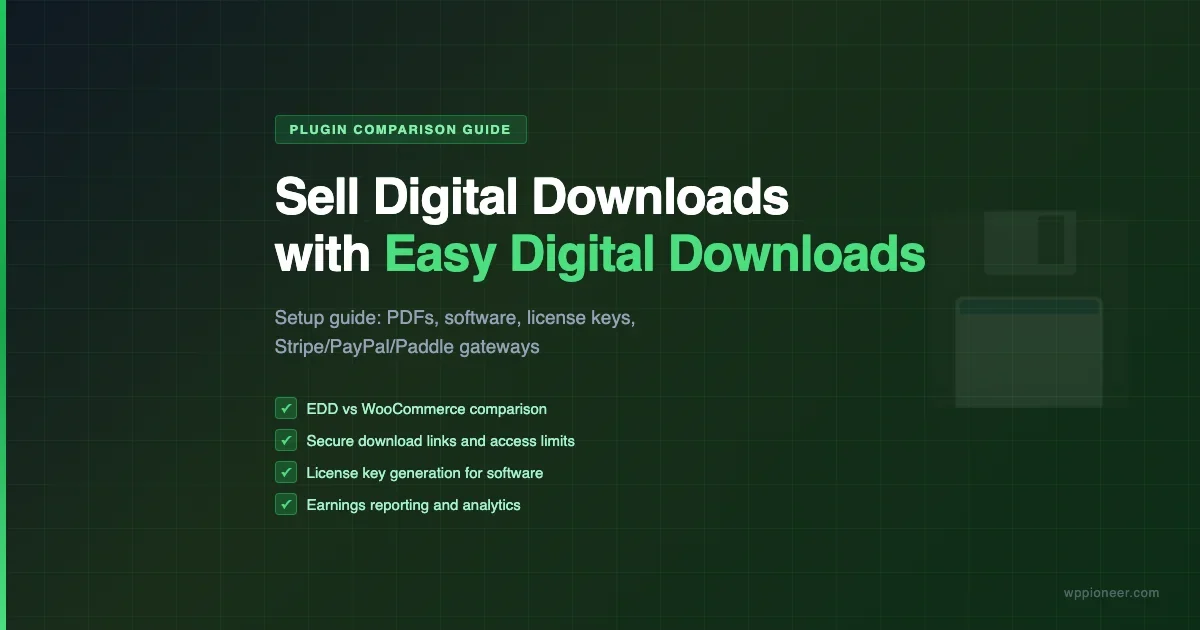
Selling a PDF, software license, audio file, or template through your WordPress site sounds simple, but the platform you choose to handle the transaction has a significant impact on how smoothly everything runs. WooCommerce is the default answer many store owners reach for, but it is designed around physical goods, and several of its core assumptions create unnecessary friction for purely digital products. Easy Digital Downloads (EDD) was built from the beginning for selling files, and for most digital product businesses it is the better fit. This guide walks through why, and how to set up a complete EDD store from installation to your first sale.
EDD vs. WooCommerce for Digital Products: Which Should You Use?
Both plugins can sell digital downloads, but they take very different approaches to the problem. For a full foundation on how WooCommerce is configured from the ground up, the WooCommerce setup guide covers the settings every store needs before adding digital products.
Why WooCommerce Works but Adds Friction
WooCommerce supports digital and downloadable products natively. You can mark a product as virtual (no shipping) and downloadable (generates a secure download link after purchase). For a store that sells a mix of physical and digital products, this is the right choice - you get one system for everything.
The friction shows up in purely digital stores. WooCommerce’s checkout includes shipping fields by default (which require configuration to hide), its product structure is designed around physical goods, and its built-in download handling is basic. Many digital product features that WooCommerce lacks require paid extensions. For a detailed look at WooCommerce’s checkout options, the WooCommerce checkout customization guide explains what is configurable without extra plugins.
Why EDD Is Built for Digital Products
Easy Digital Downloads treats digital files as the primary product type. The core plugin (free) includes:
- Streamlined checkout designed for digital purchases (no shipping fields)
- Secure download links that expire after a configurable number of downloads or time period
- Per-product download limits and expiration dates
- Customer purchase history and download access from a simple account page
- Discount codes with percentage or flat-rate values, usage limits, and product restrictions
- Basic sales reporting with earnings by product and time period
The extensions ecosystem adds license key generation, recurring subscriptions, software update delivery, frontend submission (for marketplaces), and more - each as a targeted add-on rather than an adapted physical-goods plugin.
Feature | EDD (core) | WooCommerce (core) |
|---|---|---|
Digital-first checkout | Yes | Requires configuration |
Download access limits | Yes | Basic |
License key generation | Via extension | Via extension |
Software update API | Via extension | No native support |
Free tier | Yes (fully functional core) | Yes |
Physical products | Not supported | Yes |
The short answer: Use EDD for stores that sell only digital products. Use WooCommerce for stores that sell a mix of physical and digital, or for stores that need the large WooCommerce extension ecosystem for other functionality.
Installing and Configuring Easy Digital Downloads
EDD is available free from the WordPress plugin repository. Search for “Easy Digital Downloads” in Plugins - Add New, install, and activate. The plugin creates its own settings pages under Downloads in your WordPress admin sidebar.
Step 1: General Settings
Under Downloads - Settings - General, configure:
- Business location: Country and state/province, which affects tax calculation and display.
- Currency: EDD supports multiple currencies. Set your store currency here. Multi-currency support (allowing customers to pay in their local currency) requires an extension.
- Purchase receipts: Configure the email that goes to buyers after a successful purchase. EDD handles this through its email templates, which you can customize with your store name, logo, and purchase details.
- Purchase page: EDD creates a checkout page automatically. Verify the correct page is selected in the settings.
Step 2: Downloads Settings
Under the Downloads tab in EDD settings, configure the download behavior:
- Download method: Forced download (browser downloads immediately without showing the file URL) vs. redirect (sends the buyer to a direct file URL). Forced download is more secure for most products since it obscures the storage location.
- File download limit: How many times each purchase download link can be used. Setting a limit (typically 3-5 downloads per purchase) prevents unlimited link sharing while allowing buyers to re-download on new devices.
- Download link expiration: How many hours the download link remains valid after purchase. A 72-hour window is common.
Adding Digital Products: PDFs, Software, and Licenses
Adding a product in EDD works similarly to adding a WordPress post. Go to Downloads - Add New and configure the product details.
Basic Product Setup
Set the product title, description, featured image, and categories (EDD has its own taxonomy for download categories). In the Download Details panel on the right, set the price. For a single-file product at a fixed price, that is all that is needed at the product level.
Uploading Files
In the Download Files panel, click Add New File and upload or link the product file. EDD stores files in a protected directory outside the public web root (or in a wp-content/uploads subdirectory with .htaccess protection on Apache servers). You can attach multiple files to a single product, which is useful for bundles that include multiple formats of the same content.
For very large files, consider using external storage - Amazon S3, Wasabi, or Bunny.net - and linking to the file URL in EDD rather than uploading to your WordPress server. EDD supports external file URLs in the download file field. This reduces load on your web server and ensures fast downloads regardless of your hosting plan’s bandwidth limits. For guidance on WordPress hosting options that can support a digital store, see the WordPress hosting guide.
Price Variations
EDD supports variable pricing. Enable it in the Download Details panel to create multiple price tiers for a single product - for example, a personal license and a commercial license at different prices, each with different file access. This is the standard setup for selling software or templates with different usage rights per tier.
License Keys
License key generation is not included in the EDD core plugin. The Software Licensing extension (a paid add-on) adds this functionality: it generates a unique license key per purchase, handles activation tracking against a configured site limit, and provides a software update API endpoint that plugins or apps can query to receive automatic updates.
If you are selling a WordPress plugin or theme and want to deliver automatic updates to paying customers, EDD with the Software Licensing extension is the most common setup in the WordPress plugin marketplace. Many plugins you use daily are sold and licensed through this exact system.
Payment Gateways: Stripe, PayPal, and Paddle
EDD includes built-in support for Stripe and PayPal in the core plugin. Additional gateway options are available as extensions.
Stripe
EDD’s Stripe integration processes payments directly on your checkout page using Stripe Elements (the card fields are rendered in a Stripe-hosted iframe embedded in your page). This keeps buyers on your site throughout checkout while Stripe handles PCI compliance. Stripe supports one-time purchases, and through the EDD Recurring Payments extension, automatic subscription billing.
For most digital product stores, Stripe is the recommended default gateway. Setup is straightforward: connect your Stripe account through the EDD settings, and the payment fields appear on your checkout page automatically.
PayPal
EDD supports PayPal Commerce (the current standard PayPal integration) and PayPal Standard (the older redirect-based option). PayPal Commerce keeps buyers on your site for checkout similar to Stripe. PayPal Standard redirects buyers to PayPal’s site to complete payment, which adds a step to the checkout flow but allows buyers to pay with their PayPal balance without entering a card.
PayPal is worth enabling alongside Stripe if your buyer demographics include a significant portion of shoppers who prefer PayPal. Running both gateways lets buyers choose their preferred payment method at checkout.
Paddle
Paddle is a merchant of record payment provider, meaning Paddle legally acts as the seller in every transaction rather than your business. This has a significant practical benefit for software sellers: Paddle handles VAT, sales tax, and GST collection and remittance in every jurisdiction where you have customers. You receive payments with all tax handling already managed.
The trade-off is that Paddle charges a higher transaction fee than Stripe or PayPal, reflecting the tax-handling service. For solo developers or small teams selling globally without dedicated accounting support, the tax compliance automation can be worth the higher fee. Paddle integration with EDD is available through third-party extensions.
Download Limits, File Access, and License Keys
Controlling how buyers access their purchases is one of EDD’s core strengths. The system gives you several levers for managing download access.
Per-Product Download Limits
You can set download limits at the global level (in EDD settings) or override them per product (in the product’s Download Details panel). The per-product setting overrides the global default, which is useful when you have products that should have different access policies - a high-resolution design file might have a stricter download limit than a PDF guide.
File Access After Expiry
When a download link expires (either from the time limit or download count limit), the buyer receives an error if they try to access the old link. They can log into their account page and generate a new download link. This keeps access controlled without completely locking buyers out of files they have legitimately purchased.
Some products, particularly software, benefit from lifetime download access. Set the download limit to 0 (unlimited) and the expiration to 0 (never expire) for products where you want buyers to be able to re-download indefinitely. Pairing this with the Software Licensing extension’s activation limits still controls how many sites the software can be used on.
Account-Based Download Management
EDD creates customer accounts automatically when someone purchases. Buyers can log into the account page at any time to see their purchase history and re-download products they have bought (subject to the download limit settings). This reduces support requests from customers who lost their download link email.
Earnings Reporting and Sales Analytics
EDD includes a reports dashboard under Downloads - Reports. The core reporting covers:
- Earnings overview: Total earnings for a selected date range, with a line graph showing daily revenue trends.
- Sales by product: Which products are selling and how much revenue each generates in the selected period.
- Refund tracking: Refunds issued and their impact on net earnings.
- Download activity: How many times each product has been downloaded across all purchases.
- Customer metrics: New customers vs. returning customers for the period.
The reports are clear and cover the operational information most digital product sellers need day-to-day. For more advanced analytics, you will need to supplement with external tools or EDD’s reporting extensions.
EDD Pricing Structure and Extensions
EDD core is free and fully functional for basic digital sales. The extensions ecosystem adds capabilities for more complex requirements.
Key paid extensions include:
- EDD Recurring Payments: Automatic subscription billing through Stripe or PayPal. Handles trials, renewals, failed payment retries, and subscriber management.
- Software Licensing: License key generation, activation tracking, and software update API. The standard setup for selling WordPress plugins and themes.
- Commissions: For marketplace setups where multiple vendors sell through a single EDD store, with automatic commission splits.
- Reviews: Customer reviews on download product pages.
- Frontend Submissions: Allows vendors to submit products for sale from the frontend without WordPress admin access.
EDD also offers pass bundles that include multiple extensions at a lower combined cost than purchasing individually. For stores planning to use several extensions, a pass is typically the more economical starting point. Check the current pricing at easyd.com - pass pricing and individual extension costs change periodically.
Frequently Asked Questions
Is Easy Digital Downloads free?
Yes. The EDD core plugin is free and available from the WordPress.org plugin repository. It includes the full digital storefront functionality - checkout, payment processing via Stripe and PayPal, download delivery, customer accounts, and basic reporting. Paid extensions are available for advanced features like license key generation, recurring subscriptions, and marketplace functionality.
Can Easy Digital Downloads sell physical products?
No. EDD is designed exclusively for digital products. If you need to sell physical goods, use WooCommerce. For stores that sell both, most operators run WooCommerce with its virtual and downloadable product settings, or maintain separate stores for physical and digital inventory.
How does EDD protect download files from unauthorized access?
EDD generates time-limited, limited-use download links that are sent to buyers via email and accessible from the account page. Files can be stored in a protected directory outside the public web root, or in the standard uploads folder with .htaccess rules preventing direct URL access. The download link includes a verification token - without a valid token, the file is not delivered.
Can I migrate from WooCommerce to EDD?
Yes, though the process is manual or semi-automated. The EDD ecosystem includes migration tools for some WooCommerce setups, but full customer purchase history migration requires database work. For stores with a large existing customer base, plan the migration carefully and verify all historical purchase data carries over correctly before disabling WooCommerce.
What is the difference between EDD and WooCommerce for selling PDFs?
Both can sell PDFs. EDD’s checkout is optimized for digital purchases - no shipping fields, no unnecessary product data fields - while WooCommerce’s checkout shows shipping fields by default (which require configuration to hide for digital-only stores). For a store selling only PDFs, EDD provides a cleaner setup with less configuration overhead. WooCommerce makes more sense if you also sell physical products or need features from the WooCommerce extension marketplace.
Does EDD support recurring subscriptions?
Yes, through the EDD Recurring Payments extension. This paid add-on adds subscription product support with trials, automatic renewals via Stripe or PayPal, failed payment handling, and subscriber management from the admin panel. The core EDD plugin does not include subscription billing.
Summary
Easy Digital Downloads is the most direct path to selling digital products on WordPress. The free core plugin covers everything most digital sellers need: a streamlined checkout, secure download delivery, customer accounts, discount codes, and basic reporting. The paid extension ecosystem adds license keys, recurring subscriptions, and marketplace capabilities for stores that need them.
For stores selling only digital products, EDD avoids the configuration overhead that comes with adapting WooCommerce’s physical-goods defaults to a digital-only workflow. For stores selling a mix of physical and digital, or stores that need WooCommerce’s broader extension ecosystem, WooCommerce with downloadable product support is the right choice.
The setup process for a basic EDD store is straightforward: install the plugin, configure your payment gateway, add your products with their files, set your download access rules, and you are ready to accept purchases. Advanced features like license keys and subscriptions are layered on top through extensions as your product catalog and business model require them. For a side-by-side look at how digital download plugins compare with other categories of WordPress commerce plugins, the plugin comparison guides on WP Pioneer apply similar evaluation frameworks across different plugin categories.


No comments yet