I have shipped six headless WordPress builds in the last two years, and I have also talked three clients out of doing one. That ratio tells you something about where this architecture actually belongs. Going decoupled is not a free upgrade. It is a set of trade-offs you take on deliberately, and a lot of the teams chasing it are solving a problem that sounds impressive in a pitch deck but costs them editorial velocity for months after launch.
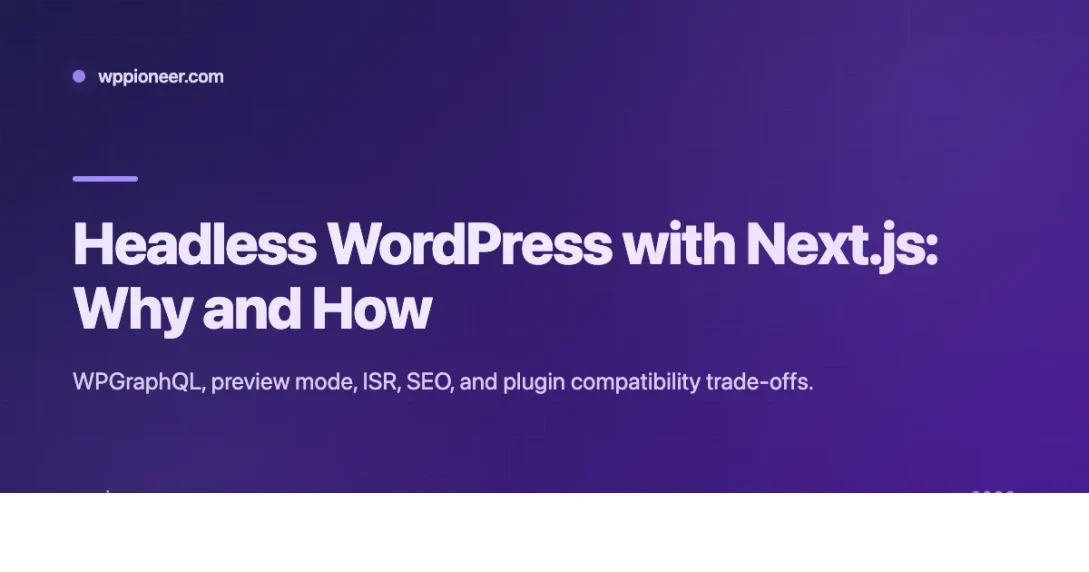
This piece is what I wish every founder and lead developer asked me before saying “we want it headless.” I will walk through when the decision pays off, the two data-fetching paths, authentication, preview mode, the rendering strategy that actually works, SEO, and the plugin compatibility cliff that wrecks naive adopters.
When decoupling actually makes sense
The project I am proudest of was a B2B SaaS marketing site for a client paying around $140 per month on managed hosting and an extra $22 per month on Vercel. Their engineering team already lived in Next.js, their design system was a React component library, and the marketing team needed to publish through Gutenberg without knowing anything about the frontend. Decoupled was obviously correct.
The project I regret was a mid-market agency with about forty landing pages built in Elementor. They wanted headless because a competitor pitched it at a conference. Three months in, we were maintaining two codebases, editors had lost half their visual controls, and the frontend team was rebuilding form logic from scratch. We eventually rolled them back to a traditional theme. The loss was real money, probably $18,000 of billable time plus the opportunity cost of the delay.
So, good reasons to decouple:
- Your company already runs on a JavaScript framework and you want content editors in WordPress while developers stay in Next.js, Nuxt, or SvelteKit
- Your frontend has genuinely app-like interactions, complex configurators, real-time data, authenticated dashboards, that a traditional theme cannot handle without piling a second framework on top
- You want frontend deployments independent of the WP admin, typical for enterprise teams where marketing iterates on copy five times a day
- You have a design system in React that you want to reuse across marketing and product
Bad reasons:
- “Headless is faster.” Is it? A well-cached WordPress site on Kinsta or Rocket.net with object caching and a CDN can hit the same Core Web Vitals scores as a Next.js frontend. You are trading PHP render time for an API hop and a build step.
- “Everyone is doing it.” Not really, and the ones who are often regret it.
- “I want to use React.” You can already write React in WordPress via Gutenberg blocks and the Interactivity API. If that is the itch, read my guide on building custom Gutenberg blocks with React and save yourself six months.
Two data-fetching approaches
The data layer decision is simpler than people make it. You have WPGraphQL and you have the core REST API, and the choice depends on how complex your content model is.
WPGraphQL is what I reach for on anything larger than a blog. It gives you one GraphQL endpoint, strong typing through codegen, and ecosystem plugins that expose ACF fields, Yoast metadata, menus, and custom post types in a shape that is actually pleasant to query. For a content site with ten templates and four custom post types, GraphQL pays for itself within a week.
The WordPress REST API is fine for simple use cases but it is chatty. Rendering a single product page can mean four separate REST calls, one for the post, one for the featured media, one for the ACF block, one for the related items. You can batch some of this with the _embed parameter, but it never gets elegant.
On the install I set up last month, three plugins covered about 90% of the content modelling: WPGraphQL itself, WPGraphQL for Advanced Custom Fields, and WPGraphQL for Yoast SEO. If your content model is heavier, WPGraphQL Content Blocks for parsing Gutenberg output is worth a look.
On the Next.js side, App Router is now the default. Use generateStaticParams for static routes, set revalidate for ISR windows, and keep post bodies in Server Components so the HTML arrives pre-rendered. If you still have to support Pages Router on a legacy project, the patterns translate cleanly, but any new build in 2026 should start on App Router.
Authentication and preview
There are three authentication patterns worth knowing and most teams only need one.
Application Passwords, which ship in core WordPress, are what I use for server-to-server calls. You generate an app password for a user, drop it into an environment variable on the Next.js side, and use HTTP Basic auth on the request. This is fine because the credential never touches the browser. Do not leak this into a client component by mistake.
The JWT Authentication plugin is an older pattern and still works, but it adds plugin surface area you do not need for a content site. I reserve it for projects with an authenticated frontend experience.
NextAuth with a custom WordPress provider is the right answer when you want a logged-in frontend with WP as the identity store. NextAuth handles the session cookie, WP verifies credentials. This is more work and you should only take it on if the product actually needs logged-in users.
Preview mode is where headless builds lose editor trust if you skip it. Editors expect to click “Preview” on a draft and see it render with the frontend’s real design. On the WordPress side, you generate a signed URL that hits a Next.js API route with a secret token, the route enables draft mode, and the page component fetches the draft content via an authenticated GraphQL query that includes unpublished posts. The first time I implemented this I wasted half a day tracking down why drafts were not appearing, it turned out I had the wrong post status filter in my query.
Why do I keep hammering on preview? Because on every project where we skipped it, the editorial team stopped trusting the CMS within a month. They would stage content in staging, publish, check the live site, realize something was off, and have to republish. That is not what anyone wants from a $30,000 engagement. If you cannot afford to build preview, you cannot afford to go headless.
ISR, SSG, and SSR
The rendering strategy question decides your monthly hosting bill as much as your performance. My defaults:
- Use Incremental Static Regeneration with on-demand revalidation for almost everything. Set a long revalidate window, say 86400 seconds, and trigger manual revalidation from WordPress when a post saves. This gives you static performance with instant freshness on publish.
- Use Static Site Generation at build time for pages that never change between deploys, landing pages for fixed campaigns, the about page, legal content.
- Use Server-Side Rendering only for genuinely personalized pages, authenticated dashboards, account screens, anything keyed to the current user.
The WordPress side of on-demand revalidation is a save_post hook that calls a webhook on your Next.js deployment. The Next.js side is an API route that validates a shared secret and calls revalidatePath or revalidateTag for the affected route. On Vercel, a revalidation call is free. I have never seen this part of the bill grow into anything meaningful.
SEO considerations
Headless SEO is a solved problem, but it is not automatic. You have to wire it up, and the work looks like this:
- Canonical URLs come from the Yoast canonical field in GraphQL, never from a frontend default. Default values bite you the moment you introduce a paginated category archive.
- The sitemap either gets proxied from Yoast at the frontend domain via a rewrite rule, or it is regenerated in Next.js from a GraphQL query. I prefer the rewrite approach because Yoast already knows how to build a proper sitemap.
- Robots.txt lives on the frontend. You also need
Disallow: /on whatever subdomain the WordPress admin is parked at. If Google indexescms.example.com, you have duplicate content. - Schema markup gets pulled from Yoast’s GraphQL schema fields and injected into the head element on the frontend.
- Meta tags use the Next.js metadata API, fed by Yoast data.
The single most common failure I have seen is editors publishing a post, the frontend never revalidating because the webhook is broken, and Google indexing nothing. Check the webhook after launch, then check it again after every redeployment. I bake an editorial calendar and post-launch content audit into every handoff to catch this kind of silent failure in the first two weeks.
The plugin compatibility cliff
This is where decoupled projects die. About half the WordPress plugin ecosystem assumes it can render HTML into the page through hooks like wp_head or the_content. In a headless setup, those hooks fire on the admin side and the output goes nowhere.
Plugins that survive unchanged:
- SEO plugins, Yoast and Rank Math, through their GraphQL extensions
- ACF via WPGraphQL for ACF
- User management and membership plugins for their admin side
Plugins that need rework or replacement:
- Gravity Forms, WPForms, and similar. You call the form submission endpoint from the frontend and reimplement the UI. Budget two days per form, not two hours.
- Popup plugins, notification bars, social sharing bars, anything that injects HTML via
wp_footer. These have no effect. Reimplement on the frontend or drop them. - Caching plugins. Useless on the frontend, because Next.js handles caching itself.
- WooCommerce. Possible with the Store API, but the work is not small, and most headless WooCommerce builds I have seen are held together by determination and duct tape.
- Page builders like Elementor and Divi. These are not compatible in any useful sense. If your content model depends on a page builder, decoupled is the wrong answer.
I refuse headless projects for teams that rely on Elementor. Not because the tech cannot be coaxed into working, but because the editor experience degrades so badly that the team stops shipping.
Deployment and cost reality
Vercel is the path of least resistance. vercel deploy, set environment variables, wire up the revalidation webhook, done. Expect $20 per month on Vercel Hobby or Pro for a small site, $100 to $250 per month for mid-market traffic once you factor in bandwidth and function invocations. Cloudflare Pages and Netlify are cheaper if you are on a tight budget, and both have caught up on Next.js support in the last year.
The WordPress backend can live on cheap shared hosting since it only serves admin and API. I run most of mine on a $12 per month SiteGround plan with Cloudflare in front. You do not need a fancy host for a WP instance that never serves public HTML.
Security still matters on that backend. The moment you put the CMS on a public subdomain, it gets scanned the same as any WordPress install. I recommend the 20-point monthly security audit even on headless projects, because the attack surface of an admin-only WP install is not zero.
The honest take
Headless WordPress with Next.js is a real architecture for a real set of problems. It is the right call when your content model is driven by Gutenberg and ACF, your frontend engineering team lives in React, and your editorial workflow can absorb the preview-mode overhead. It is the wrong call when your team depends on Elementor, your budget cannot cover the preview and revalidation work, or when the real motivation is “this will look impressive on the stack page.”
Make the choice because you understand both sides of the trade, not because a competitor did it first. And if you are still not sure? Build one template on a staging domain, ship it, watch the editorial team use it for a week, and decide then. That is the cheapest way to find out what you are actually signing up for.
Beginner WordPress Tips Caching Plugins First steps after WordPress install
Last modified: April 14, 2026