
You have written twenty blog posts. Each one is decent. And yet none of them ranks, your traffic is flat, and Google seems to have no idea what your site is even about. This is the most common trap in content: writing lots of individual posts that never add up to anything. The fix is not writing more posts. It is organizing them into topic clusters, a structure that tells Google you are an authority on a subject and uses internal links to lift your whole site instead of leaving each post to fight alone.
This is a plain-English guide to topic clusters and the internal linking that powers them. It explains what a cluster is, why it works, and exactly how to build one on your WordPress site, whether you are starting fresh or reorganizing content you already have. No jargon, just the structure that turns scattered posts into rankings.
Why individual posts do not rank
Search engines rank sites they trust on a topic, not just pages that mention a keyword. When your posts are a random pile, twenty unrelated articles with no connection between them, Google sees twenty weak, isolated signals. Nothing says “this site is the place to learn about X.” Each post has to earn its ranking entirely on its own, with no support from the rest of your content, and most lose to sites that have built real depth.
The other problem is that your posts probably compete with each other. Write three separate articles that all half-cover the same topic and Google does not know which to rank, so it may rank none of them well. Scattered content does not just fail to help; it actively splits your own authority. A topic cluster fixes both problems by giving your content a shape.
What a topic cluster actually is
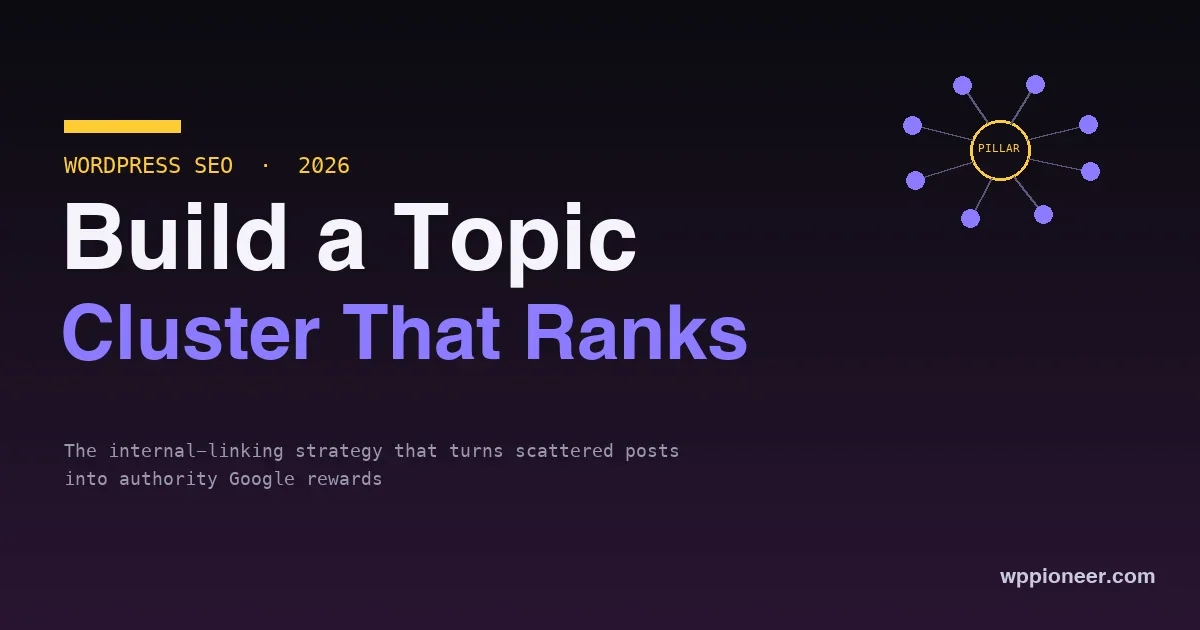
A topic cluster is a simple structure: one broad pillar page on a big topic, surrounded by several cluster posts that each cover one specific part of that topic in depth, all linked together. The pillar is the hub; the cluster posts are the spokes. Every cluster post links up to the pillar, the pillar links down to each cluster post, and related cluster posts link to each other.
Think of a topic you want to own, say “WordPress security.” The pillar page is a broad guide to WordPress security. The cluster posts are the specifics: how to choose a security plugin, how to set up two-factor, how to harden wp-config, how to recover a hacked site. Each specific post links back to the broad guide, and the guide links out to each specific post. Together they tell Google, unmistakably, that your site covers WordPress security thoroughly, and that combined authority lifts every page in the cluster.
Why clusters work
Clusters win for three connected reasons. First, they signal topical authority: a tight web of related, interlinked content is exactly what Google reads as expertise on a subject, and it rewards that. Second, internal links spread ranking strength; when your pillar earns links and traffic, the internal links pass that strength to the cluster posts, and vice versa, so the whole group rises together instead of one page carrying the rest. Third, clusters stop cannibalization by giving each keyword one clear home, so your pages support each other rather than compete. One strong cluster will out-rank a dozen orphaned posts on the same subject almost every time.
How to build a topic cluster, step by step
Building a cluster is a repeatable process. Here is the whole thing.
1. Pick a core topic you want to own
Start with a topic broad enough to have many sub-questions but narrow enough that you can genuinely cover it. “Marketing” is too broad; “email marketing for WordPress” is a cluster. Choose something central to your site’s purpose, because this is where you are staking a claim to authority.
2. Plan the pillar page
The pillar is a broad, comprehensive overview of the whole topic. It does not go deep on every sub-point, it introduces each one and links to the cluster post that covers it in detail. Think of it as the table of contents and the front door for the topic, the page you would send someone who wants the full picture.
3. Map the cluster posts
Brainstorm every specific question and sub-topic under your core topic. Each becomes a cluster post targeting a more specific keyword. A good way to find these is to think about what someone learning the topic would search next: the how-tos, the comparisons, the specific problems. Aim for a handful to start; you can grow the cluster over time.
4. Write the cluster posts to cover their piece fully
Each cluster post should thoroughly answer its one specific question, better than the competition. Depth on a narrow topic is what ranks; a cluster post that half-answers its keyword helps neither itself nor the cluster. This is where the actual authority is built, one deep, useful post at a time.
5. Link it all together
This is the step that makes it a cluster rather than a folder of posts, and the one most people skip. Every cluster post links up to the pillar. The pillar links down to every cluster post. And related cluster posts link to each other where it genuinely helps the reader. Without this linking, you have good posts but no cluster, and none of the authority-sharing that makes the structure work.
A worked example: one cluster, start to finish
Say you run a WordPress site about home coffee brewing and you want to own the topic “pour-over coffee.” Here is the whole cluster.
| Role | Page | Targets |
|---|---|---|
| Pillar | The Complete Guide to Pour-Over Coffee | “pour over coffee” (broad) |
| Cluster | How to Choose a Pour-Over Dripper | “best pour over dripper” |
| Cluster | The Right Grind Size for Pour-Over | “pour over grind size” |
| Cluster | Pour-Over Water Temperature Explained | “pour over water temperature” |
| Cluster | Common Pour-Over Mistakes to Avoid | “pour over mistakes” |
The pillar introduces pour-over and links out to each specific guide. Each cluster post answers its one narrow question in depth and links back up to the pillar, and the grind-size and water-temperature posts link to each other because a reader interested in one wants the other. That is a complete cluster: broad hub, deep spokes, wired together. Build one like this for each core topic on your site, and each becomes a little authority engine rather than a scatter of posts.
Pillar versus cluster: getting the roles right
The most common structural mistake is blurring the two roles, so it helps to keep them distinct. A pillar is wide and shallow relative to the topic; it touches everything and owns the broad keyword. A cluster post is narrow and deep; it exhausts one sub-topic and owns a specific long-tail keyword. If your pillar goes so deep on every sub-point that the cluster posts have nothing left to add, you have cannibalized your own cluster. If your cluster posts each try to cover the whole topic, they compete with the pillar and each other. Keep the pillar as the connective overview and let each cluster post be the definitive answer to exactly one question, and the structure holds together.
The internal linking rules that matter
Internal links are the wiring of a cluster, and a few simple rules make them effective.
- Use descriptive anchor text. Link with words that describe the destination, like “how to choose a security plugin,” not “click here.” The anchor text tells Google what the linked page is about, which helps it rank for that phrase.
- Link where it helps the reader. Put links where a reader would naturally want more on that point, not stuffed randomly. A link that genuinely serves the reader is the kind Google rewards.
- Link deep, not just to the homepage. The value is in connecting related content pages to each other. Linking everything to your homepage wastes the structure; link posts to the specific related posts and the pillar.
- Keep the pillar central. The pillar should be the most-linked page in the cluster, since it is the hub that ties the topic together and the page you most want to rank for the broad term.
- Do not overdo it. A handful of relevant links per post is plenty. Cramming in dozens dilutes their value and reads as spam to both users and search engines.
Done well, the internal links make the cluster feel like a coherent resource a reader can move through, which is exactly the experience Google is trying to reward.
Building clusters on WordPress specifically
WordPress makes clusters straightforward once you know the pattern. Use categories to organize each cluster so the structure is visible in your site and its URLs, and keep your permalinks clean and descriptive, which supports the whole effort, our guide to SEO-friendly permalinks covers that setup. Add internal links directly in the block editor as you write, linking each new cluster post to its pillar and siblings while the content is fresh in your mind. An SEO plugin helps you keep focus keywords straight across the cluster so two posts do not target the same phrase; our comparison of Yoast, Rank Math, and AIOSEO can help you pick one. And if you are still getting the fundamentals in place, start with the WordPress SEO basics before building clusters on top.
Mistakes that stop a cluster from working
A few errors quietly undo the whole effort. Watch for these:
- Skipping the linking. Writing the posts but never connecting them leaves you with a folder, not a cluster, and none of the authority-sharing. The links are the strategy, not an afterthought.
- Two posts chasing the same keyword. If two cluster posts target the same phrase, they cannibalize each other. Give every post one clear, distinct keyword.
- A pillar that is thin. A pillar that is a short intro with a list of links, and no substance of its own, does not earn the broad ranking. It should be a genuinely useful overview.
- Generic anchor text. Linking with “read more” or “click here” wastes the ranking signal. Describe the destination in the link text.
- Never revisiting it. Topics grow. A cluster you build once and abandon falls behind; adding new cluster posts and links over time is what keeps it climbing.
Avoid these and the structure does its job. Most cluster failures are one of these five, not a flaw in the approach itself.
Fixing content you already have
You do not need to start from scratch. If you already have a pile of posts, you can retrofit clusters. Group your existing posts by topic and look for clusters hiding in the pile. For each group, either designate your best broad post as the pillar or write a new one, then link the related posts to it and to each other. Often you will find you already have most of a cluster and just never connected the pieces, so an afternoon of adding internal links can lift a whole set of posts that were previously working alone. Retrofitting is frequently the fastest SEO win available to an established site.
How clusters help you in the AI-search era
There is a timely reason clusters matter more now, not less. As search increasingly summarizes answers with AI, the sites that get cited and surfaced are the ones with clear, comprehensive, well-structured coverage of a topic, exactly what a topic cluster builds. A scatter of thin posts gives an AI system little reason to trust or reference you. A tight cluster that thoroughly answers a topic and links its parts together reads as an authoritative source to both traditional search and AI-driven answers. Building depth on the topics you want to be known for is the same move whether the reader is a person clicking a result or a system deciding whose content to trust, which makes clusters a durable strategy rather than a trick for one algorithm.
Frequently asked questions
How many posts does a topic cluster need?
There is no magic number. A pillar plus a handful of cluster posts, say five to eight, is a solid start, and you can add more over time as you find new sub-topics. Quality and genuine coverage matter more than hitting a count; a tight cluster of well-linked, in-depth posts beats a large pile of thin ones.
What is the difference between a pillar page and a cluster post?
The pillar is broad and covers the whole topic at a high level, linking out to the details. A cluster post is narrow and covers one specific sub-topic in depth. The pillar is the overview and hub; the cluster posts are the deep dives. Together they cover the topic both widely and deeply, which is what signals authority.
Do I need a plugin to build topic clusters?
No. Clusters are a content structure, not a feature, so you build them with ordinary posts, categories, and internal links in the block editor. An SEO plugin helps you manage keywords and avoid overlap, which is useful, but the cluster itself is just well-organized, well-linked content.
How long until a topic cluster improves my rankings?
SEO is slow, so expect weeks to months, not days, as Google recrawls and reassesses your site’s authority on the topic. Retrofitting internal links to existing content can show results faster than a brand-new cluster, because the posts already have some history. Consistency matters more than speed; a maintained cluster keeps compounding.
Can internal linking really move rankings on its own?
It is not magic on its own, but it is one of the most underused levers, especially for sites that already have good content sitting disconnected. Adding a smart internal linking structure to existing posts often lifts rankings noticeably because it finally lets your pages support each other. Paired with genuinely useful content, it is one of the highest-return things you can do.
Should the pillar page be a post or a page?
Either works; what matters is that it is a substantial, linkable hub. Many sites use a regular post so it flows with their blog and categories, while some use a static page for an evergreen guide. Pick whichever fits your site’s structure, and make sure it is genuinely comprehensive rather than a thin placeholder.
Can one site have many topic clusters?
Yes, and established sites usually should. Each core topic you want to own becomes its own cluster with its own pillar, and a site can run several in parallel. Just keep each cluster focused on its topic so they do not blur into each other; distinct clusters for distinct topics is exactly the goal.
Do topic clusters still work with AI-generated search results?
Yes, arguably more than ever. AI-driven search rewards clear, comprehensive, well-organized coverage of a topic, which is what a cluster is. Depth and structure make your content easier for any system to understand and trust, so the same cluster that ranks in traditional search also positions you to be surfaced in AI answers.
The bottom line
Writing more isolated posts is not a content strategy; it is a way to stay invisible. Topic clusters are the structure that turns scattered posts into authority: one broad pillar page, several deep cluster posts, all tied together with descriptive internal links so Google sees expertise and your pages lift each other instead of competing. Pick a topic you want to own, plan the pillar, cover each sub-topic thoroughly, and wire it all together, or retrofit clusters onto the content you already have for a faster win. Do that, and the same posts that were going nowhere start to rank as a group, because you finally gave Google, and your readers, a reason to see your site as the place to learn the topic.
No comments yet