
Event registration software is usually chosen on the strength of a demo and a headline fee, and both of those are accurate for the event you are picturing. The trouble is that most organisers picture a single, well-priced, single-timezone event, and then run something else.
Two things go wrong. The fee structure behaves very differently at low ticket prices than the headline percentage suggests, and a set of operational details that never come up in a demo turn out to decide whether the event runs smoothly. This covers both, with the arithmetic worked through.
The fee math nobody runs before choosing
Take Eventbrite as the reference point, because it is the default choice and its pricing is published plainly. As of 18 August 2026 the published structure is a service fee of 3.7 percent plus $1.79 per ticket, and a payment processing fee of 2.9 percent per order. Free events carry no ticketing fee at all, and by default the fees are passed to the buyer rather than absorbed by the organiser.
Read as a percentage, that sounds moderate. The problem is the $1.79, which is a flat amount charged per ticket regardless of what the ticket costs. That single component changes the entire picture at the low end.
Ticket price | Service fee | Processing | Total per ticket | Effective rate |
|---|---|---|---|---|
$10 | $2.16 | $0.29 | $2.45 | 24.5% |
$25 | $2.71 | $0.73 | $3.44 | 13.8% |
$50 | $3.64 | $1.45 | $5.09 | 10.2% |
$100 | $5.49 | $2.90 | $8.39 | 8.4% |
$250 | $11.04 | $7.25 | $18.29 | 7.3% |
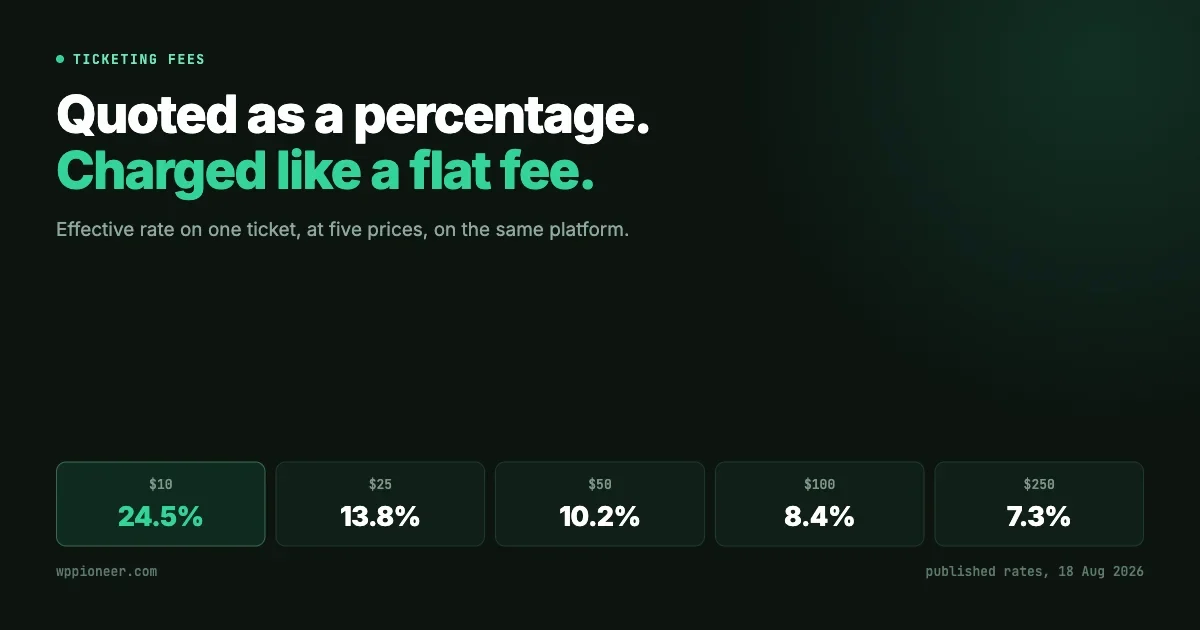
A ten dollar ticket loses roughly a quarter of its value to fees. A two hundred and fifty dollar ticket loses about seven percent. Same platform, same event, same day.
This is not a criticism of the pricing, which is transparent and defensible. Processing a ten dollar transaction genuinely costs a platform nearly as much as processing a hundred dollar one, and a flat component reflects that honestly. But it means the platform is a poor fit for exactly one kind of organiser, and that kind is extremely common.
A ten dollar ticket loses a quarter of its value. A two hundred and fifty dollar ticket loses seven percent. Same platform, same day.
Community groups, meetups, classes, workshops, local societies and anything selling a low-priced ticket at volume are all in the expensive band. A running club charging eight dollars for a monthly session is on the worst possible terms. A conference charging four hundred dollars is on reasonable ones.
Two further points belong here so the comparison stays fair.
- The processing fee is charged per order rather than per ticket, so somebody buying four tickets at once pays it once on the order total. The flat $1.79 is the part that multiplies.
- Fees are passed to the buyer by default. That does not make them disappear, it moves them into the price the attendee sees, which affects whether they buy. An eight dollar session that displays as $10.45 at checkout converts differently.
And free events genuinely are free to host, which matters. If every event you run is free, the fee argument does not apply to you at all, and the rest of this article is the part worth reading.
The operational details that decide the event
Fees are the visible cost. The following are the ones that produce a bad evening, and none of them appear on a comparison page.
Abandoned checkouts that hold seats
This is the most damaging failure in event software and the least discussed.
When somebody begins a checkout, the seats they are buying have to be reserved, otherwise two people can pay for the last ticket. That reservation is correct behaviour. The question is what happens when the person closes the tab and never returns.
If those reserved seats are never released, the event shows as sold out while nobody actually holds the tickets. The organiser sees a full house, turns away real buyers, and then watches an event run at sixty percent capacity. Worse, it is nearly invisible: the numbers all look correct, and the only symptom is that sales stopped earlier than expected.
The question to ask of any platform is direct: when a checkout is abandoned, how long until the seats return to the pool, and is that automatic? A system that requires an administrator to notice and clear stale carts by hand has not solved the problem, it has assigned it to somebody.
The login wall after payment
A guest buyer completes payment and is then asked to create an account before they can see their order. It sounds minor. It is the point at which a successful transaction turns into a support email.
The person has already paid. They want the confirmation and the ticket. Presenting a registration form at that exact moment reads as a bait and switch, and a meaningful share of people simply close the tab, at which point they have paid for a ticket they cannot find. Every one of those becomes a message to the organiser.
A guest buyer should land on their order page after payment. Account creation, if offered at all, belongs after the thing they paid for is in front of them.
Letting attendees change their own booking
Plans change. Somebody needs to cancel, bring one fewer guest, or correct the name on a ticket. If the only route to doing that is an account they never created, the request arrives as an email to the organiser instead, and the organiser edits the record by hand.
The working pattern is a secure management link, unique to that booking, included in the confirmation email. The attendee follows it and manages their own registration without a password. It is a small feature that removes most routine event administration.
One warning for anyone implementing this on their own site with customised email templates. If the management link is delivered through a placeholder in the confirmation template, a template that was customised before that placeholder existed will not contain it, and the emails will go out without the link. That is the kind of change worth checking after any update that touches confirmation email content.
Capacity, guests and the waitlist
Capacity looks trivial and is not, because most events allow attendees to bring people.
If an attendee can add three guests to their registration, then every extra guest has to count against capacity, otherwise a fifty-seat room sells fifty registrations and eighty people arrive. The setting to look for is a cap on additional guests per registration, alongside the capacity number itself.
Around that sit three related controls worth having: an automatic waitlist once capacity is reached, a registration deadline that closes sign-ups a set number of hours before the event starts, and a visible count of remaining places. The last one is the cheapest way to create urgency without manufacturing it.
One structural detail is worth confirming. Whether an event takes registrations at all should be enforced on the server rather than only in the page. An event marked as registering elsewhere, or as needing no registration, should refuse a registration outright even if a request is crafted directly. Front-end-only enforcement is how events end up with orders they were never supposed to accept.
Recurring events, and the exceptions
Anything that repeats exposes how much thought went into the scheduling engine, because real schedules are not simple intervals.
Daily, weekly and monthly repeats with an interval cover perhaps half of real events. The other half are described in ordinary English in ways that basic recurrence cannot express: the second Tuesday of every month, the last Friday, every Monday and Wednesday, once a year on the same date. A committee that meets on the last Friday of the month cannot be represented as a monthly interval at all, because the date moves.
Two further controls decide whether a recurring series survives contact with a calendar year. An end condition, expressed either as a number of occurrences or a final date, so the series does not run forever. And skip dates, so the session that falls on a public holiday can be removed without dismantling the rule that generated it.
The skip-date capability is the one people discover they need in December. Without it, the usual workaround is to end the series early, delete the unwanted occurrence and create a second series afterwards, which leaves the event history split across two records that no longer look related.
Whether the confirmation email arrives at all
This one is specific to running registration on your own site, and it is the single most common reason a self-hosted setup appears broken when the software is working correctly.
Event software sends genuinely expected mail: confirmations, management links, receipts, reminders and attendee announcements. Out of the box, WordPress sends that through the web server rather than a mail server, and three things follow.
- Shared hosting addresses send mail for thousands of sites, so they carry poor sending reputation and many are already listed on spam blocklists.
- Without domain authentication, the major mailbox providers treat the message as forgeable. Gmail and Yahoo have required authentication for reliable delivery since 2024.
- Failures are silent. The server reports success as soon as it accepts the message, so if it is dropped two hops later neither the organiser nor the attendee finds out.
The fix is not complicated and takes about fifteen minutes: route mail through a real transactional service rather than the web server, and authenticate the sending domain. For attendee mail at any volume, a transactional provider is a better choice than a personal mailbox account, because personal accounts are rate-limited quickly and a reminder sweep to three hundred attendees will hit that ceiling.
This is a genuine advantage of the hosted platforms and worth stating plainly. Deliverability is their problem, not yours, and they are considerably better at it than a default WordPress install. Anyone moving registration in-house is taking on that responsibility along with the savings.
Timezones, which are harder than they look
Every event platform gets timezones wrong at least once, and the reason is that there is no single correct answer. There are two, and which applies depends on the question a particular piece of the interface is answering.
Consider an event in Auckland viewed by somebody in London. Should the start time display in the viewer’s zone or the venue’s?
The answer depends on what the pixel is for.
What the element answers | Which zone it should use | Examples |
|---|---|---|
When is this event? | The event’s timezone | Start time, date label, single event page, emails, admin list |
Which group does this row belong in? | The site’s timezone | Day headers, agenda buckets like Today or This weekend, month grid cells, sort order |
Which clock is that time on? | An abbreviation, shown only when the zones differ | 10:30 am NZST |
The reasoning is worth following, because it explains a class of bug that is otherwise baffling.
An attendee cares about the clock at the venue. The gig starts at seven in the evening where the gig is. Rendering that in the viewer’s zone makes a listing card disagree with the event page it links to, which is a genuine bug rather than a preference.
But a month grid or a day-grouped list has to be framed in one single zone, or the cells stop lining up and a day header can contradict the rows beneath it. Per-event zones are simply wrong for grouping.
Which leaves the third case. Without the zone abbreviation, the two halves contradict each other silently: a row filed under Monday showing ten thirty in the morning reads as Monday morning to the viewer, when it is Tuesday morning at the venue. The abbreviation is what stops the display lying, and it only needs to appear when the two zones actually differ at that instant.
If you run events in more than one country, or sell to attendees who are not local, this is worth testing explicitly before committing to a platform. Create an event several zones away and look at how it renders in a month view, a list view and a confirmation email. Disagreement between those three is common and is the source of people arriving on the wrong day.
Who is allowed to create an event
One structural question separates an events calendar from an events platform, and it is easy to answer wrongly at the start because at the start there is only one organiser.
If a community reaches any size, members will want to run their own sessions. A reading group, a local chapter, a study circle, a member offering to host. At that point the question is whether the software can accept an event from somebody who is not an administrator, put it through review, and publish it under their name.
The alternative is that every member event is created by the one person with access, from details sent over email. That works at three events a month and collapses at fifteen, and the collapse is usually what makes an organiser start looking for different software.
Related, and worth checking at the same time: whether venues and organisers are proper records rather than free text typed into each event. A venue that exists once, with its address and details, means a change of location is edited in one place rather than on every future event that references it. Free-text venues are quicker to build and they are how calendars end up with four spellings of the same address.
Refunds and cancellations
Events get cancelled, and the cancellation is the moment an organiser most needs the software to behave well, because every attendee is about to be disappointed simultaneously.
Two things need to happen without manual work. Buyers need a cancellation message that reaches them, and refunds need to be issued and recorded against the original orders. If either is manual, cancelling a sold-out event becomes a morning of administration performed under time pressure by somebody who is already apologising.
It is worth testing this before you need it, on a test event with a test purchase, precisely because the day you need it is the day you have least capacity to work out how it functions.
What to ask before choosing
Reduced to a checklist that can be run against any platform in about twenty minutes:
- At my actual ticket price, what percentage do fees take? Calculate it rather than reading the headline rate.
- When a checkout is abandoned, do the reserved seats return automatically, and after how long?
- Where does a guest buyer land immediately after payment, and is an account required to get there?
- Can an attendee change or cancel their own booking without an account?
- Do additional guests count against capacity, and can the number per registration be capped?
- Is the registration mode enforced on the server, not just hidden in the page?
- How does an event in another timezone render in a month view, a list, and an email?
Question one decides the economics. Questions two through six decide how much of your week the software consumes. Question seven decides whether people turn up on the right day.
When running it yourself makes sense
The case for hosting registration on your own site is strongest exactly where the hosted fee structure is weakest: low ticket prices, high volume, and a recurring audience that comes back.
On a self-hosted setup the payment processor still takes its percentage, because Stripe and PayPal charge the same rates regardless of what software sits in front of them. What disappears is the platform’s own service fee, which in the table above is the larger of the two components at every price point below about a hundred dollars.
There is a second argument that has nothing to do with money. An events platform holds the list of people who attended, and that list is frequently the most valuable thing a recurring event produces. On a hosted platform it belongs to an account you rent. On your own site it sits in your own database next to whatever else you know about those people, which is what makes it possible to invite last month’s attendees to next month’s session without exporting anything.
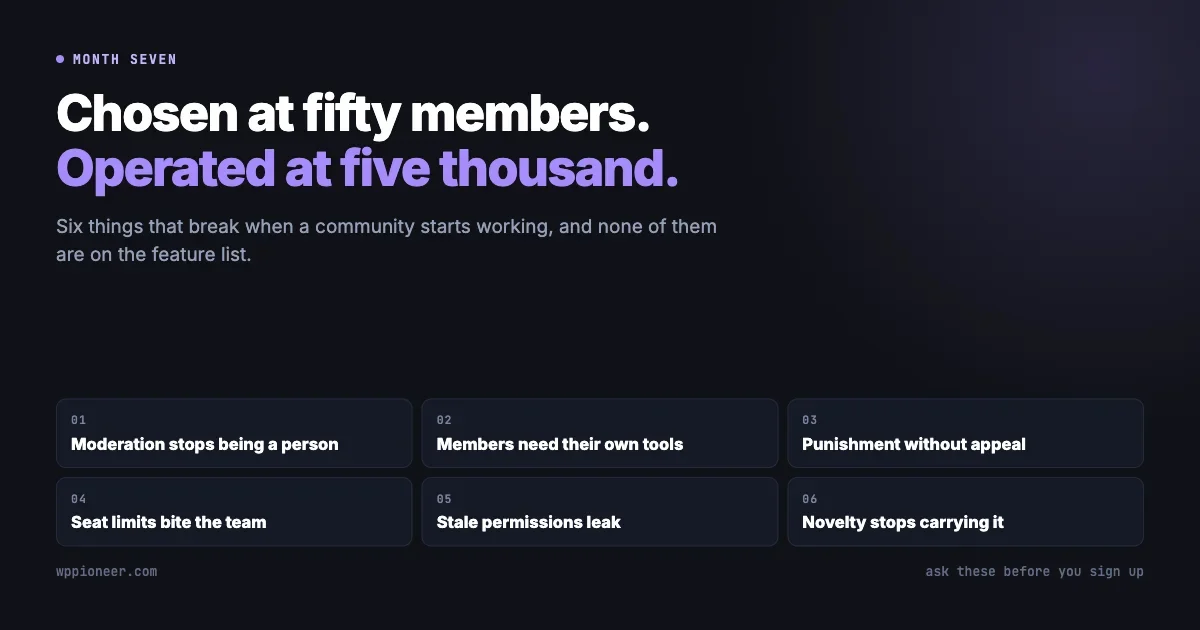
Where those attendees also form a community, the operational questions in what breaks at month seven apply on top of these. For the stack behind this publication, that shape is Eventonomy handling events, ticketing and the RSVP flow, with BuddyNext providing the community those attendees belong to between events and Jetonomy where discussion needs a forum structure, presented through the Reign theme. The connection that matters is the ordinary one: the person who bought a ticket and the member in your community are the same account, so attendance history and membership are not two separate lists that have to be reconciled.
The honest counterweight is the same as it always is. Self-hosting adds server hosting that can carry logged-in traffic, and an operations job that somebody has to own. For an organiser running two events a year, the fee on those two events is far cheaper than the maintenance. For a group running weekly sessions at ten dollars a head, the arithmetic reverses quickly, and it reverses further every month.
The short version
Event registration fees are quoted as percentages and behave like a flat charge, which means the effective rate at a ten dollar ticket is roughly three times the rate at a two hundred and fifty dollar one. Anybody selling cheap tickets at volume is on the worst terms the pricing offers, and they are usually the organisers least able to absorb it. The same pattern appears in what course platforms charge as they grow.
Beyond price, the details that decide whether an event runs smoothly are unglamorous and specific: whether abandoned carts release their seats, where a guest lands after paying, whether attendees can manage their own bookings, whether guests count against capacity, and whether the software has a coherent answer to the timezone question rather than one answer per screen.
Those are all checkable before committing, and none of them show up in a demo.


No comments yet