
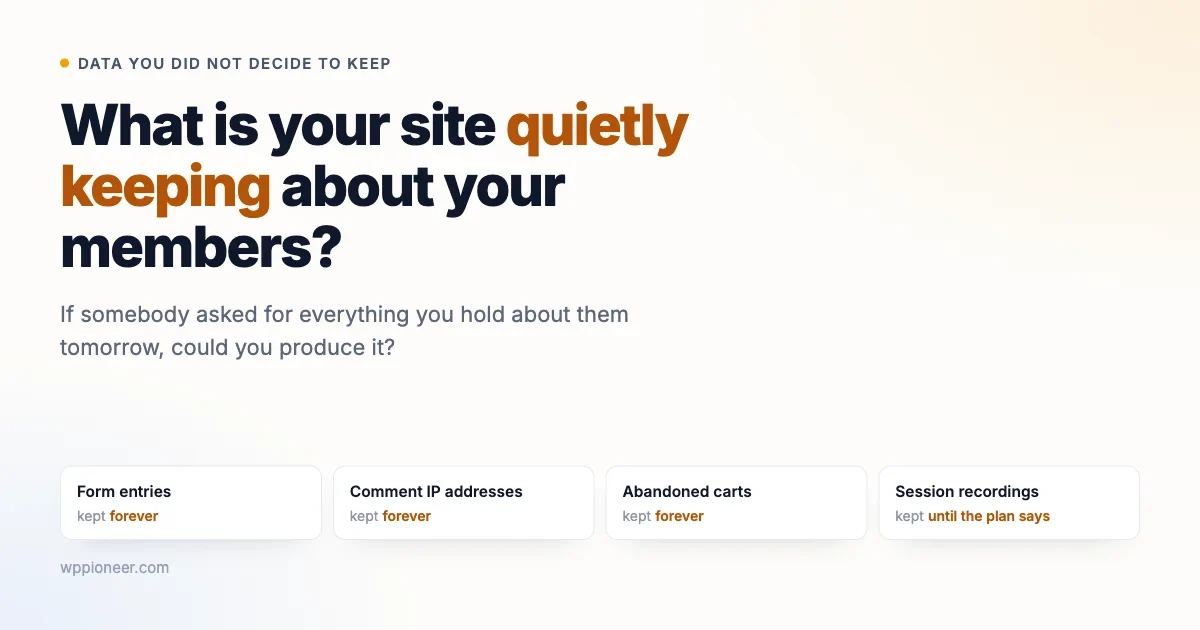
A journalist at Wired asked McDonald’s for a copy of the data its loyalty programme held about him. What came back ran to 515 pages, and included a personalised report that algorithmically predicted what he would buy next.
The headline is a good one and the story is worth reading if you can get past the paywall. But the interesting question is not what a fast food chain knows about its customers. It is much closer to home.
If somebody who signed up on your site emailed tomorrow and asked for everything you hold about them, could you produce it? And having produced it, would you be comfortable with what was in the file?
Most site owners have never asked themselves that, and the answer is usually more than they expect. Not because anybody decided to collect it. Because nobody decided to stop.
This article is the practical version of that question. What an ordinary WordPress site accumulates, why it piles up when nobody intended it to, the two tools already built into your admin that most people have never opened, and an afternoon’s work that leaves you able to answer honestly if somebody ever asks.
What a normal WordPress site is quietly holding
Take an ordinary site that has been running for a few years with a contact form, a newsletter, some analytics and maybe a shop or a members area. Here is what is probably sitting in the database right now.
What it is | Where it came from | How long it has been there |
|---|---|---|
Every contact form submission ever sent | Your form plugin saving entries | Since you installed it |
Commenter names, emails and IP addresses | WordPress, by default | Forever |
Abandoned carts with email addresses | Shop or checkout plugin | Usually forever |
Who opened which email, and what they clicked | Newsletter plugin or service | Usually forever |
Session recordings and heatmaps | Analytics or optimisation tool | Depends on the plan |
Login times and IP addresses | Security plugin | Until the log rotates, if it does |
Profile fields, private messages, activity | Membership or community plugin | Forever, by design |
Read down the right column. That is the actual problem. Almost none of these have a deletion policy, because almost none of these plugins ask you to set one during setup.
The contact form is the clearest example. Most form plugins save a copy of every submission in the database as well as emailing it to you. That is a useful safety net when an email fails to arrive. It also means that four years of enquiries, some containing phone numbers, addresses, order details or personal circumstances, are sitting in your site waiting for somebody to notice.
Comment IP addresses are the one that surprises people most, because nobody switched it on. WordPress records the address a comment came from, by default, and has done for as long as most of us have used it. On a site with years of comments that is a long list of locations attached to names and email addresses, collected without a decision and almost never used for anything.
Session recordings deserve a mention too, because they are the most invasive item on that list and the least understood. A recording tool captures how somebody moved through your pages, what they typed into fields, where they hesitated. Watching one is genuinely useful when you are trying to work out why a checkout fails. Keeping thousands of them indefinitely, unwatched, is a different thing entirely.
Nobody decided to collect it. Nobody decided to stop, either.
Why it piles up
Three reasons, and none of them involve anyone behaving badly.
Keeping is the default. A plugin developer has to choose a default, and deleting a customer’s data automatically is the choice that generates angry support tickets. Keeping everything never does. So the safe default for the developer is the one that accumulates.
Storage feels free. A hundred thousand form entries is a few megabytes. There is no bill, no warning and no visible symptom, so nothing prompts a review.
Nobody owns it. The person who installed the plugin was solving one problem that afternoon. Data retention was not the problem, so no decision got made, and a non-decision quietly becomes forever.
Why holding it is a cost, not an asset
The instinct is that data might be useful later. Occasionally true. Here is the other side of the ledger.
- If your site is breached, you lose whatever you kept. Not what you were using. What you kept. Four years of form submissions you never opened are still four years of form submissions in the dump.
- You have to be able to find it. If a member asks for their data, or asks you to delete it, you have to locate every copy. That is much harder when it lives in six plugin tables nobody has looked at.
- Old data is often wrong. An address from 2021 is a liability if somebody acts on it. Stale personal data has negative value rather than zero.
- It travels. Every backup, every staging copy, every export a developer took to debug something. Data you kept once exists in more places than you think.
That last one deserves a moment. A single database export sitting in a developer’s downloads folder from a support session two years ago contains every record that existed on that day, and no retention policy you set today reaches backwards into it.
WordPress already gives you two tools
Worth knowing, because they have been built into WordPress for years and most site owners have never opened them.
Under Tools in your admin menu there are two entries: Export Personal Data and Erase Personal Data. You enter an email address, the site collects what it holds for that person, and either produces a downloadable file or removes it.
The catch is worth understanding rather than glossing over. Those tools work by asking plugins to participate. WordPress core knows about users, comments and a few other things. Everything else depends on whether each plugin author wrote the code to answer the request.
Good plugins do. Plenty do not. So the export is a starting point rather than a complete answer, and the useful exercise is running it against your own email address and then asking what is missing.
Try it on yourself first
This takes ten minutes and is more informative than any article.
- Go to Tools, then Export Personal Data.
- Enter an email address you have used on your own site, ideally one you have used to buy something or send an enquiry.
- Confirm the request and download the file.
- Open it and read it as though you were the person it describes.
Two reactions are common. Either the file contains far more than you expected, which tells you about your retention. Or it contains far less than you know is in there, which tells you which plugins are not participating and where the gaps in any future request will be.
Finding what you actually hold
The export tells you part of it. The rest comes from asking one question of every plugin you run.
Go through your plugin list and, for each one, ask: does this store anything about a person, and if so, where and for how long? Most plugins answer it quickly. A caching plugin, no. A form plugin, yes and probably forever.
The ones worth checking closely, because they almost always store something:
- Contact and lead forms
- Newsletter and email marketing
- Shop, checkout and booking
- Membership, community and forum
- Security and login protection
- Analytics, heatmaps and A/B testing
- Chat widgets and support desks
- Anything with the word CRM in the description
Where a plugin has a settings screen, look for a retention or cleanup option. Many have one and it is switched off, or set to a period so long it never triggers. Turning it on is frequently the entire job, and it takes a minute per plugin.
Where a plugin sends data somewhere else, that destination counts too. An analytics tool, an email service, a chat widget: the copy on their servers is also yours in the sense that matters to the person who signed up.
This is the same question we walked through in the piece on what a WordPress plugin can actually do to your site, approached from the other end. There the question was what a plugin can reach. Here it is what a plugin decided to keep.
The places people forget entirely
Four hiding places that survive even a careful plugin review, because none of them are plugins.
Backups. Every nightly backup contains everything that existed that night. If you keep a year of them, you keep a year of deleted data too. That is usually the right trade, since backups exist for disaster recovery, but it should be a decision rather than a surprise. Knowing how long your backups are retained is part of knowing your answer.
Staging sites. A staging copy made eighteen months ago to test a theme is a full copy of your member data, often on a URL nobody remembers, sometimes with search engines not blocked, and almost always without the security attention the live site gets. Staging sites are one of the most common places member data leaks from, and they are invisible on the live site’s plugin list.
Your own email. Every form submission arrived in an inbox. If your form plugin has a retention policy and your email does not, you have moved the problem rather than solved it.
Spreadsheets. Somebody exported a member list for a mailshot in 2024 and it is still in a shared drive. This is the one no technical control reaches, and the only fix is remembering it exists.
None of these mean you are doing anything wrong. They mean that “what does my site hold” is a narrower question than “what do we hold”, and the second one is the one a member is actually asking.
Deciding how long is long enough
A retention period sounds like a policy document. It is really one question per data type: how long is this genuinely useful?
Data | Genuinely useful for | A reasonable default |
|---|---|---|
Contact form enquiries | Until the conversation ends, plus a bit | One year |
Abandoned carts | Until the recovery emails stop | A few months |
Session recordings | Until you have watched them | Weeks |
Login and security logs | Until an incident would have surfaced | Months, not years |
Completed orders | Tax and warranty obligations | Whatever your accountant says |
Member profiles and posts | As long as they are a member | Until they leave, then ask |
The right column is a starting point for a conversation, not a rule. Your business may have obligations that require keeping certain records for a set period, and orders are the obvious case. The point is that the number should come from a reason rather than from nobody having chosen.
One caution on the members row. Deleting a departed member’s account can remove their posts and break conversations other people are still reading. Most community platforms offer anonymising instead, which keeps the discussion intact while detaching the person from it. That is usually the better answer, and it is worth checking your platform supports it before anyone asks.
The three requests you should be able to handle
Whatever the rules where you are, members ask three things, and being ready for them is mostly what “being organised about data” means in practice.
What do you have about me?
The export tool covers the part your plugins participate in. For the rest, you need to know which plugins hold something so you can look manually. That is why the plugin-by-plugin pass above is worth doing once while nobody is waiting on you.
Please delete it
Harder, because deletion has consequences. Removing an account can break threads, orphan orders, and confuse a membership plugin that expects the record to exist. Work out in advance which parts you can remove cleanly, which you would anonymise instead, and which you are obliged to keep regardless, such as completed transactions.
Then actually try it on a test account before you promise anybody. Deletion flows are the least-tested part of most plugins, and finding out mid-request that it half-works is a bad time to discover it.
Stop emailing me
The most common request and the one most often handled badly, because email frequently lives in several places at once. A newsletter service, an abandoned cart sequence, a membership plugin’s notifications and a support desk can each have their own list, and unsubscribing from one leaves the others running.
Somebody who asked to stop hearing from you and then received another automated email does not conclude that your systems are separate. They conclude that you ignored them.
The AI tools you added recently
Worth a section on its own, because it is the newest way for this to get complicated.
If you have added anything AI-powered in the past year, it is worth knowing what it reads. A tool that summarises support conversations reads support conversations. A tool that drafts replies to members reads what members wrote. A tool that scores leads reads your form submissions.
Most of these process data somewhere else, because the model does not run on your hosting. That is normal and not automatically a problem. It does mean the answer to “where is my data” now includes a company your member has never heard of, and it is reasonable for them to expect your privacy policy to mention it.
We covered the wider set of problems this creates in the piece on how AI features quietly make a mess of a site. The retention angle is the one most likely to matter later, because it is the one somebody may eventually ask you about in writing.
What good looks like
Not perfection, because perfection is not available and chasing it is how people end up doing nothing.
A site in reasonable shape looks like this. Somebody can name what the site collects without opening the database. Every plugin storing personal data has a retention setting that has been looked at once. Old form entries are cleaned up on a schedule rather than accumulating. The privacy policy matches what the site actually does. And when a request arrives, there is a short document saying where to look.
That is achievable in an afternoon for most sites, and it stays true for a long time afterwards because the underlying setup rarely changes fast.
Compare that to the common state, which is that nobody knows, nothing is cleaned up, the privacy policy came from a template, and the first time anyone investigates is when somebody has already asked a question you are now late in answering.
The gap between those two is not budget or expertise. It is one afternoon that nobody has scheduled.
A note on the legal side
Everything above is general good practice rather than legal advice, and I am not qualified to give you the latter.
What is worth knowing is that in a lot of places, people have a legal right to ask what you hold and to ask you to delete it, and those rules frequently apply based on where your visitors are rather than where you are. A small site with European or Californian readers can be in scope without anybody having thought about it.
If you take payments, run a membership, or hold anything sensitive, that is a conversation with somebody qualified rather than with a blog post. The practical work in this article makes that conversation shorter and cheaper, because you will arrive knowing what you hold.
What to do this week
- Run the export on yourself. Tools, Export Personal Data, your own email address. Read the file.
- Open your form plugin’s entries screen and look at the oldest submission. The date will tell you most of what you need to know.
- Go through your plugin list once and note which ones store personal data and which have a retention setting you have never touched.
- Turn on the cleanup options that exist. This is usually the highest-value ten minutes in the whole exercise.
- Write down what you decided. A short note in a document beats a policy nobody wrote.
- Check your privacy policy still describes reality, particularly if you added tools this year.
None of that needs a developer, and none of it needs a budget. The only thing it needs is somebody deciding it is their job, which on most small sites is the actual missing ingredient rather than any technical obstacle.
The test worth remembering
The Wired story lands because of the gap between what somebody assumed was being kept and what actually was. Nobody signing up for a loyalty card pictures a 515-page file with a prediction attached.
Your site is smaller and your intentions are better, and the gap can still exist, because it does not come from intent. It comes from defaults nobody changed.
So the test is simple. Imagine the most careful member you have asking for everything you hold about them, and imagine reading the file alongside them. Anything in there that would need explaining is something to stop keeping.
That is a better standard than any retention schedule, and you can apply it this afternoon without asking anyone’s permission.
There is also a quieter benefit, which is the one that tends to persuade people who were not worried about any of this. A site holding less data is easier to move, faster to back up, cheaper to restore, and simpler to hand to somebody else. Every cleanup in this article makes the site lighter as well as safer.
And if you run a community rather than a shop, there is a straightforward trust argument on top. The people who join a small community are frequently doing so precisely because it is not a large platform harvesting everything. Being able to say what you keep and for how long, and having it be a short and sensible answer, is worth something to exactly the members you most want to keep.
No comments yet