
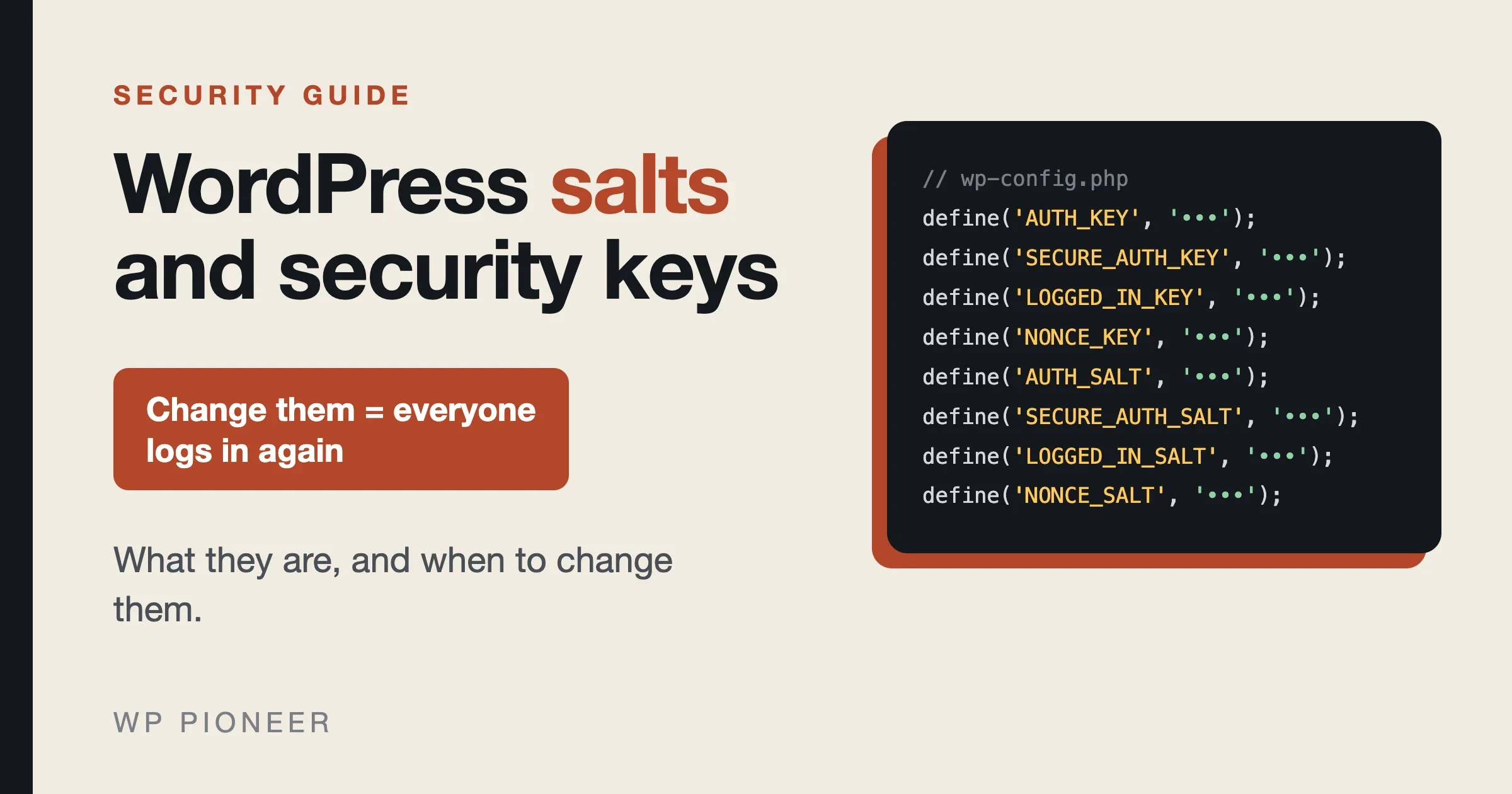
WordPress salts and security keys are eight long random strings stored in your wp-config.php file. WordPress mixes them into the cookies that keep you logged in and into the one-time tokens (called nonces) that protect forms and admin actions. Change them and everyone who is logged in, you included, has to log in again. That is the main effect, and it is also why changing them is a useful emergency tool.
You should change your WordPress salts when you think someone else has seen them or has a login session they should not have: after a hack, after a leaked wp-config.php, or after a person with file access leaves. You should also replace them if your file still says “put your unique phrase here”. You do not need to change them every week, and nothing in the official WordPress documents sets a schedule.
This guide explains what each of the eight values does, what really happens when you change them, how to do it safely in about five minutes, and what to expect afterward. The facts come from the WordPress developer documentation, the wp-config-sample.php file that ships with WordPress, and the official generator at api.wordpress.org/secret-key/1.1/salt/. I did not change keys on a test site for this article, so where something is my own reasoning from the documentation, the text says so.
What are WordPress salts and security keys?
Open wp-config.php in the root folder of your site and look for a block of eight lines that start with define(. The sample file that comes with WordPress describes them as “Authentication unique keys and salts”, and shows them like this:
define( 'AUTH_KEY',         'put your unique phrase here' );
define( 'SECURE_AUTH_KEY',  'put your unique phrase here' );
define( 'LOGGED_IN_KEY',    'put your unique phrase here' );
define( 'NONCE_KEY',        'put your unique phrase here' );
define( 'AUTH_SALT',        'put your unique phrase here' );
define( 'SECURE_AUTH_SALT', 'put your unique phrase here' );
define( 'LOGGED_IN_SALT',   'put your unique phrase here' );
define( 'NONCE_SALT',       'put your unique phrase here' );
On a real site, each of those phrases is replaced by a long string of random letters, numbers and symbols. The words “key” and “salt” are close cousins. Both are secret values that WordPress adds to a calculation so that the result cannot be guessed or faked by someone who does not know them. Together the eight values make four pairs, one for each job:
Pair | What it is used for |
|---|---|
| The login cookie used over a normal connection. |
| The login cookie used over HTTPS, for the admin area. |
| The cookie that tells the public side of the site who you are. |
| The one-time tokens that check a form or link came from your own page. |
The developer reference for the function that builds them, wp_salt(), names the same four schemes: auth, secure_auth, logged_in and nonce. That page also says the secret keys in wp-config.php “should be updated to strong, random keys to maximize security”, and warns, in so many words, not to paste its own example into your file but to have a key created just for you.
What do salts and keys actually protect?
Think of the cookie in your browser as a wristband at a festival. The wristband proves you paid. To stop people printing their own, the festival stamps each one with a secret mark that only the organizers know. WordPress does the same thing. When you log in, it builds a cookie and stamps it using a calculation that includes your keys and salts. On each page, it repeats the calculation and checks the stamp. A fake cookie fails because the faker does not know the secret.
The reference code for wp_hash(), which does the stamping, runs the text through a standard keyed hash, using the salt for the chosen scheme. The code for wp_create_nonce() shows what goes into a nonce: a time value, the action name, the user ID and the user’s session token, hashed with the “nonce” scheme. In plain words, a nonce is a short code that proves “this click came from a page WordPress made for you, a short time ago”. It is why you sometimes see the message “The link you followed has expired”.
So the keys and salts guard two things: your login cookies and your nonces. They are not your password. They do not encrypt your posts or your database. They are the secret that keeps cookies and tokens from being forged.
Where do salts and keys live? Two places
The developer documentation says secret keys are located in two places: in the database and in the wp-config.php file. The one in the database is randomly generated and is appended to the keys in wp-config.php.
The source code shows how this works. When one of the eight constants is missing, or is set to a value that is a duplicate of another, or is still “put your unique phrase here”, WordPress makes its own 64-character random value and saves it as a site option in the database. So a site with no keys in wp-config.php still works. It simply keeps the keys in the database, where anyone who can read your database can read them.
That gives you the first reason to set them in the file yourself. The sample file says to change them and to generate them with the WordPress.org service, so that you have values that are random, unique to your site, and written in a file you control.
What really happens when you change them?
The sample file says it directly: “You can change these at any point in time to invalidate all existing cookies. This will force all users to have to log in again.”
Here is what that means in practice.
- Everyone is logged out. Every login cookie was stamped with the old values. With new values, none of them match. Admins, editors, members and customers who were logged in have to log in again.
- Open forms and admin pages may fail once. Because nonces are built from the same secret, a page you had open before the change may show an expired link message when you click on it. Reload the page and try again. This is my reading of the nonce code, not a tested result.
- Your content is untouched. The sample file describes only cookies. It does not say posts, pages, media or settings change, and nothing in the documentation suggests they do.
- Your passwords are not changed by this step. The sample file talks about cookies, not passwords. If you want a password reset for a user, do that as a separate step.
- Plugin code that uses these functions gets new values too. Any code that calls
wp_salt()orwp_hash()is affected. The reference page forwp_salt()also lists a filter namedsaltthat lets code change the value. Most sites will never notice, but if a plugin signs its own links with these functions, those links may stop working. I did not check individual plugins.
When should you change your WordPress salts?
Change them now if any of these is true
- Your site was hacked. An attacker who had access may hold a valid login cookie. New keys cancel every existing cookie, and that cuts off a session even if you have not found it. See how to fix a hacked WordPress site for the full cleanup. Change the salts after the cleanup, not before. If a backdoor is still on the site, the attacker can simply log in again.
wp-config.phpwas exposed. A copy might sit in a public code repository, a backup folder on the web, an email, a support chat or a screenshot. Once the file has been seen, treat its values as known.- Someone with file access left. A developer, a freelancer or an old host contact who could read your files may still know the values. Rotating them is cheap and ends any doubt.
- The file still says “put your unique phrase here”. Those values are public, since they are printed in the sample file. WordPress treats that text as unset and uses database values instead, as the source code shows. Set real ones.
- You copied a site from somewhere else. If you cloned a site, or copied
wp-config.phpfrom another site, two sites may share the same keys. Give each its own. - You lost control of a login session. A stolen laptop or phone with you still logged in is a fair reason. Changing the keys logs that device out. Also change your password.
For hacks and lockouts, our guide on why a WordPress site keeps getting hacked explains why cleanup so often misses things, and the piece on who holds the keys to your website covers the accounts you should own.
You can skip it if
- Your keys are already random, were set when the site was built, and the file has never left your control.
- You are only updating plugins or themes. An update does not need new keys.
- You are worried in general and have nothing specific to point to. Better habits, such as two-factor login, updates and backups, protect you more than a rotation on a calendar.
What about changing them on a schedule?
The official documents I checked do not give a rotation schedule, so I cannot cite one. The WordPress developer hardening handbook does link to a third-party article titled “How WordPress Uses Salts and Why You Should Not Rotate Them”. I did not read it for this guide and do not rely on its claims, but its title tells you that people disagree about routine rotation. My own view, which is judgment and not an official rule: rotate when you have a reason, and consider once a year on a site with many logged-in users only if you want the habit. Do not do it on a busy shop or community at peak time, since it logs everyone out.
Is it a good time? Think about who is logged in
The change is instant and affects every person. Before you do it on a site with members, customers or writers, think about timing.
- A shop: pick a quiet hour. A customer in the middle of checkout who gets logged out may leave. I did not test how a specific shop plugin handles this, so test on a copy if you can.
- A membership or community site: tell people if you can. A short note such as “we are doing a security refresh, you may need to log in again” avoids support emails.
- A site with several editors: ask them to save their work first. An unsaved post in an open editor may be lost if the login fails when they click save. Autosave helps, but it is not a guarantee.
- A hacked site: do not wait for the best moment. Speed matters more.
How to change WordPress salts, step by step
You need access to your files. That means your host’s file manager, SFTP, or the command line. If you only have the WordPress dashboard, you cannot do this safely there, because the plugin and theme editors do not touch wp-config.php and you should not edit that file from inside WordPress.
Step 1: Make a backup
Copy wp-config.php to your computer, or at least save a copy beside it with a name like wp-config-backup.php. A typing error in this file can take the whole site down, and the copy lets you undo it in seconds.
One warning about the backup: do not leave a copy such as wp-config.php.bak in your web folder. A file with that ending may be downloadable by anyone, and it contains your database password. Keep the backup off the server.
Step 2: Get fresh values from the official generator
Open https://api.wordpress.org/secret-key/1.1/salt/ in your browser. It returns eight ready-made lines, with new random values each time you load it. Because the service is run by WordPress.org, the values come from a source you trust, and each visit gives you a different set. Copy all eight lines. Do not copy values from a tutorial, a forum or an old site, since everyone can see those.
Step 3: Replace the old block
In wp-config.php, find the eight old lines. Select the whole block and paste the new eight lines over it. Do not add the new block beneath the old one. If both are present, PHP may warn that a constant is already defined, and the old values may win.
Check three things before you save: the new block has eight lines, each line starts with define( and ends with );, and the quotes look normal. Do not retype the values by hand and do not edit the lines to make them look tidier.
Step 4: Save and test
Save the file. Load your site in a private browser window to see that the front page still works. Then open the admin login page. You will be logged out. Log in with your usual password. That is how you know the new keys are live. If other people use the site, tell them to expect the same.
Step 5: Check the other devices
Your phone, a second browser and a coworker’s computer should all be logged out. If one of them is still logged in an hour later, the old keys may still be in effect somewhere, such as a copy of wp-config.php in a different folder or on a staging site that shares the database. See the troubleshooting section below.
The command line way: wp config shuffle-salts
If you or your developer use WP-CLI, the WordPress command line tool, there is a single command for this job. The official WP-CLI documentation describes wp config shuffle-salts as refreshing the salts defined in the wp-config.php file.
wp config shuffle-saltsThe page lists a few options. With no arguments it refreshes the default WordPress core salt keys. The --config-file option lets you point it to a config file somewhere other than the site root. The --force option adds a key if you name one that does not exist yet, instead of stopping with a warning. And --insecure retries the download without certificate checking if the secure connection fails. The documentation itself warns that this makes the request vulnerable to a man-in-the-middle attack, so avoid it unless you understand the risk.
The command works on the file, so the same backup advice applies. Copy wp-config.php first.
If your host or setup manages the config for you
Some hosts lock wp-config.php, or fill it from environment settings, and some developers keep the keys outside the web folder. In those cases you may not be able to paste values yourself. Ask the host’s support: “Please rotate the WordPress authentication keys and salts for my site.” Most can do it quickly. I did not check any specific host’s process, so I cannot tell you where the button is for yours.
If your site is built with a tool that stores keys in a separate environment file, such as a project made with Composer-based tooling, the values live there instead, and the same rule holds: eight fresh values from the official generator, replacing all eight old ones. Our guide to WordPress security hardening covers where this fits in a wider checklist.
What goes wrong, and how to fix it
The site shows a white screen or a critical error after the edit
You almost certainly broke the syntax of wp-config.php: a missing quote, a missing semicolon, or a line that got cut in half when you pasted. Put your backup copy back, and try again with a fresh paste. Our guide to getting back in after a white screen covers the recovery steps.
I was not logged out
Check that you edited the right file. Many hosts keep a copy of a site in several folders, such as a staging copy. Confirm that you changed the wp-config.php of the live site, and that the file was saved to the server and not just on your computer. Also check that your browser did not simply show a cached page.
I get “constant already defined” warnings
The block exists twice. Open the file, delete the extra block, and keep one set of eight lines.
A plugin stopped working after the change
Log out and in again first, then clear any cache. If it still fails, ask the plugin’s support whether it signs links or tokens with the WordPress salts. I did not find any plugin-specific list in the official docs.
The site logs me out again and again
Look for two copies of the config with different keys, or for a caching layer that is serving old cookies. If you run several servers behind one site, all of them need the same keys.
How to keep your keys safe from now on
- Keep
wp-config.phpout of public code repositories. If your site is in version control, store the keys outside it. - Never email or paste the file into a chat or support ticket. If a support person needs to see it, blank out the keys and the database password first.
- Use different keys on every site. Do not clone
wp-config.phpbetween sites without regenerating. - Limit who has file access. Remove accounts for people who no longer need them.
- Keep WordPress, themes and plugins updated. That protects the file itself, since many attacks aim to read it.
- Turn on two-factor login for admin accounts, so a stolen cookie is not the only line of defense.
The wider list is in our security hardening checklist.
Questions people ask
Are WordPress salts the same as passwords?
No. Passwords prove who you are when you log in. Keys and salts protect the cookies and tokens that WordPress hands you after you log in, so nobody can forge them.
How many salts and keys does WordPress use?
Eight: four keys and four salts, one pair each for the auth, secure auth, logged in and nonce schemes.
Will changing my salts delete anything?
The official sample file only says it invalidates all existing cookies and forces everyone to log in again. It does not say any content is touched.
Do I need a plugin to change my salts?
No. You can paste eight lines from the official generator into wp-config.php, or run wp config shuffle-salts if you use WP-CLI.
How often should I change my WordPress salts?
Change them when you have a reason, such as a hack, a leaked file or a departing developer. The official documents I checked do not set a schedule.
Is the official generator safe to use?
It is run by WordPress.org, and the sample file itself points to it. Use it over HTTPS, as in the address given above, and do not reuse values from anywhere else.
Where are my salts if they are not in wp-config.php?
WordPress creates its own and stores them in the database as site options. That works, but setting them in the file is the better practice, as the sample file shows.
Can I change only one of the eight values?
You can, but there is no reason to. Replace all eight at once so that every pair is fresh.
Will my visitors notice?
Visitors who are not logged in will not. Logged-in users, such as members, customers and writers, will be asked to log in again.
What to do next
Open wp-config.php and look at the block. If it says “put your unique phrase here”, or you cannot remember when it was last set, make a backup, fetch eight new lines from the official generator, paste them over the old block and log in again. Then add the habits in the list above so the keys stay private. Five minutes now is cheaper than finding out later that an old cookie was still working.
Sources and dates. Wording of the eight constants and the note on invalidating cookies: wp-config-sample.php in the WordPress core repository, checked 11 November 2026. How salts are built, stored and used: the developer.wordpress.org references for wp_salt(), wp_hash() and wp_create_nonce(), checked 11 November 2026. The command and its options: the WP-CLI page for wp config shuffle-salts on developer.wordpress.org, checked the same day. The generator: api.wordpress.org/secret-key/1.1/salt/. Not confirmed: effects on individual plugins and hosts, and the claims in the third-party article linked from the hardening handbook.
No comments yet