
Key takeaways
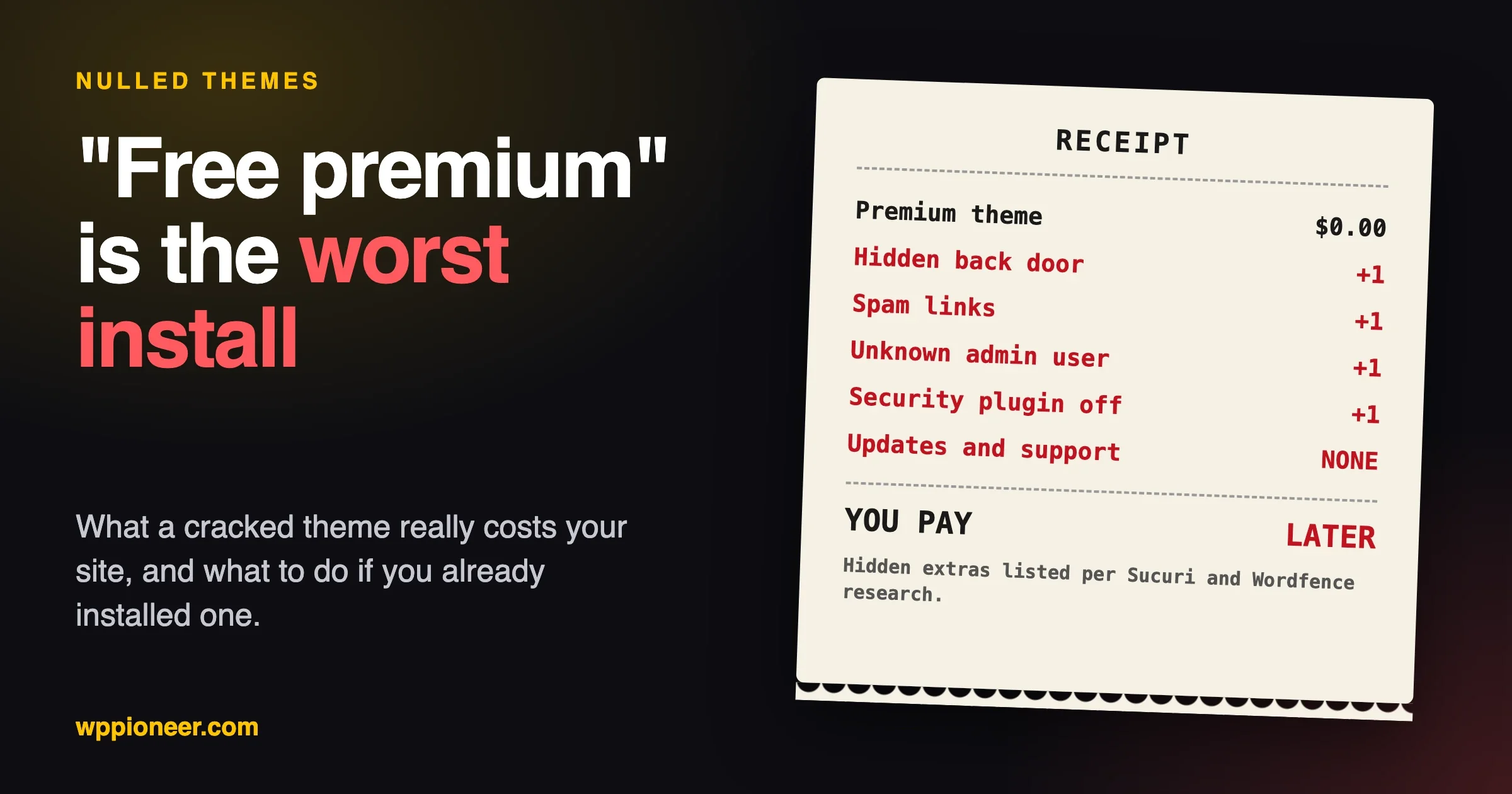
- A “nulled” theme is a paid theme that someone has cracked and shares for free. You cannot see what else they changed.
- A theme is code that runs on every page of your site, so a bad one can add hidden admin users, spam links and a back door.
- Delete-and-forget does not work. If you already installed one, change your passwords and check for extra admins and files too.
- Safe free options exist: the free theme directory on WordPress.org, the free versions of popular paid themes, and the themes that ship with WordPress.
- Legal grey areas aside, the practical problem is simple: no updates, no support, and an unknown copy.
Nulled WordPress themes are premium (paid) themes that someone has cracked to remove the licence check, then uploaded to a website that gives them away for free. The page usually says “free premium”, “GPL” or “pro unlocked”. It is the worst thing you can install on a site, and the reason is not the price tag. It is that the person who altered the theme, and what else they added, is a stranger with full access to your site.
This guide is for anyone who found a “free premium” theme in a search result and wants to know if it is a good idea (it is not), or who already installed one and is worried. It explains what nulled means in plain English, what these copies are known to hide, how to check a theme you already have, what to do if you find trouble, and where to get a good theme without paying full price. We do not name or link the download sites. They do not need more visitors.
What are nulled WordPress themes?
Most premium themes come with a licence key. You pay, you get the theme file, and the key lets you receive updates and support from the maker. “Nulled” comes from removing (nulling) that key check. Someone takes the paid file, changes the code so it works without a key, and re-uploads it.
You will see them under names like “cracked”, “pro unlocked”, “free download” or “GPL club”. They show up when you search for a theme’s name plus the word free, and in social media groups and video descriptions.
The key point is that a changed copy is not the same file the maker published. Whoever changed it had the whole theme open in their editor. Removing one licence check is a small edit. Adding a line that does something else is another small edit, and you would never see it.
Why do people give away paid themes for free?
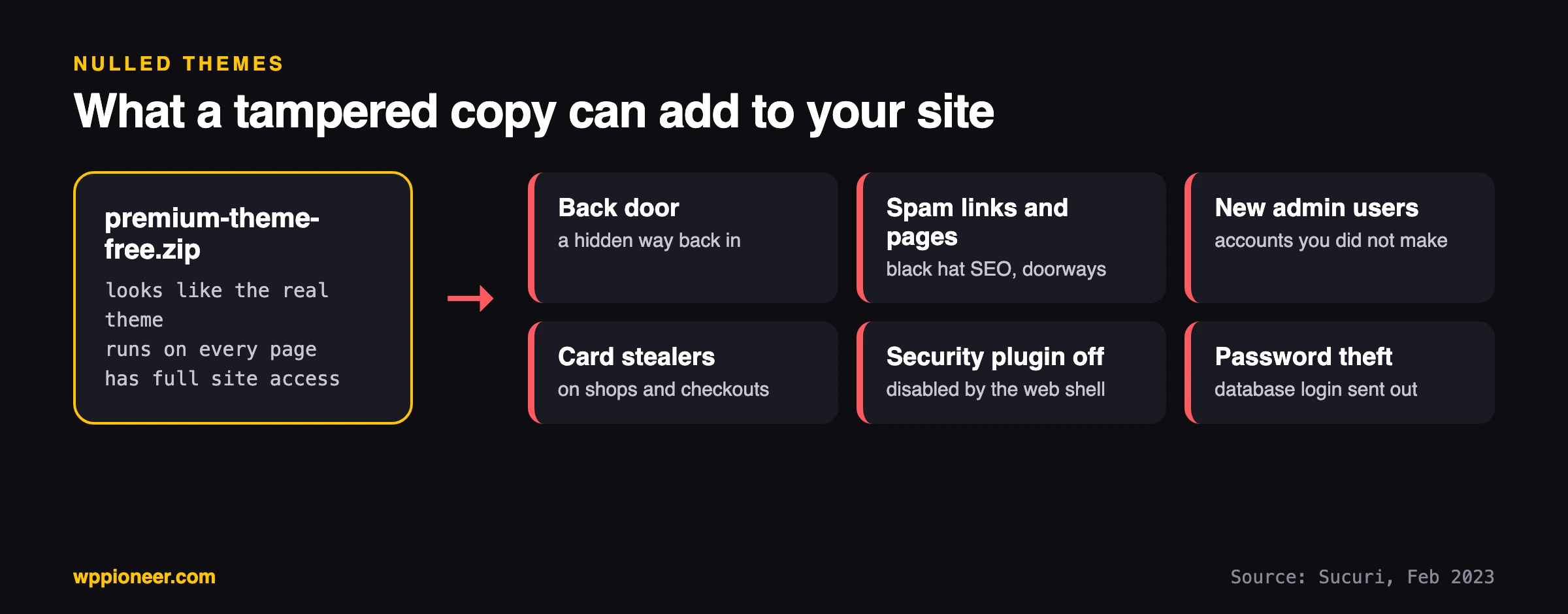
Sometimes the person has no motive beyond collecting traffic. The security companies that study these copies say the motive is often access to your site. Sucuri, a security company, describes nulled themes and plugins that “contain hidden backdoors that allow unauthorized access to your website” and lists what attackers do with that access: black hat SEO, injected malware, credit card stealers, spam pages and the creation of new malicious users. You can read the details in Sucuri’s write-up on the dangers of nulled themes and plugins (February 2023).
We cannot tell you the motive of any one site. What we can say is that giving away a product that costs money to make has to be paid for somehow, and “somehow” is often your website.
What can a nulled theme actually do to my site?
More than most people expect, because a WordPress theme is not just a look. It is PHP code, and that code runs every time someone opens a page on your site. It runs with the same power as WordPress itself, so it can read your site’s settings file (which holds the database password), create users, write files and talk to other servers.
Two published examples make this concrete. They are not the only ones, and they are not about one particular theme.
- A web shell in a theme file. Sucuri describes a nulled theme with a hidden control panel (a “web shell”) that could switch off installed security plugins, infect other files on the server and send the database login details from
wp-config.phpto another server. It also notes that some nulled files use stealthier malware that a scan at download time can miss. - A back door that turns your security plugin off. In September 2025, Wordfence described tampered copies of two premium plugins (plugins, not themes, though both are PHP code with the same power). The back door ran on every page load but stayed quiet until a visitor used a secret string in the web address. Then it renamed the Wordfence plugin folder, which switched that plugin off. The write-up is The Price of ‘Free’. Wordfence also says the tampered plugins were outdated copies, and that some of the code was deliberately scrambled so it was hard to read.
Neither source says every nulled copy is infected. You cannot tell a clean copy from a dirty one by looking at the download page, and that is the whole problem.
What does a problem look like on my site?
Symptoms people notice, from most to least obvious:
- Visitors from Google land on casino, pharmacy or other spam pages (more on that in our guide to the redirect hack).
- Your site shows pages you did not make, or links to sites you do not know.
- An administrator user you do not recognise appears in Users.
- Your host sends a warning, suspends the account, or your emails start landing in spam.
- A security plugin you installed has turned itself off, or its folder has a different name.
- The site gets slower for no reason you can find.
No symptoms at all is also possible. A quiet back door can sit for months until someone uses it.
What does GPL mean, and does it make nulled themes okay?
This is the most common argument you will see on those download sites, so here it is in plain English. WordPress is released under a licence called the GPL. The WordPress.org licence page says “Derivatives of WordPress code inherit the GPL license” and that WordPress feels strongly that “plugins and themes are derivative work and thus inherit the GPL license”. It also admits there is “some legal grey area regarding what is considered a derivative work”.
In everyday terms, the GPL gives you freedoms. You may use the code, change it, and share it. That is why you will see “100% GPL” on many sites that resell or give away premium themes.
So is a nulled copy okay? Two things to keep apart.
- The legal side is murky, and we are not lawyers. Many premium themes are sold with parts under the GPL (the PHP code) and other parts, like design files, images or fonts, under a separate licence from the author. Whether a particular copy is lawful to share depends on those terms. If it matters for your business, read the maker’s licence page or ask them.
- The safety side does not depend on the law. The GPL says you may share the code. It does not say that the file you downloaded is the same as the one the author published. It does not say anyone checked it. That is the risk, and it is the same whether the copy is legal or not.
For a beginner, the practical rule is short: if the copy did not come from the maker, from the WordPress.org theme directory or from a marketplace you bought it from, you cannot know what is in it.
Are nulled WordPress themes really free?
You skip the purchase price and give up a lot of other things. Here is what changes:
| Bought from the maker | Nulled copy | |
|---|---|---|
| Who edited the code? | The maker, in the open | An unknown person |
| Security updates | Yes, through your licence | No. The licence check was removed, so updates may not arrive, and an “update” from the same site may be another tampered copy |
| Support | From the maker | None. The maker will not help with a copy they did not sell |
| Demo content and bundled plugins | Usually included and licensed | Often missing, or replaced with other copies of unknown origin |
| If something goes wrong | You have a receipt, a vendor and a refund policy | You have a cleanup job |
| Cost | The price of the theme | Zero today, plus the cost of a cleanup if it goes wrong |
The last row is the real comparison. Cleaning a hacked site takes time or money, and when the site sells things or collects customer details, the cost can include trust. We do not quote a figure because it varies too much. Compare a theme’s price to a day of your own time spent on cleanup, and the paid theme usually wins.
If budget is the reason you looked at “free premium” in the first place, the last section of this guide has better options. Seasonal sales also help, and our Black Friday buying checklist shows what to check before you pay for a theme or plugin.
How do I know if a theme I already installed is nulled?
Symptom: you installed a theme from somewhere unofficial, or a freelancer gave you one, and you are not sure about it. Quick check: work through this list from the top. Each step takes a couple of minutes, and you do not need to be technical.
- Where did it come from? The safe sources are the maker’s own website, the WordPress.org theme directory (Appearance, then Themes, then Add New), or a marketplace where you bought it under your own account. Anything else is a reason to be suspicious.
- Look at the version. In Appearance, then Themes, click the theme and read the version and author. Compare it with the maker’s website. A version that is several releases behind, or an author name that does not match the maker, is a warning sign.
- Look at the users. Go to Users and filter by Administrator. Every name should be someone you know. Our sister site has a deeper walkthrough in The Hidden WordPress Admin Account.
- Look at the plugins. Open Plugins and check for anything you did not install, including entries in the “Must-Use” and “Drop-in” tabs if they appear.
- Search your own site in Google. Type
site:yourdomain.comfollowed by words like casino, pharmacy or loan. Results mean spam pages exist. - Visit your site from a Google result on your phone. Some redirect hacks only fire for visitors who came from search.
- Run a scan. The free Wordfence plugin from the WordPress.org directory scans your files and reports changed or suspicious ones. Run it, and read the results. As Wordfence says itself, signatures for the newest malware reach free users about 30 days after paid ones, so a clean scan is a good sign and not a guarantee.
If you can look at the files
If you have file access (through your host’s file manager, SFTP or SSH), two searches find the most common leftovers. We ran both on a throwaway folder where we planted one suspicious line in a fake theme and one PHP file in the uploads folder, so you can see what a hit looks like.
# Run these from your wp-content folder.

# 1. Code that decodes and runs hidden text, a favourite trick of malicious code
grep -R -n -E 'base64_decode|eval\(|gzinflate|str_rot13' themes/your-theme --include='*.php'
# themes/shiny-theme/footer.php:4:eval( base64_decode( 'ZWNobyAiaGkiOw==' ) );

# 2. PHP files in the uploads folder (it should hold images and documents only)
find uploads -name '*.php'
# uploads/2026/10/image.php
On two clean themes from our test site (Twenty Twenty-Five and a premium theme we own), the first search found nothing. A hit is a reason to look closer, not proof of an infection. Some legitimate plugins and themes use those functions for good reasons, so ask your host or a developer to look at any result before you delete files. The second search is stricter: normal sites rarely have PHP files in uploads. A PHP file there is a strong red flag.
What should I do if I already installed one?
Do not just delete the theme and move on. A back door can survive the removal of the file that brought it in, because it may have copied itself somewhere else. Sucuri notes that a web shell in a theme can infect other files on the server. Here is the order we would follow:
- Make a copy first. Download your files and database so you have something to go back to or to show a helper. Do not restore this copy later, since it contains the problem.
- Change every password. That means every WordPress administrator, your hosting account, FTP or SFTP, and the database password (changing that one means editing the matching line in
wp-config.php). The theme could read the database password, so treat it as known. Also replace the secret keys and salts inwp-config.phpusing WordPress’s own generator atapi.wordpress.org/secret-key/1.1/salt/. This logs everyone out, including anyone who was already in. - Remove the nulled theme and switch to a safe one. Activate a theme that ships with WordPress, then delete the nulled one.
- Remove any user or plugin you do not recognise. Use the checks from the section above.
- Reinstall WordPress core. Go to Dashboard, then Updates, and use the re-install button. This replaces the core files with clean ones and leaves your content alone.
- Check the uploads folder for PHP files and anything else that should not be there.
- Consider a clean restore. If you have a backup from before the nulled theme was installed, restoring it is often the safest route. Our guide to undoing changes in WordPress explains backups and rollbacks.
- Ask your host to scan the account. Many hosts do this for free and can see things you cannot.
The full walkthrough is in How to Fix a WordPress Site That’s Been Hacked. If the site keeps getting reinfected after a cleanup, read why your site keeps getting hacked.
If the site takes payments or stores customer details, treat this as serious. Sucuri lists credit card stealers among what these copies are used for. In that case, stop and get professional help rather than working through the list alone.
How can I get a premium-quality theme without a nulled copy?
There are more good options than you might think. Most of them cost nothing.
Use the themes WordPress ships with
Recent WordPress installs include the Twenty Twenty-series themes. Twenty Twenty-Five was on our test site next to older ones. They are free, maintained by the WordPress project, and built for the Site Editor, so you can change fonts, colours and layouts without a paid add-on.
Start from the free theme directory
Themes in the WordPress.org directory go through a volunteer review before they are listed. That is not a guarantee of perfection, but it is a human check that a downloaded zip from a random site never gets. Our guides to the best themes for small business and the best themes for blogs list free and paid picks, and how to choose a theme explains what to look for.
Try the free version of a paid theme
Several popular paid themes also publish a free version in the same directory. We checked the directory’s own data on 28 October 2026: Astra (version 4.14.1), Kadence (1.5.2) and GeneratePress (3.6.1) are all listed there. The free version gives you the maker’s code and updates, and the paid upgrade is available later if you need its extras.
Buy the real thing when it is on sale
If you want a specific premium theme, buy it from its maker or from a marketplace where you purchase it under your own account. Wait for a sale if the price is the problem. Keep your licence key and receipt in the same place you keep your hosting details (our checklist on who holds the keys to your website covers this).
Installing a theme properly
When you do have a legitimate zip, our walkthrough on installing a WordPress theme shows the steps for the directory, a ZIP file and a marketplace download, and how to fix upload errors.
Common questions
Are nulled WordPress themes illegal?
It depends on the theme’s licence and on where the copy came from, and we are not able to give legal advice. The WordPress.org licence page quoted earlier shows the picture is not simple. The safer question to ask is whether you can trust the copy, and you cannot.
Can I use one of the nulled WordPress themes if a scan comes up clean?
A clean scan is not a promise. Sucuri notes that some nulled components use stealthier malware that can slip past a scan at download time, and Wordfence says new detection reaches free users with a delay. Also, even a clean copy gets no updates, so the next security fix in the real theme never reaches you.
What about “GPL club” sites that sell premium themes cheaply?
They sell copies of the same themes from a different place. The copy is still not from the maker, so the same questions apply: who checked it, who updates it and who supports it? A copy that comes with no updates or support from the maker is not a substitute.
A freelancer gave me a theme. Is it safe?
Ask where they got it and ask for the licence or receipt. A theme bought under your own account is fine. A theme “from their collection” is a nulled-theme risk by another route. You can also run the checks in this guide before you activate it.
How do I tell if a free theme in the directory is safe?
Look at the number of active installs, the date of the last update, the support forum and the author’s other work. A recently updated theme with many active installs and a busy forum is a better sign than one that was updated years ago.
Will deleting the theme remove the problem?
Not always. The theme may have written files elsewhere or created users. Follow the steps in the section above and treat deleting the theme as one step among several.
Where to start today
If you have not installed anything yet, close the tab and pick a free theme from the directory. If you already installed a “free premium” theme, run the seven checks, change your passwords and follow the cleanup list. Both paths take less time than most people expect, and both are much cheaper than waiting for the day the hidden code gets used.
No comments yet